Marantz – Watch Out for Updates!

Crys_00100.png
Marantz NR1504

I’ve had a Marantz NR1504 for a couple of years at least. As you can see, it was released in 2013 and is no longer made – according to Marantz Tech Support.

My Marantz NR1504 Receiver recently took an update over the internet. Automatically. And the next time my Linux Mint System booted, the receiver refused to pass video from the Linux system. Dish Hopper and Sony Bluray player work fine. I thought the problem was the Linux Kernel Update that I’d done, so I pulled the machine out of the Entertainment system and attached another monitor to it thinking that I would need to re-install Linux Mint 18.2, but it came up fine with the other monitor. Also, I’ve swapped HDMI cable and used other Receiver input ports, and when the Linux system is attached directly to the Vizio Pseries TV, it works fine, in FREAKING 4K no less. Of course the NR1504 only supports HD, not 4K. In 4K the print is so small on my 65″ TV that I can barely see it. But it works fine and Youtube is also fine.

Continue reading “Marantz – Watch Out for Updates!”

Linux Kernel Crash – Need to Back Out


I accepted a software update of the kernel on my LM 18.2 system, and now it won’t boot. Probably someone rushed out a SpecterMelt fix or something. Anyway, I need to back out these kernels later than 4.4.0-98 so they aren’t boot options. If I restart now I need to go through grub advanced options to get system started.

How do I back out these recent kernels?

Update: Use the Update Manager > View > Linux Kernels to choose which ones you want and you can back them out.

Update Update: Not a crash at all. Linux was fine. The Marantz NR1504 took an update that blacked the screen. Linux works fine to other monitors and the 4K TV without problems on the latest kernel.

Thanks
:ww

Linux Mint 19 Samba Issues with Windows 10

Yet again, something changed to break network file sharing between LM19 and Windows 10. Here’s the fix. Windows 10 could see a LM19 file share just fine, but LM19 could not see the Win 10 file shares. < Again back-dated to keep it off the front page. >

[SOLVED]Mint 19 Network SAMBA shares not shownin File Manager

Re: Mint 19 Network SAMBA shares not shownin File Manager

Unread post by altair4 » Wed Jul 04, 2018 9:57 am

Can’t comment on the Printer issue but there have been changes in samba since Mint18.

Long version: Mint 19 and Samba File Sharing Changes

Short version:

Edit /etc/samba/smb.conf and right under the workgroup = WORKGROUP line add this one:

Code: Select all

client max protocol = NT1

Then reboot.

If you have Win10 on your network and it has disabled SMB1 on the server side you will not be able to connect to it.

This allows the Linux Mint 19 system to see the Windows 10 file shares.
To see the Linux Mint 19 system from the Windows 10 systems just use the Software Manager to install SAMBA and then set up a file share of say, your home folder. Be sure and change the name to something else, not just your user name. For some reason just your user name fouls up the share.
Here’s the view from the Linux Mint side:

For some reason there were two GBLM19 computers, but this was probably an artifact of the changes I was making while trying to get this to work. After a few minutes it settled down to only one that worked from Windows 10. They both worked from Linux looking in to itself.


Here is the view from the Windows 10 system:

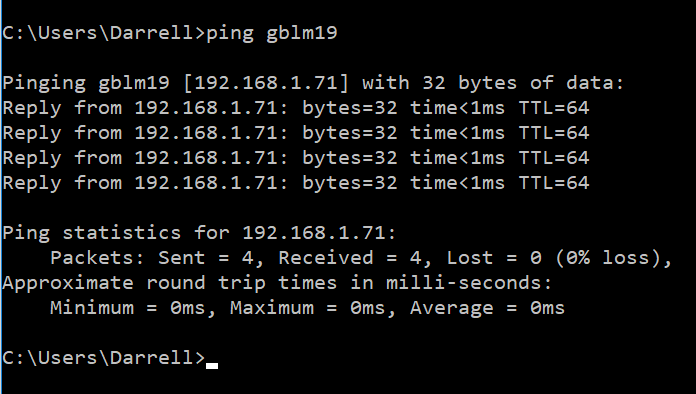
I still cannot ping from the Linux system to the Win 10 machines. Apparently there is a fire wall issue. Well that’s for tomorrow. I can ping the LM system from the Win 10 machines.

Crys_00486.png

Never works out of the box it seems.
:ww

Display Failed- or did it?

DSCN3375
Battle chair

I got up this morning, and tried to wake up my computer like I always do, but it didn’t.

As you can see, I have what I call a “Battle Chair” which you can find here and here. I’ve upgraded the computer again since 2013, and the monitor is now an ASUS PQ258Q – 2K monitor.

AS_000361.jpg

Well this morning, the monitor would not wake up. I rebooted the computer a couple of times. No luck.

Continue reading “Display Failed- or did it?”

Linux / Windows 10 Samba Issues

Back Dated

Can’t connect between Linux and Windows10 with Samba

Here’s a Forum Post.

This appears to have worked to allow me to see windows 10 systems from Linux Mint 18.3.

I don’t think iptables-persistant is the better way around.

The correct and documented way to enforce advanced iptables commands is described on https://wiki.ubuntu.com/UncomplicatedFi … ctionality

Using that info, what solved the problem for me was to add the code bellow and the end of “/etc/ufw/after.rules” and restarting ufw:

Code: Select all

*raw
:PREROUTING ACCEPT [728:143746]
:OUTPUT ACCEPT [664:135398]
-A OUTPUT -p udp -m udp --dport 137 -j CT --helper netbios-ns
COMMIT

This way, there’s not need to mess with iptables-persistant and if you installed iptables-persistent you’ll need to uninstall it running sudo “apt-get purge iptables-persistent”.

Use “Sudo xed” in a terminal to get an editor so you can edit the file mentioned above. Copy / Paste the settings above at the end of the after.rules file and save it. You can safely ignore the errors about meta data that xed spits out. It’s trying to save some meta data about the formatting and of course that is nonsense when you are editing system files.

Just sharing it so I can find it from Linux.


Qt Development for Windows

AS_000340.jpg
I’m a long time user of the Qt Development Framework. But every few years, it seems to change hands and everything about how to install it changes.

I recently installed it on Linux Mint, and while it looks like it is built in, the install was anything but simple.

But now I’d like to add a feature to one of my personal programs for Windows, so here we go again. I started by trying to look up a recent YouTube video on the subject and while it was only a year or so old, and all the domains were active, it failed miserably after the install in the same way that the Linux install failed. It was unable to find a valid “Kit”. A Kit for Qt is a set of definitions so that the IDE – integrated Development Environment – can find the other tools like compilers, framework libraries, debugger and make program. Well the Youtube video I found had the same problem. The install looked like it worked, but it brought along no tools, framework or valid kits.

Well I’ve solved that, so I’m making a post here so that I remember, and maybe it will help you too.

Continue reading “Qt Development for Windows”

AMD Ryzen 1800 System

Seems that I can never go too long without building a system. Now that Intel has been duly embarrassed by AMD bringing out some awesome mega-core systems, I just had to support AMD by building one. Intel rushed to build their Core i-9 Processors, but they are way expensive compared with the AMD alternatives.

I first considered an AMD Threadripper 1900x processor  but after asking for advice from the Overclockers forum, it became clear that the 8 core 1900x was not more powerful than the earlier AMD Ryzen 1800X, and this one was on sale for about $100 off.

As you can see, I got a fancy glass case, and water cooler from Corsair, and those fancy carnival lights RAM from G.Skill. Those things are blinking away as we speak.

Continue reading “AMD Ryzen 1800 System”

Sharing with Linux Mint 18.2 and Windows

I have an “Equal Opportunity” network. A few Windows 10 systems and a lot of Linux Mint systems. And I obviously want to share files among my systems.

Install Samba from 2017-10-06 09-25-01.png

Over the years and versions, Linux Mint has gotten more friendly when sharing files with Windows systems. Samba has always been a thing, but in recent versions, Linux Mint has made it easier to get it going.

Back when I was using Ubuntu – which Linux Mint is based on – in 2008, it was a pain to get Samba going. But things are better now. Now with Linux Mint 18.2 the dialog above is what you get if you navigate to Home and then try to share your personal folder, presumably for read-only, to the rest of the network. That’s a start. Look even an install button.

Continue reading “Sharing with Linux Mint 18.2 and Windows”

Singularity – Wait. Not that Simple.

4_omens__death_by_adamburn-d99l0ja.jpg

Ray Kurzweil, Nick Bostrum and others have been warning of “The Singularity” for some time now.

In their scenario, an AI wakes up one day and is suddenly smarter than any human, and alone, or by coercing humans to help it, this single AI either takes over the world, or helps we poor dumb humans out of all of our problems in a flash of intelligent light.

On the other hand, Daniel Dennett talks at length on youtube and in his books about the power of culture, the power of memes and “Intuition Pumps” and other tools for thinking. It seems to me that the Singularity Folks have it wrong and Dennett is a lot closer to the truth.

Continue reading “Singularity – Wait. Not that Simple.”

WiFi Enabled Stuff – What a Crockpot

IMG_20170212_082339.jpg
WiFi Crockpot for $30

So Walmart had their WiFi crockpots on sale for $30. Seems like they are getting rid of them. Reviews on Walmart’s website shows that they have problems – mostly connecting.

But think about this. A Crockpot is a reasonable price at $30, so the WiFi stuff is all free. That means that WiFi control, and the little ARM SOC [System on a chip] that it takes to do this is pretty cheap too. And that’s probably right. After all, low end smart phones are $30. And this application has no battery and no large screen.

AS_000205.jpg

Looks like some folks are selling this WiFi Crockpot for a lot more.

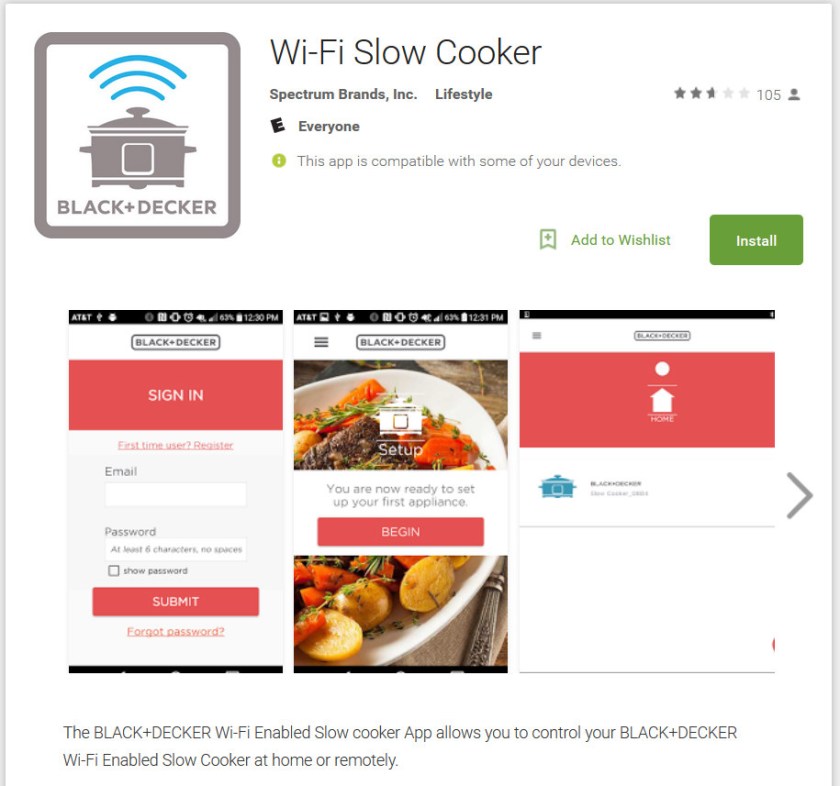
And here’s the App on the PlayStore.

AS_000204.jpg

But what about my Pellet Stove, which costs about 100 TIMEs what this crockpot does. Yep, pellet stoves are about $3000. So doesn’t my Pellet Stove deserve a WiFi enabled computer controlling it. Ok, so my Pellet stove was designed about 10 years ago and it has a really dumb controller.

Continue reading “WiFi Enabled Stuff – What a Crockpot”