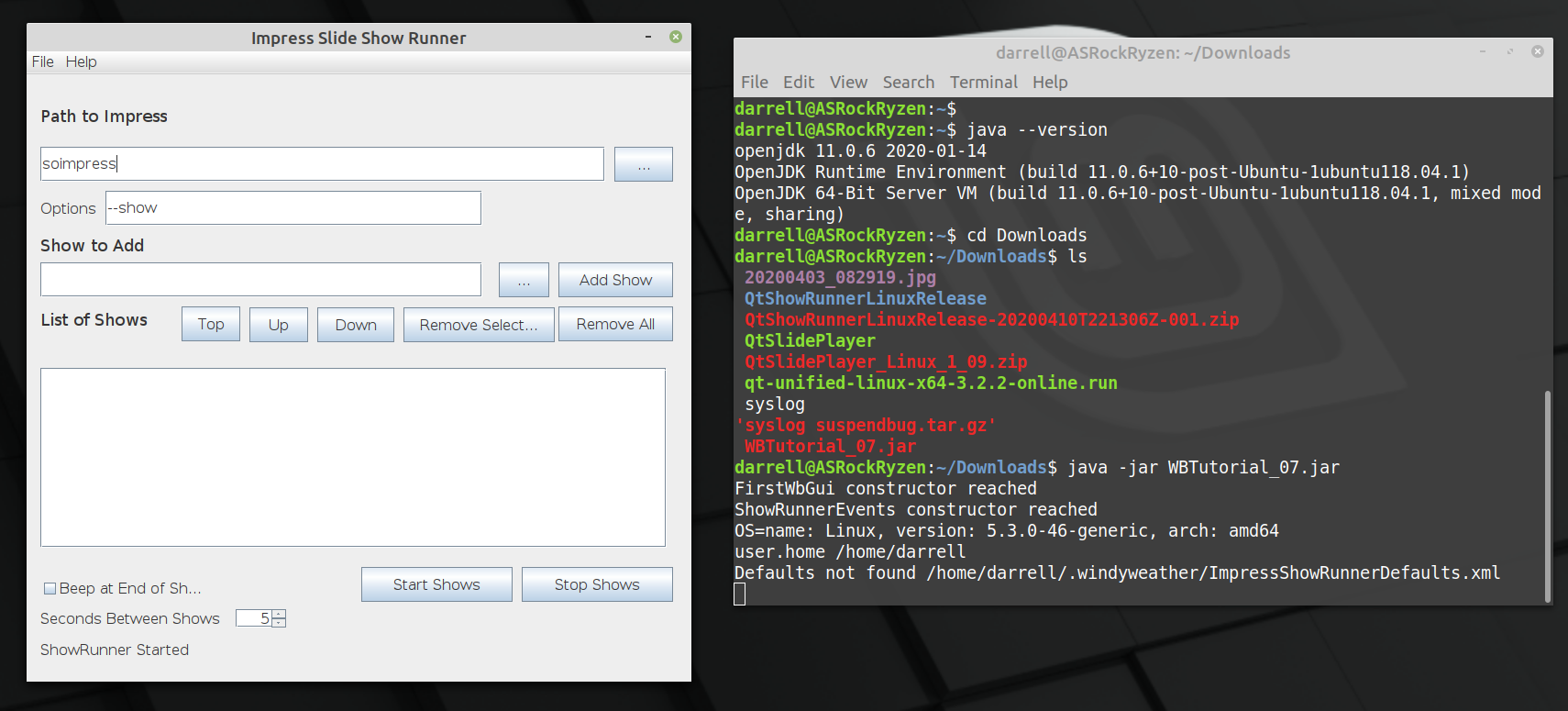
Well that wasn’t that hard. After looking at this page on Java layout managers [TLDR], and then this page on Group Layout again [TLDR]. I just jumped in and tried it out. And whadda you know. It’s not that bad. It’s a little glitchy. Not as smooth as the Qt Layout manager, but it works. Here’s what is working so far.
So the list and path strings resize. And this uses 14 pt type rather than 16 pt, so it’s a little more compact and probably won’t mess up on some screens like the larger font size did.
The program is distributed as a JAR file and requires Java SE 11 or later to run. OpenJDK 11 is built in to Linux Mint 19 and the normal windows SE release is currently Java 8. This will not work to run the program since it was developed for the JDK 11 version of Java. Actually. Let me get back to you on that. I have JDK 14 installed on the system I use to test on Windows 10. I need to sort out these Java version numbers and confirm that the program works on Java 8. Are Java JDK versions different from the RunTime environment versions? Let’s see.
Running the command line to launch the Impress program to show the slide show.
Finding out when the show is complete.
Clicking the mouse repeatedly so that the show ends when it finally reaches the black screen.
1 and 2 are pretty easy. In Qt there is a class that executes a command in another process. And you can wait on it or check to see if it is complete. We can’t wait of course since Impress just waits forever for a click on a black screen at the end. Soooo.
3 is not so easy on Qt. The solution differs by OS. On windows you need to call the Kernel to send events to be dispatched through the event handler. UINPUT calls. On Linux, the easiest solution I found was to launch the “xtodo click 1”command to perform a mouse click. The xtodo command is easily installed on Linux, but this is another step to make the program work. But the Java solution is much easier.
I’ve been using QtCreator and the QtFramework for many years to build apps for Windows / Linux. Deployment is always a struggle with the Qt Framework. Deployment is hard work. Lots of hand work and testing to make sure the installers are correct.
I’m now forever done with Qt for that. Java is sooooooo much easier to deploy.
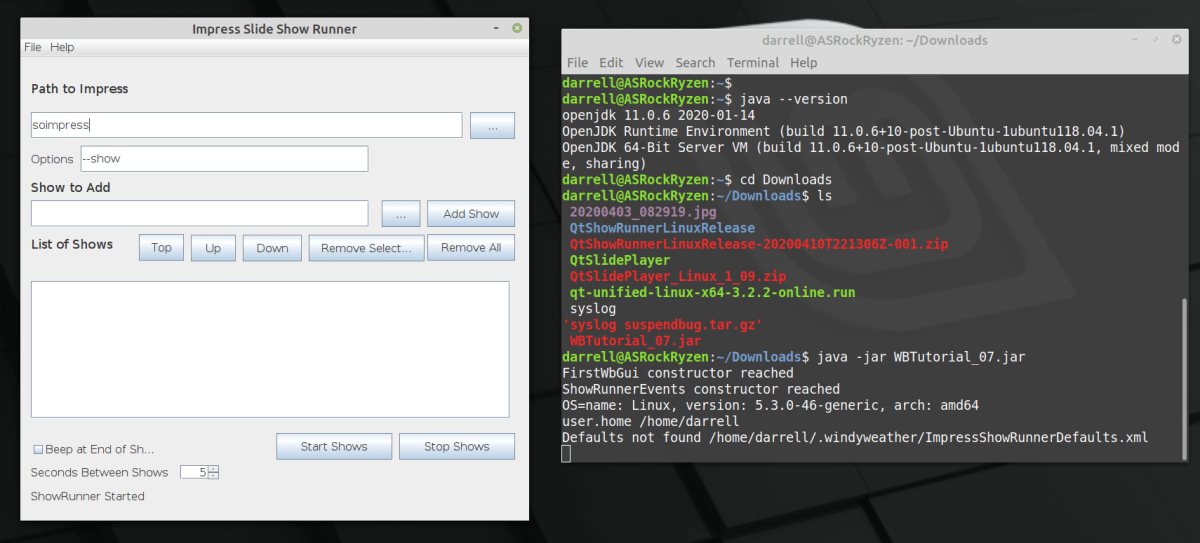
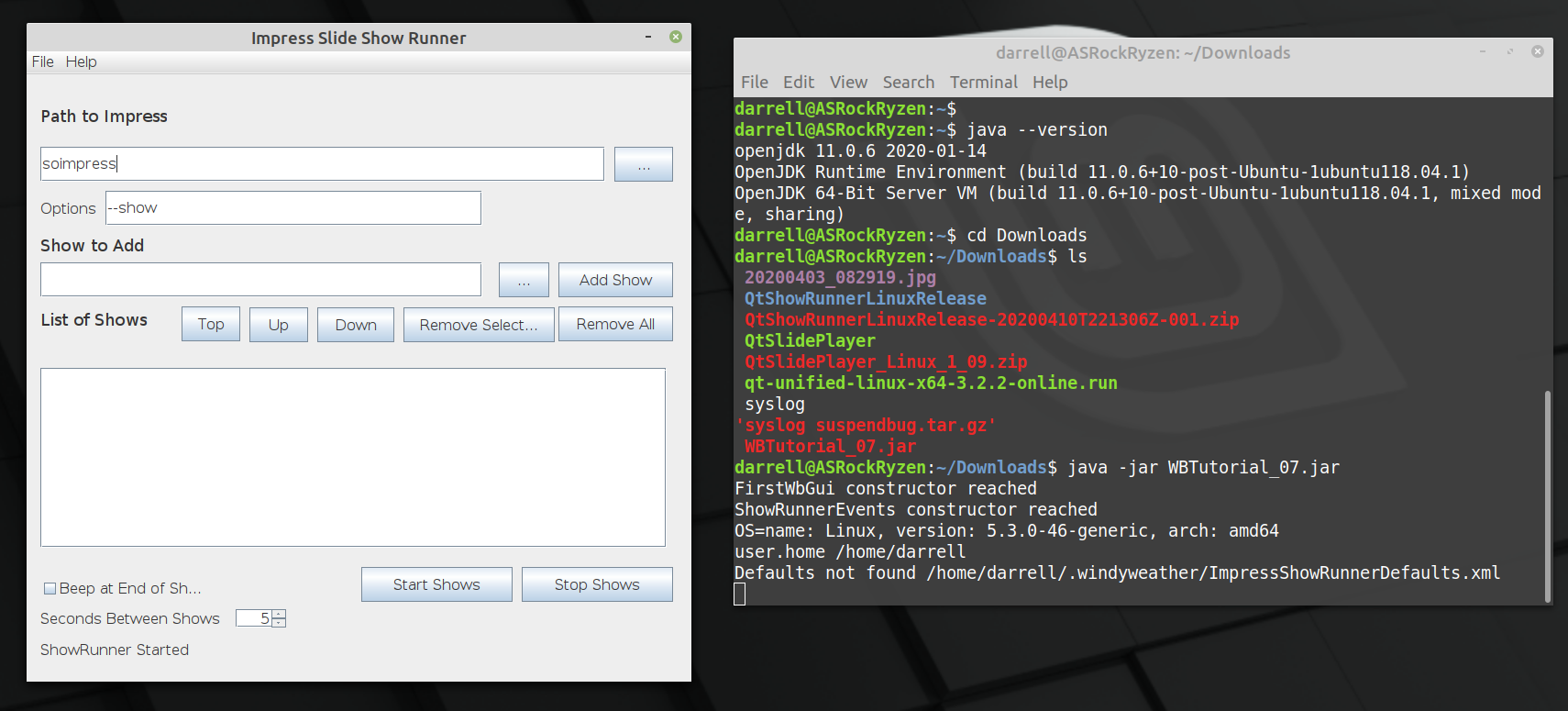
The above shot is of the prototype Java Impress Show Runner app running on Linux from a JAR file built on Windows 10. It runs on Windows 10 and it runs on Linux, with no changes and instantly. No fiddling required.
Here’s what it takes to build apps this way. Just an overview, not the entire story, but it has only been Five days since I started with Eclipse and Java. So it’s not that big an effort.
Update 11 April 2020: Using the xdotool method, the QtShowRunner works well on Linux, so there is a portable version for Windows and Linux. Get the latest at the github repo. I’m still investigating “Deployment” for Windows and Linux. Now, previously…
I have beat my head against the wall trying to fix the QtShowRunner program that works on Windows to work on Linux. None of the methods have worked.
Kernel uinput API calls never worked.
Using the X11 XSendEvent to send either Mouse clicks or Key events didn’t work.
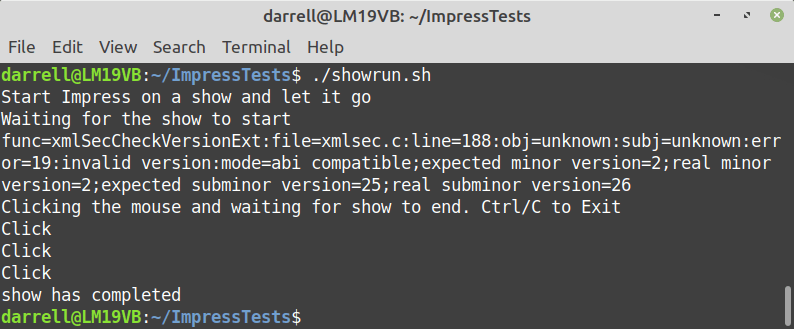
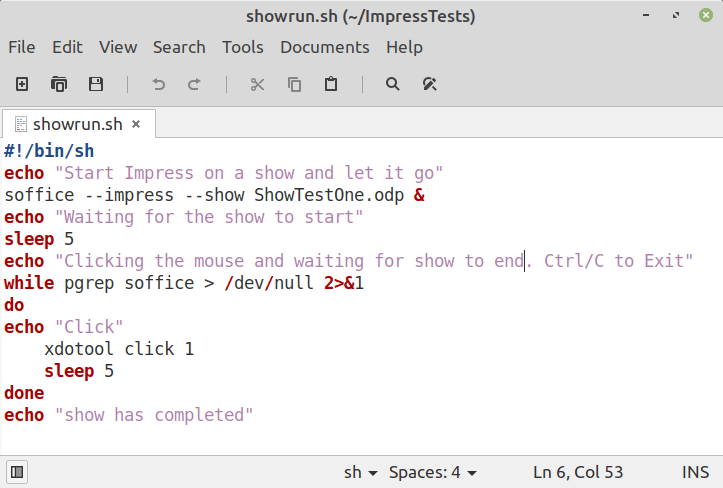
Finally I found a command called xdotool which does many X things including sending mouse clicks and key presses. Here’s a shell script that uses the xdotool to launch soffice impress to show a slideshow and then terminates the show and then exits the script.
The script launches the show with the ending & to detach it. Then loops looking for the process using pgrep and if it’s still around, uses xdotool to click the mouse and waits for 5 seconds. When the process finishes the show, and the click ends the show, then pgrep fails and the script exits. Trivial.
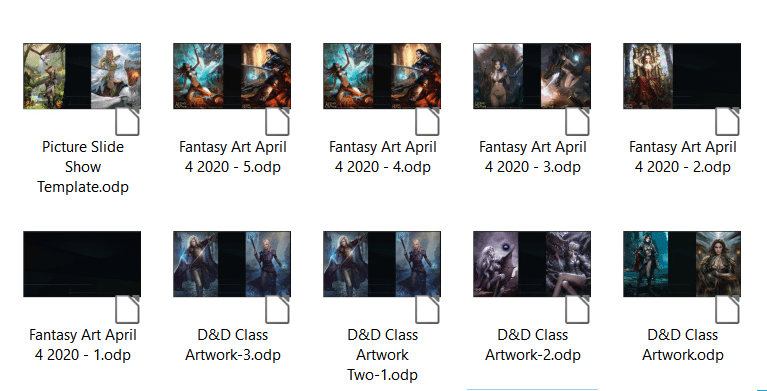
Well that’s a problem if you have lots of artwork you want to show. The slide shows get very large and so you have a few shows, and then you want to loop them all, right? Impress does not support that. So I wrote a program to help.
Lots of Artwork Slide Shows
QtShowRunner runs a sequence of LibreOffice Impress slide shows one after the other in a loop. Currently it runs on Windows but soon the plan is to move it to Linux Mint.
After no solution appeared, I wrote a program to do it.
Here is a shot of the program dialog and the Impress Slide Show settings. You need to uncheck Change Slides by Clicking on background for QtShowRunner to work without skipping through your slides.
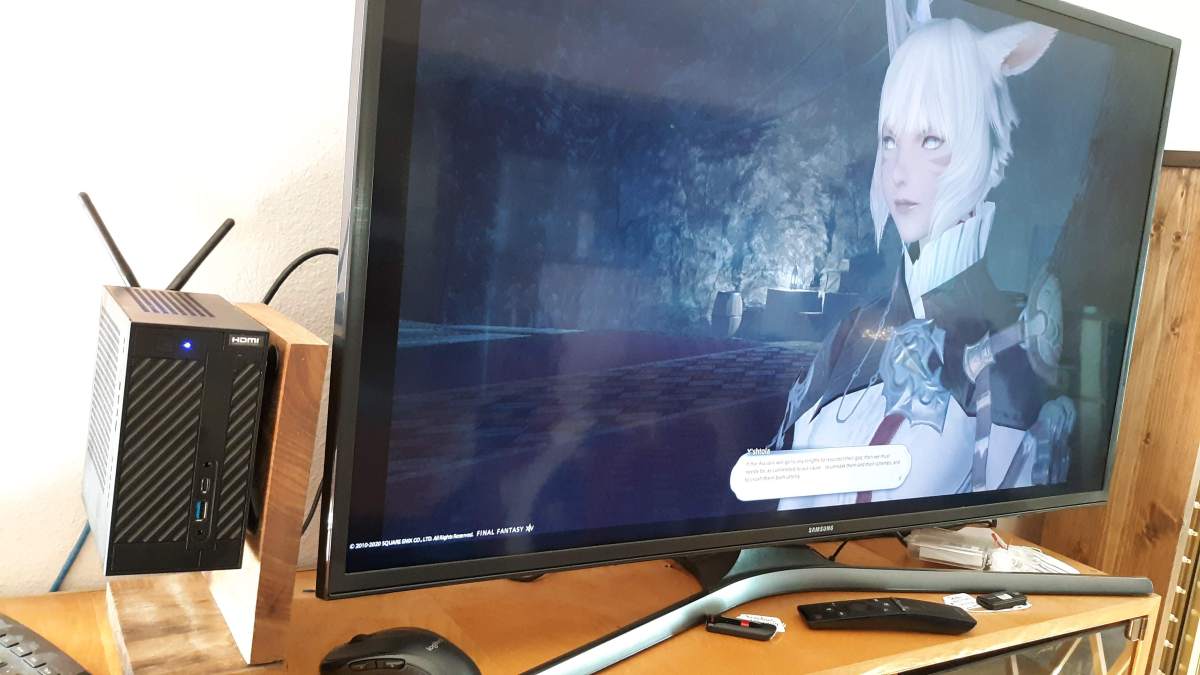
I’ve been building Mini-PC systems since 2008. I recently got parts to build an AMD Ryzen system based on an ASRock Desk Mini A300.
Those are the parts but in summary:
ASRock DeskMini A300 Chassis
AMD Ryzen 3 3200G 4-Core Processor
Samsung 970 EVO 500GB NVMe SSD
16GB RAM
The chassis comes with WiFi. And it now runs Linux Mint 19.3. It supports the 4K monitor with no issues unlike the previous Gigabyte Brix system, which only supported the 4K monitor under Windows 10 and not Linux Mint.
Backdated by one year to keep off Front Page of blog.
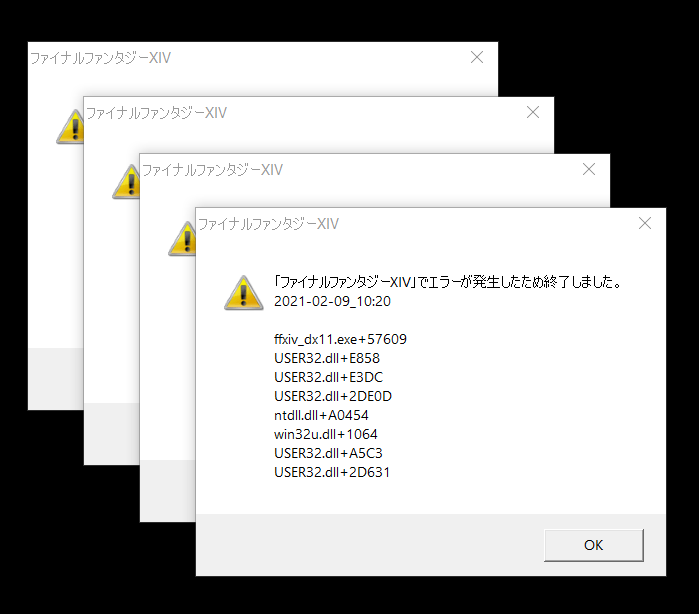
When submitting a bug report, please use the below template and thoroughly fill out the necessary information. how do I attach a picture?
Date & Time: na Frequency: sometimes World name: na Character name: na Retainer name: NPC name: Monster name: Class/Level: Party or solo: In-game time: Area and coordinates: Housing: Steps:
try to start the launcher
log in
click PLAY
observe crash *Add more steps if necessary
Connection Specs
Type of internet connection/provider: cable
Modem maker/model number: na
■ PC Specs
To obtain the system information, open the FFXIV launcher and select Config → System Information → Display.
-=-=-=-=- System Information -=-=-=-=-
-=-=-=-=-=-=- FFXIV Information -=-=-=-=-=-=-
MyDocument C:\Users\darre\Documents FINAL FANTASY XIV ONLINE G:\FFXIV\SquareEnix FINAL FANTASY XIV – A Realm Reborn Language 1 Region 2 ProxyEnable 0 ProxyServer unspecified ProxyOverride unspecified
-=-=-=-=-=-=- Application Information -=-=-=-=-=-=-
FFXIVLauncher In-Game Bugs – Post New Thread — Mozilla Firefox [removed for privacy reasons]
-=-=-=-=-=-=- Install Information -=-=-=-=-=-=-
AnyDesk Battle.net Google Chrome Guild Wars Haali Media Splitter MediaHuman YouTube to MP3 Converter 3.9.9.51 Microsoft Edge Microsoft Edge Update NC Launcher 2 NewBlue Titler Pro 5 for Corel Steam The Elder Scrolls Online Heaven Benchmark version 4.0 VLC media player World of Warcraft Corel VideoStudio Ultimate 2018 Microsoft Visual C++ 2013 Redistributable (x64) – 12.0.30501 Microsoft Visual C++ 2013 x86 Minimum Runtime – 12.0.21005 Microsoft Visual C++ 2012 Redistributable (x64) – 11.0.50727 Microsoft Visual C++ 2010 x86 Redistributable – 10.0.30319 FINAL FANTASY XIV ONLINE Microsoft Visual C++ 2019 X86 Additional Runtime – 14.26.28720 Microsoft Visual C++ 2019 X86 Minimum Runtime – 14.26.28720 Microsoft Visual C++ 2012 Redistributable (x86) – 11.0.61030 Aion Microsoft Visual C++ 2008 Redistributable – x86 9.0.30729 TERA Setup Microsoft Visual C++ 2015-2019 Redistributable (x64) – 14.26.28720 Microsoft Visual C++ 2005 Redistributable Microsoft Visual C++ 2015-2019 Redistributable (x86) – 14.26.28720 MyDVD Content Pack 1 Microsoft Visual C++ 2012 x86 Additional Runtime – 11.0.61030 QtScreenShotArchive version 1.5 TextPad 5 MyDVD Content Pack 2 Microsoft Visual C++ 2012 x86 Minimum Runtime – 11.0.61030 ICA Microsoft Visual C++ 2012 Redistributable (x64) – 11.0.61030 Arc Gameforge Client Microsoft Visual C++ 2013 Redistributable (x86) – 12.0.30501 Microsoft Visual C++ 2013 x86 Additional Runtime – 12.0.21005 SynchQt version 1.1.0 7-Zip 16.04 (x64) GIMP 2.10.14 Guild Wars 2 IrfanView 4.54 (64-bit) Mozilla Firefox 86.0 (x64 en-US) Mozilla Maintenance Service PerformanceTest v10.0 proDAD Adorage 3.0 (64bit) proDAD Route 4.0 (64bit) proDAD Script 4.0 (64bit) proDAD Mercalli 2.0 (64bit) proDAD Vitascene 2.0 (64bit) Riders of Icarus Black Desert Online Runes of Magic Microsoft Visual C++ 2010 x64 Redistributable – 10.0.40219 Corel Update Manager Microsoft Visual C++ 2008 Redistributable – x64 9.0.30729 Microsoft Visual C++ 2012 x64 Additional Runtime – 11.0.61030 LibreOffice 7.0.3.1 Boris FX Continuum Plug-ins 11 for Corel VideoStudio 2018 Contents64 VideoStudio 3D Title Editor Microsoft Visual C++ 2008 Redistributable – x64 9.0.30729.17 VSClassic64 Oracle VM VirtualBox 6.1.16 Microsoft Visual C++ 2013 x64 Additional Runtime – 12.0.21005 Microsoft Update Health Tools Microsoft Visual C++ 2012 x64 Minimum Runtime – 11.0.50727 Microsoft Visual C++ 2013 x64 Minimum Runtime – 12.0.21005 Microsoft Visual C++ 2012 x64 Additional Runtime – 11.0.50727 NVIDIA Ansel NVIDIA Control Panel 456.71 NVIDIA Graphics Driver 456.71 NVIDIA PhysX System Software 9.19.0218 NVIDIA HD Audio Driver 1.3.38.35 NVIDIA Install Application NVIDIA Display MessageBus NVIDIA Display Container NVIDIA Display Container LS NVIDIA Display Watchdog Plugin NVIDIA Display Session Container NVIDIA USBC Driver 1.45.831.832 IPM_VS_Pro64 Graffiti x64 Corel VideoStudio 2018 Microsoft Visual C++ 2019 X64 Additional Runtime – 14.26.28720 Microsoft Visual C++ 2012 x64 Minimum Runtime – 11.0.61030 VSUltimate64 Microsoft Visual C++ 2019 X64 Minimum Runtime – 14.26.28720 Share64
Got the power supply and have hooked it up and the system is under test. Thankfully, nothing was blown except the power supply.
Here are comparison photos between the old and new power supplies. The 850Watt Focus and the 1000Watt Prime. Same manufacturer and both fully modular so that the cables could just be re-plugged into the new supply. Worked like a charm. Back up in about 30 minutes. No cables to replace or re-route.
October, 2017 I built an AMD Ryzen System with all new components. It’s been great. I’ve upgraded it with a second SSD and a second larger HD for video game captures.
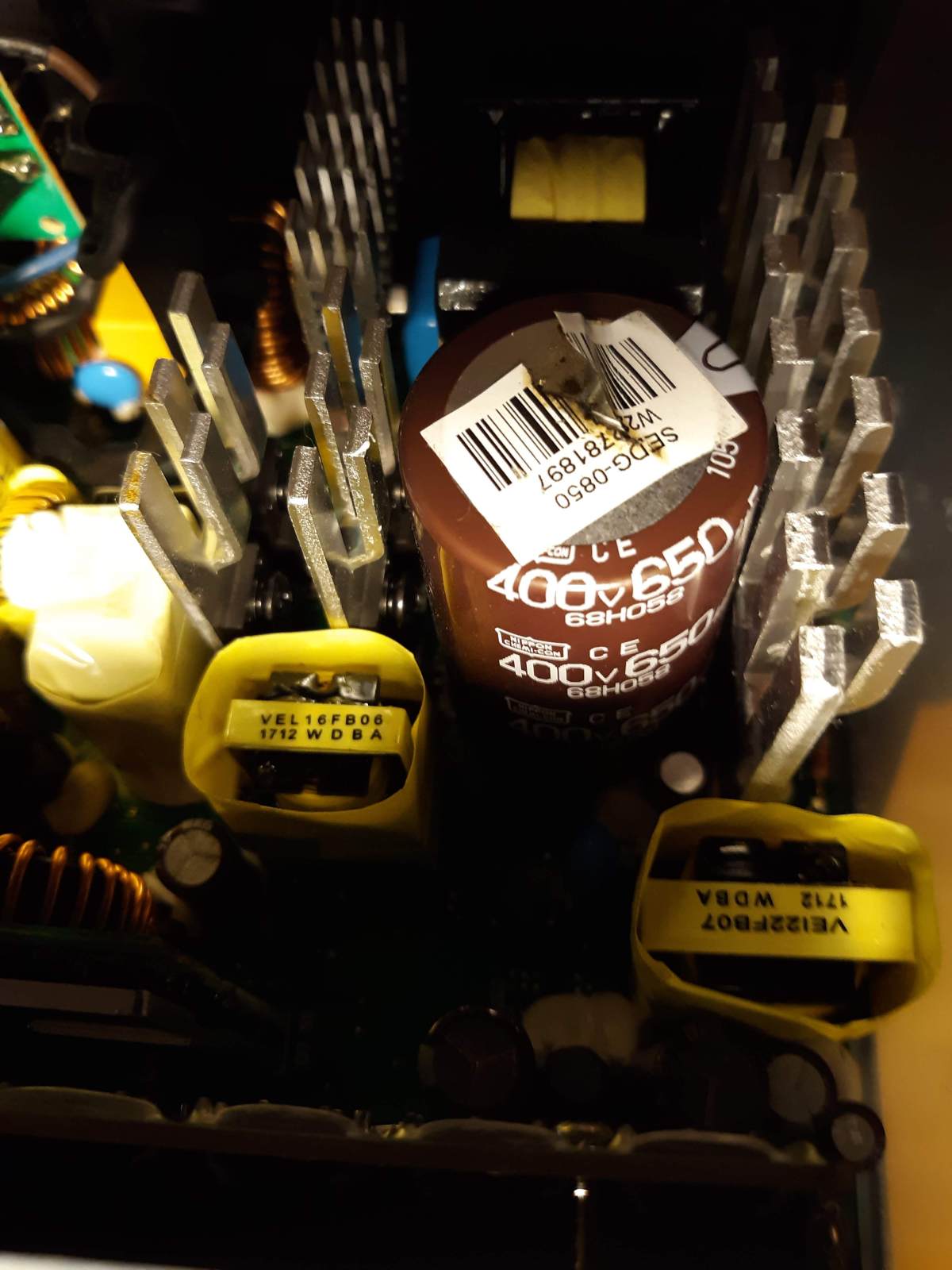
Today, the power supply blew.
As you can see, the top blew out of the main large Electrolytic Capacitor. There was even an embossed X where the blowout was supposed to occur if pressure built up. Well at least, it didn’t blow sideways all over the place.


 QtShowRunner runs a sequence of LibreOffice Impress slide shows one after the other in a loop. Currently it runs on Windows but soon the plan is to move it to Linux Mint.







 Windy Weather