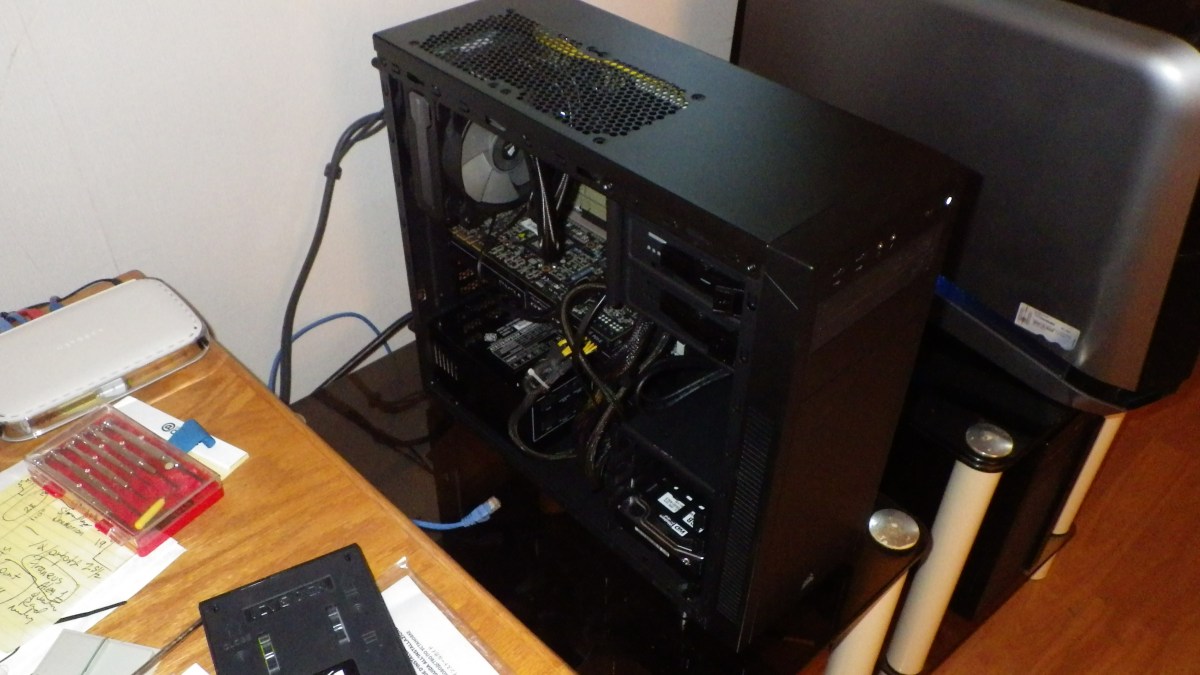
After about 5 years, it is time to move the rather small server machine out of the Yuge Cooler Master HAF X into a much smaller Corsair Carbide Series 100 R case. The ASUS Sabre 58 Motherboard is a full size ATX so that limited the case choices somewhat. The new case is in the center.
Also I wanted to try a nice Corsair H81 GT Cooler to see if it would fit in the Alienware Area 51 case that I’m rebuilding. So.
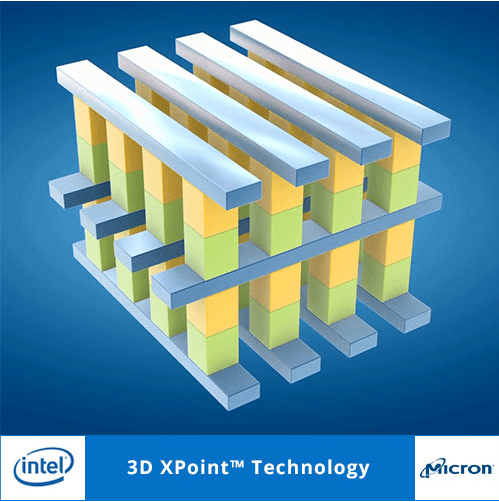
Intel and Micron, in July 2015, announced a revolutionary memory technology, called 3D XPoint [Pronounced CrossPoint, XPoint from now on here.] and they have recently made further announcements regarding the first introduction of products employing this technology.
I’ve seen discussions that talk about how XPoint is going to “Revolutionize” our thinking about computing. I’m thinking, er…. No. It will make things better and faster, but I don’t see a “Revolution”. I’m not suggesting that I’m pessimistic about XPoint. I’m suggesting that XPoint does not really create any new ways to Organize, Share or Distribute data, so what I think we are going to see is an Evolution where XPoint is used with methods we already have to Organize, Share and Distribute data.
Data Organization Methods
There are three major ways we organize data in and between computers. I’m sure you know about these, but let’s review. Continue reading “3D XPoint Hyperbole?”
As you can tell from previous posts, I’m having trouble with the Windows 10 Anniversary Update on one of my machines. It’s an older machine and I suspect that Windows has broken a driver for the old motherboard. The latest version that worked properly was Version 1511 / 10586.545 and each time I restored to the last Restore Point, it went back to that. So apparently, the Anniversary Update 1607 / 14393.51 is the problem.
After going back to a Restore Point on two successive days, I turned off the Windows Update service and the machine was ok for a day, but I decided that this was too risky a state to leave the system. I have decided to move the system to Linux Mint 18, and this post is being typed into that system. It took about 2 hours to do the update, including installing a new system HD, and another couple of hours to set up Thunderbird email.
I have used Linux Mint for many years, and the latest is version 18. I prefer the Cinnamon version, but you may prefer another of the several window managers. For my choice, Cinnamon looks the most like Windows.
This machine is used for email, online shopping and document creation. It has two 1080×1200 monitors driven by an older GTX 270 card. Not the best for gaming, but just fine for it’s uses. Continue reading “Move to Linux”
I had my Alienware Area 51 since about 2007 – since right before DELL bought Alienware – and about a year ago I upgraded to Windows 10. No problem. Here are the specs.
But the Anniversary Update fails miserably on this machine. It keeps waking up dead, if you see what I mean. A couple of days ago it was running, right after the update but without the 2 additional SATA hard drives. The drives were obviously still in the system, but Windows 10 did not see them. And Disk Manager did not see them either. So I did a RESTART with the start menu and got into a world of hurt. The system never finished restarting. After 10 minutes it was still doing an animation on the screen saying Restarting. So I used the power button, it failed to boot, and then finally I got it back by going back to the previous restore point using essentially the same process you see below, but it looked different that time. No application windows just blue screen dialogs.
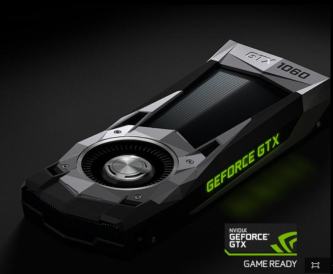
Just got my GTX 1060 Founder’s Edition. BTW, I couldn’t buy it using FireFox. Oddly the Buy Now buttons were dead on the site with Firefox. Finally I bought it using Windows 10 Edge.
The card comes packed like a fine watch. Here is the packaging.
Now that I have a new 2K Monitor, it’s time to upgrade my 3gen old graphics card to the newest one out there.
My new ASUS PB258Q 25″ 2560×1440 monitor doesn’t run all the time at 60hz on my current GTX 760 graphics card. So after 3 generations it’s time to upgrade to the brand spanking new GTX 1060 Founders edition.
In the past I have gotten ASUS graphics cards and they have always looked very nice. But the non-founders edition cards, while $50 cheaper, are all pretty dorky looking.
Dorky Non-Founder 1060s
There was a glitch though while I was trying to order the Founder’s card from Nvidia, which is the only place you will ever be able to get the Founder’s Editions. The Firefox browser did not work. The Buy Now buttons were all dead.
I eventually fired up the EDGE browser on my Windows 10 system and that worked just fine. For several days I thought it was Nvidia’s problem, either the site was broken or they were out of stock. But they are in stock, as of 25 July, and all is well. It’s on it’s way with free shipping.
Windows 10 Update takes no account of whether you want to use the computer. It just downloads the updates and you have no control. Here’s an example.
My daughter and I frequently visit over a VPN – from SoftEther.org – and we are both on Windows 10. Today when we set up the connection, and began talking on Mumble, our voices began breaking up and the other communications were under severe stress.
The latest hot startup fashion is Block Chain. Of course this is based on the popularity, and understanding of the advantages of BitCoin.
There are musicians running around thinking that Block Chains are going to save the day in protection of Music. I haven’t heard of Disney or others running around with their hair on fire about protecting movies with Block Chains, yet. Perhaps Block Chains will at last save Mickey Mouse from rampant copyright? Somehow I don’t think so.
Let’s quickly examine what block chain is good for, and what it won’t do.
A while back, I wrote some notes planning a novel where an AI emerged without the knowledge of humans and then decided to remain hidden while it amassed resources to leave the planet. Its goal was not to take over the Earth, but to be safe. I did not complete the story, but I got quite far along in thinking about what it would take for a Single [Robot AI] to stay safe and hidden while building resources to leave, or purchase a ride, to another sphere in the solar system. It would seem that nowhere on Earth would be safe from humans, but somewhere in the Asteroid Belt might provide enough resources and solar energy to allow a Single civilization to be safe and grow.










 Windy Weather