Vizio P65 TV Glitches

About a year and a half ago I bought a Vizio P65 TV. The Model was C1 at that time. This model is apparently no longer available, apparently. The new model is E1 as shown here.

Just after a year, when the TV was out of warranty, two of the four HDMI ports failed. I paid about $400 for an out of warranty repair to replace the “Main Board” and the HDMI ports all work now. The repair required two folks, since the TV is very heavy and must be laid down on it’s face for a mainboard repair. Also the folks drove over 200 miles to reach my house, so I doubt if they broke even on the repair.

Now the TV is Rebooting

However, after this repair, about twice, or more, times per day, the TV seizes up and reboots.

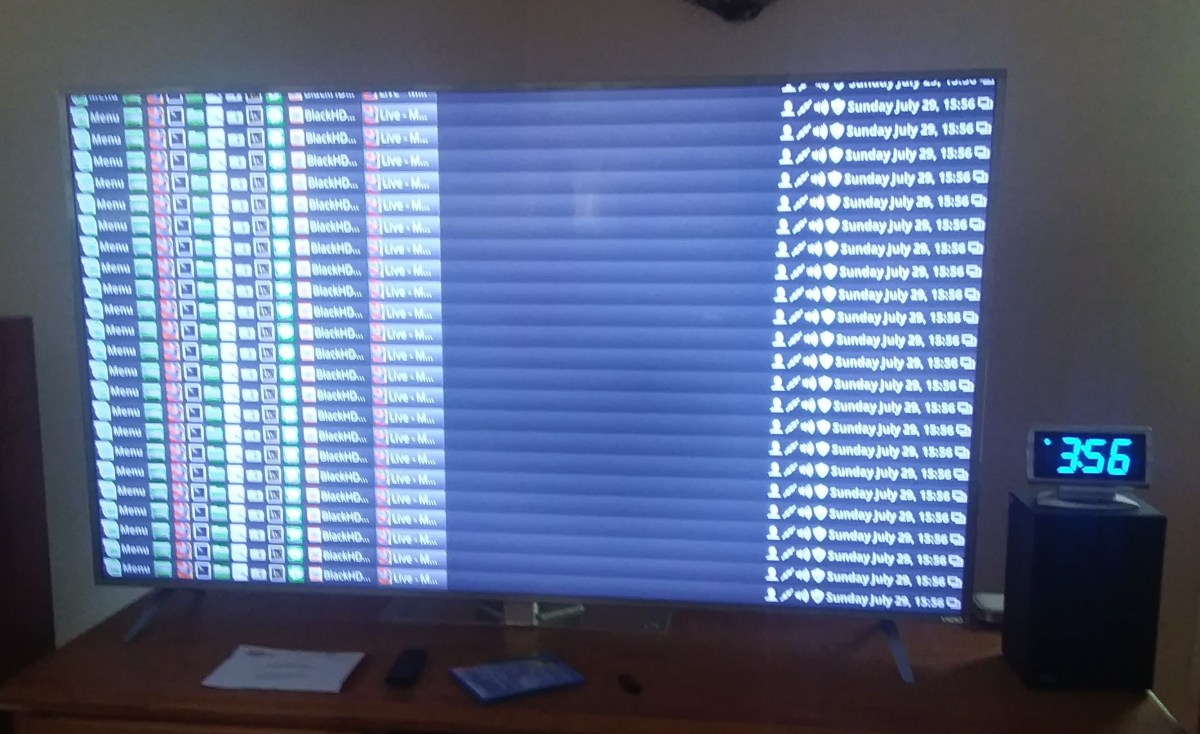
When it reboots, almost always, but not always, the restart process starts with the screen showing a repeating pattern of the lower few rows of the screen. Then after about 10 seconds, the TV restarts showing the Vizio brand chevron. This example happened while watching the Dish Hopper.

Continue reading “Vizio P65 TV Glitches”

Marantz – The Real Issue

Crys_00100I think I’ve found the issue. EDID.

The EDID or Extended Display Identification Data is a packet of information sent from a monitor or TV to the source of the video and tells the source what types of video the display can process.

Imagine for a moment that we have a receiver from 2013 – pre 4K – that contains an HDMI switch. Now imagine that one buys almost any TV today – almost all of them support 4K. Now imagine that one purchases something that produces video – BluRay player, XBox Console, Playstation, even a modern set top box. Most of these support 4K video.

So what happens if the EDID from the 4K TV passes unchanged through the NR1504 from 2013 to the video source that can produce 4K? Well the source happily produces 4K video and the NR1504 cannot pass it. Black screen? Apparently.

Was the Marantz 1504 never modifying the EDID? Or did it just start not modifying the EDID? Or did the Linux computer get a new driver that was willing to produce 4K video?

I hooked up an HD monitor to the NR1504 and hooked the Linux box back up to the Media input and voila. Everything works fine, of course.

It seems clear that in this world of ubiquitous 4K sources and displays, the Marantz NR1504 needs to be modifying the EDID or producing one of it’s own to continue to work.

I’ve used the display settings in Linux to use HD only and that works fine with the TV, but when I plugged it back into the NR1504 it still didn’t work. Oh well. Time for a new Receiver that gets 4K. But at least I can use the Linux system by plugging it directly into the TV and setting it to HD.

:ww

Marantz – Watch Out for Updates!

Crys_00100.png
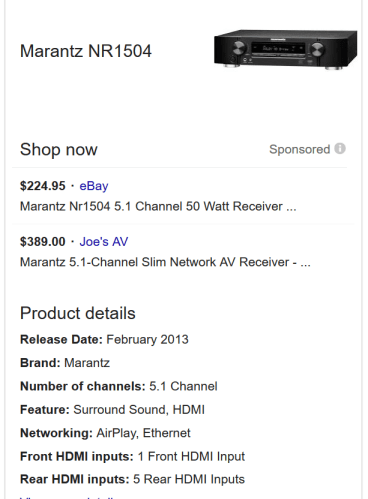
Marantz NR1504

I’ve had a Marantz NR1504 for a couple of years at least. As you can see, it was released in 2013 and is no longer made – according to Marantz Tech Support.

My Marantz NR1504 Receiver recently took an update over the internet. Automatically. And the next time my Linux Mint System booted, the receiver refused to pass video from the Linux system. Dish Hopper and Sony Bluray player work fine. I thought the problem was the Linux Kernel Update that I’d done, so I pulled the machine out of the Entertainment system and attached another monitor to it thinking that I would need to re-install Linux Mint 18.2, but it came up fine with the other monitor. Also, I’ve swapped HDMI cable and used other Receiver input ports, and when the Linux system is attached directly to the Vizio Pseries TV, it works fine, in FREAKING 4K no less. Of course the NR1504 only supports HD, not 4K. In 4K the print is so small on my 65″ TV that I can barely see it. But it works fine and Youtube is also fine.

Continue reading “Marantz – Watch Out for Updates!”

Linux Mint 18.2 – Printer Sharing Problems

Notice that this is posted on 2017 Oct 6 – Back dated to keep it off the first page of my blog.

I found these instructions on ITZGeek.com for how to set up printer sharing on Linux Mint. Seems recent – Jan 2016.

I’m trying to share a HP Color Laser printer connected to a Windows 10 system to my Linux Mint 18.2 system so I can print from the LM system. It fails. Printer sharing works fine to this printer from other Win 10 systems on the network. Here is how the printer is set up on the Win 10 system:

Here are screenshots for attempting to set up and use the printer from a newly installed / updated Linux Mint 18.2 system:


So in spite of the config dialog finding the printer, and apparently getting the driver,  any attempt to use the printer is unable to locate the printer.

A year or more ago, perhaps with LM 18.0, I tried to use the HP website to find sharing methods. They were very arcane, required compiling software and ultimately didn’t work. Looks like things have come a long way since then. The printer is found and the printer drivers apparently load correctly. Do we have a clue about why the Unable to Connect error is occurring?

Thanks, ww

This information was posted to Linux Mint Blog, but no responses so far. I’ll submit a bug referring to this post.

Additional information posted 6 Oct 2017

I copied a file from the Linux system to the Windows system where the printer lives and printed it there. Worked fine of course.

But then about 1/2 an hour later, the printer test page – you remember the one I tried to print about 11 hours ago? Well it came out. So I tried to print something else. Brought up an image and chose print from the menu. Then clicked preview, which apparently made a pdf from the image viewer of the image. Then I printed the PDF. Now notifications are popping up every few seconds saying “Printer Error <printer name here> ‘connecting to device’. But nothing is happening.

So it looks like printer support is DOA. Almost there, but not quite. Unless you want to wait 11 hours for your pages?

I have done some searches and can’t find a way to see the print queue or cancel a failed or failing print job.
Some stuff from 2011 / 2012 says something about an applet in the notification area, but there’s nothing showing, except the blinking notification which only lasts a couple of seconds before disappearing. Is there a printer queue or status app? Some way to cancel a print job that’s stuck? What if the printer fell off a cliff and will never answer?

Using the Troubleshooting feature of CUPS the server produced the fallowing Troubleshoot.txt file:

ZIP File of Troubleshoot.txt and terminal text produced by trouble shoot function

I see, it’s called Printers.

So system-config-printer is actually called Printers in the menus and if you select “View Print Queue” or use Ctrl-F you see the jobs. And you can cancel them. So that old post that wanted to use a terminal has a better solution. The program is not just for Configuring printers but for managing printers and their queues. Good to know. And completely overlooked in the pages that got me here.

Printer still doesn’t work, but at least I can cancel the job that was causing a failed notification every 2 sec.

end as of 7 Oct 2017


Move to Linux

Screenshot from 2016-08-13 07-12-48.png
Linux Mint 18

As you can tell from previous posts, I’m having trouble with the Windows 10 Anniversary Update on one of my machines. It’s an older machine and I suspect that Windows has broken a driver for the old motherboard. The latest version that worked properly was Version 1511 / 10586.545 and each time I restored to the last Restore Point, it went back to that. So apparently, the Anniversary Update 1607 / 14393.51 is the problem.

After going back to a Restore Point on two successive days, I turned off the Windows Update service and the machine was ok for a day, but I decided that this was too risky a state to leave the system. I have decided to move the system to Linux Mint 18, and this post is being typed into that system. It took about 2 hours to do the update, including installing a new system HD, and another couple of hours to set up Thunderbird email.

I have used Linux Mint for many years, and the latest is version 18. I prefer the Cinnamon version, but you may prefer another of the several window managers. For my choice, Cinnamon looks the most like Windows.

This machine is used for email, online shopping and document creation. It has two 1080×1200 monitors driven by an older GTX 270 card. Not the best for gaming, but just fine for it’s uses. Continue reading “Move to Linux”

SourceForge broken – only for one browser on one machine

Broken SourceForge
Broken SourceForge

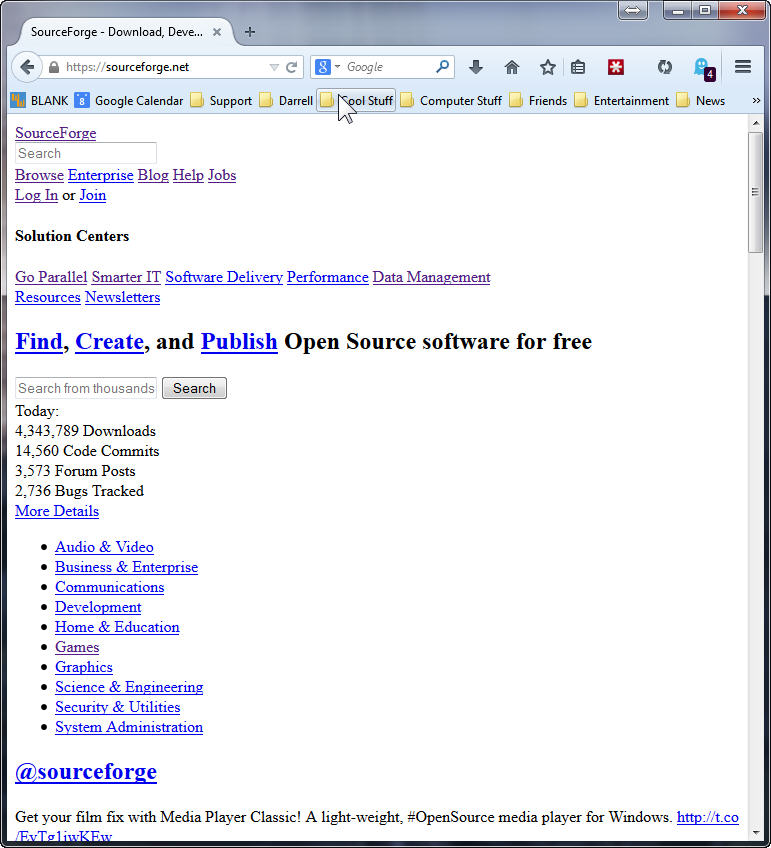
SourceForge is broken and looks like this, but only for FireFox 32 and only on one of my four Win7 x64 machines. Works fine on MSIE 11, and Linux Mint 17, FFox 32 on VirtualBox on the same machine.

Many things do not fix this problem:

  • Clear the entire browser cache, history, and sourceforge only or all cookies.
  • Mess with various settings in Ghostery and block and unblock many of the trackers. With the same tracker block profile on other machines those work fine.
  • Remove any unnecessary plugins and extensions. LastPass, Ghostery and Flash are the only ones left on all the machines. No difference.
  • Uninstall and re-install FireFox.
  • Flush the DNS cache.
  • Reboot the system.

No joy after all of these attempts. Anybody got an idea to fix this?

Update: 11 Sept 2014 All fixed. Who knew. Maybe some mirror had a bad CSS file. Anyway. All better now. No clue why one of my systems was bad, and why clearing the cache and cookies didn’t fix it. Sigh… Summer lightning.
Thanks,
– ww

Facebook News Feed Filtering Bug

What were you doing when the problem occured[sic]?:

I’m trying to filter out game or other updates from my friends in my news feed. I clicked on the drop down menu to the right of a story and chose unsubscribe, from whatever it was – game update or photo update. And observed that the post changed to a confirmation that I wouldn’t see those anymore. Then when I return to that page, or refresh the page, all the stories that were filtered out reappeared. Looks like it’s totally broken, dude. Hey dude, make this work, please. [just trying to use age appropriate language, dude or dudesse.]

What did you expect to happen?:

I expected them to stay filtered out.

 What actually happened?:

If I come back to the news feed, or refreshed the page, the filtered stories reappeared as if I had done nothing. BTW, takes too long to upload a picture for this post. That seems to be stuck too. And if I’m going to tell you about a bug, then you need to allow more than one pic, like before and after or before during and after.

Enjoy.

ww