Nothing new I’m sure. But this is how I do it.


20 Oz of beans. And lose the packet of flavor. Rinse the beans and Soak the beans over night if you remember. Drain the beans.

Nothing new I’m sure. But this is how I do it.
20 Oz of beans. And lose the packet of flavor. Rinse the beans and Soak the beans over night if you remember. Drain the beans.
A while back I bought and hooked up a Dust Deputy to the shop vac that I have been using to clean my pellet stove. The Dust Deputy is an after market DIY cyclone separator. And for what you get it’s pretty pricey.


The kit I got comes with two 5 gallon buckets and a hose along with the separator. But it required some ABS pipe, glue and some work to get it hooked up to the shop vac that I’d been using. Turns out that hose diameters are no where near standard on these vacuums of course. But I’ve got it going and have not had to clean the vacuum filter in over a year. I have emptied the 5 gallon bucket once in that time. But Wait There’s More. A Better Solution has arrived.
The Dustopper from Home Depot is a much better solution. And Cheaper.


The left picture shows the Home Depot picture for this use of this device. Clearly a mess since you are dragging two separate canisters around your shop or other area as you clean it. That’s gotta be a pain. On the right we see a fellow who has designed a simple modification for a Ridgid vacuum to hold the Dustopper together with the vacuum. Takes less floor space and moves as one unit.
Clearly this is what I should have done. And I may yet do this.
I still cannot understand why Ridgid or some other shop vacuum company, Dyson even, has not just made a vacuum with a cyclone separator built into it. Why these nonsense add-ons? Is Dyson holding a patent that keeps others from doing it, but is not doing it themselves? Dyson does not make a vacuum suitable for cleaning shop areas after all this time.
Cheers.
:ww
A long time ago I got some Cabela’s Moccasin Duck Boots. These are great for here in Coastal Oregon, where the grass never dries. And they should be easy to slip on and off at the door. But the problem is that they never were easy to put on and take off. The Tongue of the shoes was turned in rather than out.


As you can see from these pictures, I’ve figured out how to re-string the laces to correct this issue. On the left is the original shoe and the right picture shows one repaired shoe.
I’ve recently had problems with my internet service. My DSL router is apparently re-syncing causing my public IP address to change. Apparently my ISP uses PPOE rather than DHCP, and apparently PPOE does not allow “Reservations”, which allows a client computer to use the same IP address if it reconnects within a given amount of time. Your home router uses DHCP, which does do reservations, so your computers LAN IP address does not change if the computer connects every 24 hours, which I understand is the default “Reservation” time.
Re-synching is not only a problem because the internet is out for a short amount of time, but also because the IP address change causes some games to require that you “Verify” your IP address by reporting a code that is sent to your email account. This is obviously an issue if the Re-Sync happens several times per day.
After quite a bit of research I found a windows service that logs the Public IP address to the Windows Event log every 15 minutes. I run one of my windows systems all the time, since it’s running Carbonite, so this system will run the PublicIpLogger program.
If you want to use the program, it’s on GitHub here. This is the forum post that mentions this program.
From Github, download the setup.exe file and run it. Then you can enter “view event log” into Cortana and you should see a choice to run the windows event viewer. The program logs your public IP address to the event log every 15 minutes.


As shown, under Application and Service Logs, find the PublicIpLogger events and there are a number of events that show the Public IP address, whether they have changed or not.
Enjoy,
:ww


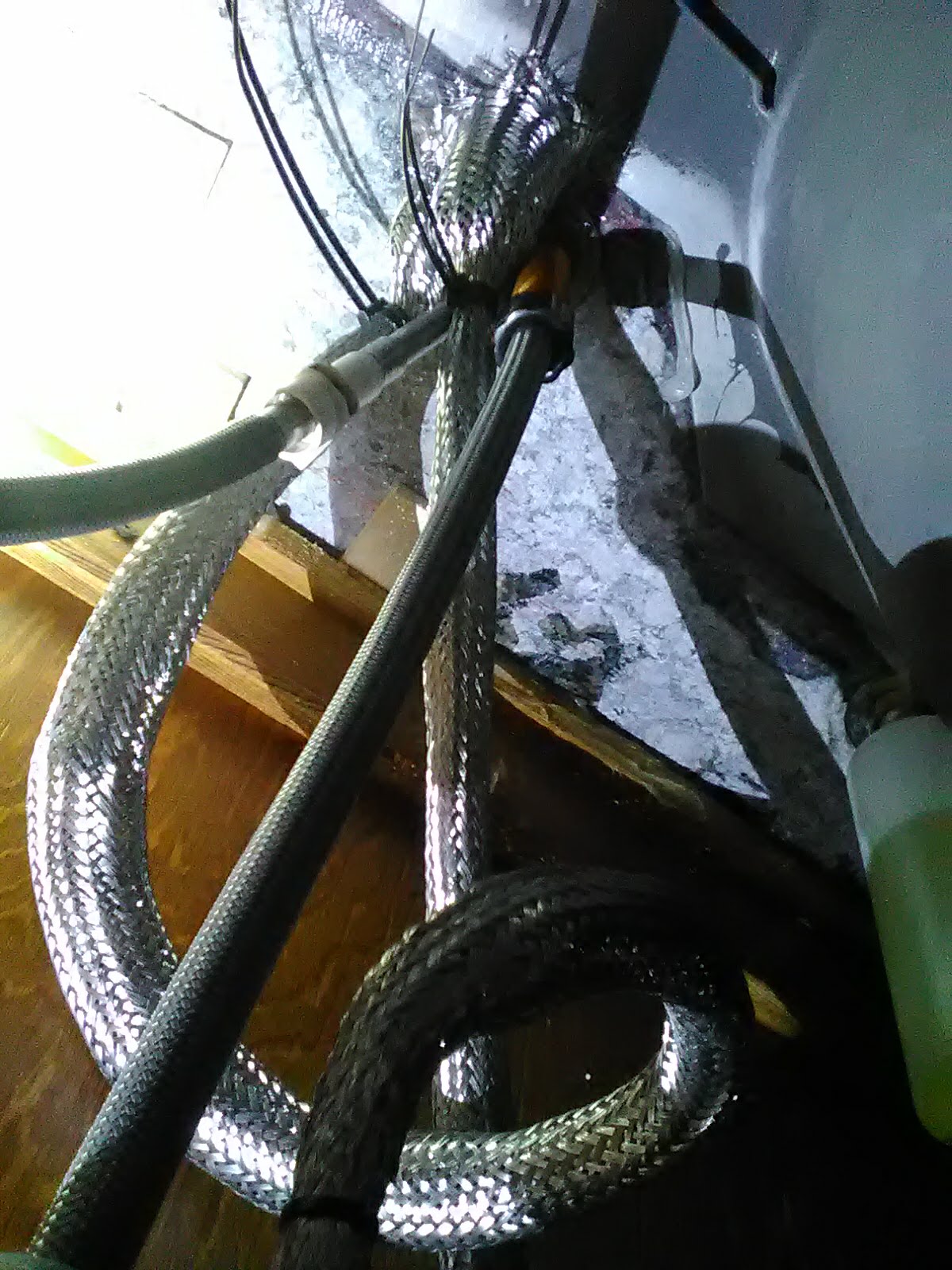
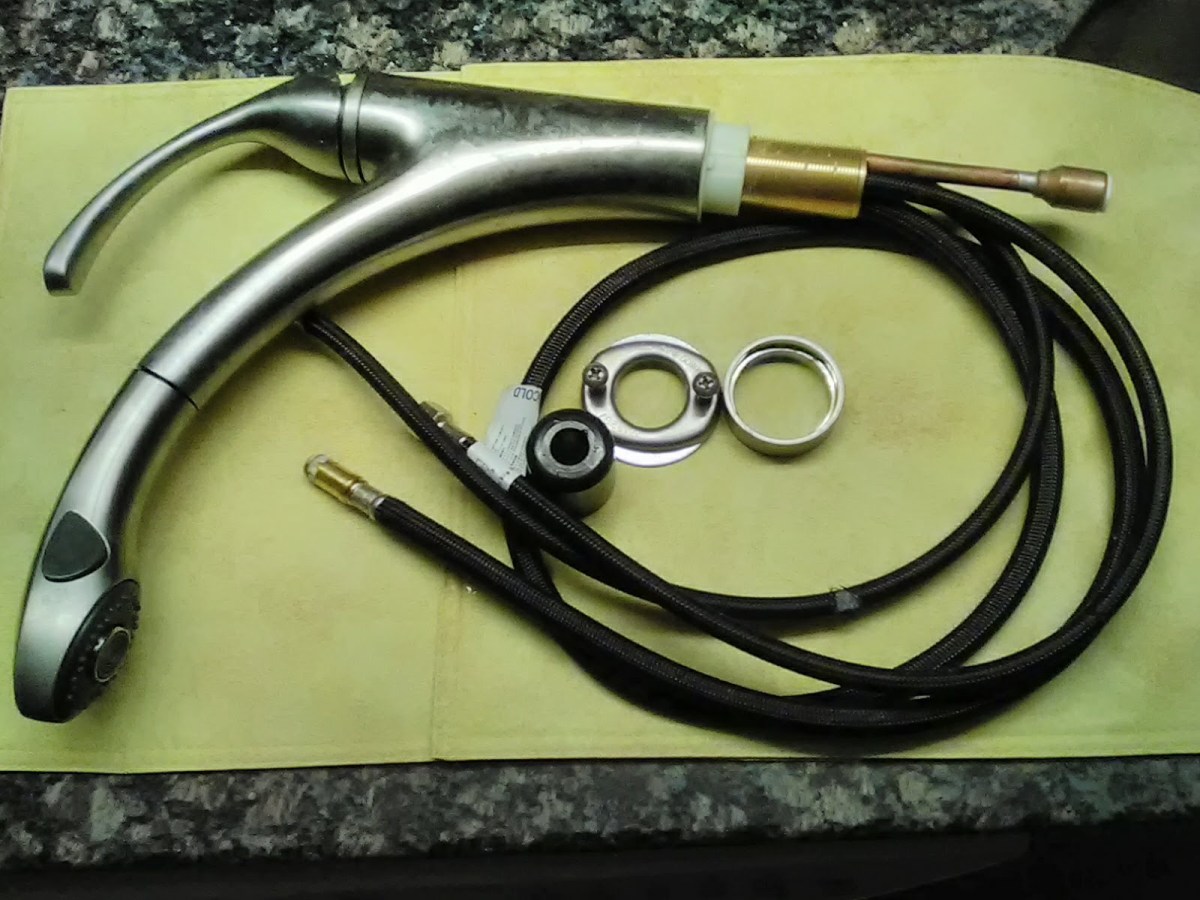
A previous post talked about rodent damage to the kitchen faucet. Now, the Faucet lines are armored with Stainless Mesh. I thought about using two layers, but this mesh is so strong I don’t think that’s necessary. It’s pushed up tight against the counter top and held on with a pair of cable ties at each end. No place for pesky rodents to get their teeth into the faucet lines now.
No way to armor the line to the spray, but that can be replaced. The wisdom on this problem is that the rodent’s only chew lines that actually have water in them. They can probably sense the difference in temperature of the lines. After all, they are just after a drink.
:ww
 I think I’ve found the issue. EDID.
The EDID or Extended Display Identification Data is a packet of information sent from a monitor or TV to the source of the video and tells the source what types of video the display can process.
Imagine for a moment that we have a receiver from 2013 – pre 4K – that contains an HDMI switch. Now imagine that one buys almost any TV today – almost all of them support 4K. Now imagine that one purchases something that produces video – BluRay player, XBox Console, Playstation, even a modern set top box. Most of these support 4K video.
So what happens if the EDID from the 4K TV passes unchanged through the NR1504 from 2013 to the video source that can produce 4K? Well the source happily produces 4K video and the NR1504 cannot pass it. Black screen? Apparently.
Was the Marantz 1504 never modifying the EDID? Or did it just start not modifying the EDID? Or did the Linux computer get a new driver that was willing to produce 4K video?


I hooked up an HD monitor to the NR1504 and hooked the Linux box back up to the Media input and voila. Everything works fine, of course.
It seems clear that in this world of ubiquitous 4K sources and displays, the Marantz NR1504 needs to be modifying the EDID or producing one of it’s own to continue to work.
I’ve used the display settings in Linux to use HD only and that works fine with the TV, but when I plugged it back into the NR1504 it still didn’t work. Oh well. Time for a new Receiver that gets 4K. But at least I can use the Linux system by plugging it directly into the TV and setting it to HD.
:ww

I’ve had a Marantz NR1504 for a couple of years at least. As you can see, it was released in 2013 and is no longer made – according to Marantz Tech Support.
My Marantz NR1504 Receiver recently took an update over the internet. Automatically. And the next time my Linux Mint System booted, the receiver refused to pass video from the Linux system. Dish Hopper and Sony Bluray player work fine. I thought the problem was the Linux Kernel Update that I’d done, so I pulled the machine out of the Entertainment system and attached another monitor to it thinking that I would need to re-install Linux Mint 18.2, but it came up fine with the other monitor. Also, I’ve swapped HDMI cable and used other Receiver input ports, and when the Linux system is attached directly to the Vizio Pseries TV, it works fine, in FREAKING 4K no less. Of course the NR1504 only supports HD, not 4K. In 4K the print is so small on my 65″ TV that I can barely see it. But it works fine and Youtube is also fine.
Pellet stoves can’t really, in my opinion, be controlled by a thermostat. They take a long time to start, and up to 30 minutes sometimes to shut off. And in my situation, I need a fan to blow the warm air into other rooms of the house. So, there is a pedestal fan next to the stove to blow the warm air to the rest of the house. But I had to manually start and stop that fan.


The problem is that if the fan is started with the stove, it blows cold air for a long time before the stove warms up. And when I shut off the stove, I have to come back later and turn off the fan, maybe at night when I just want to go back to sleep.
So here’s the solution. There are “Temperature Controllers”. I found several on Amazon. This one looks very fancy, but was only about $35. It can control heating and cooling of something and has a large wattage rating. So the fan is plugged into the Cooling socket and the temperature is set to 85 degrees. So the fan is always off unless the stove is hotter than 85 degrees. So when the stove is turned on, the fan comes on about 5-7 minutes later when the stove has warmed up, and when the stove is shut off, the fan shuts off up to 30 minutes later when the stove has cooled down.
Notice the thin wire sneaking over to the top left of the stove? That’s the thermo sensor that controls the controller.
Works great. Now I don’t need to worry about the fan at all. Just turn the stove on and off when I need it.
:ww
I just had to replace an expensive kitchen faucet because a rat apparently chewed through one of the supply lines. See the little nip in the line on the right picture?


Apparently this is quite common. Rats seem to know that they can get a drink by chewing through a faucet supply line. Unfortunately, these very expensive faucets – about $300 for any of the major brands – all use nylon other plastic for the mesh around the supply lines rather than stainless steel mesh. As you may know, replacement supply lines for toilets and many other faucets are covered in a stainless steel mesh, which rats will not chew. But the supply lines on these expensive faucets cannot be replaced or easily repaired.
The rat only chewed a little hole to get a drink, so it drip drip dripped and I didn’t find it for a couple of days when I noticed water on the floor.
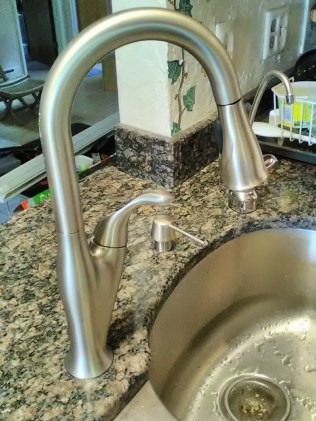
So after a new $300 faucet and a $150 plumber’s visit, I have a new faucet.
Now there’s a big rat trap in the cabinet defending the faucet from rats.
Update: I had a brainstorm early this morning. I just bought this and will slide this over the faucet lines.
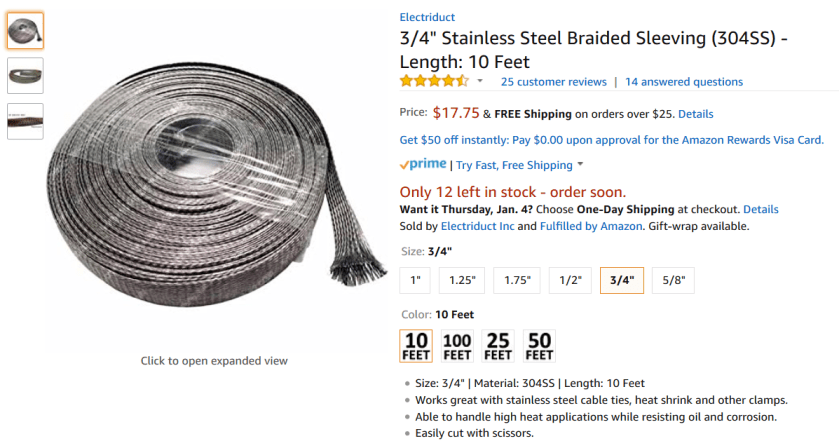
That ought to keep the pesky rats off the faucet lines. So there.
Yet again, something changed to break network file sharing between LM19 and Windows 10. Here’s the fix. Windows 10 could see a LM19 file share just fine, but LM19 could not see the Win 10 file shares. < Again back-dated to keep it off the front page. >
Re: Mint 19 Network SAMBA shares not shownin File Manager
Can’t comment on the Printer issue but there have been changes in samba since Mint18.
Long version: Mint 19 and Samba File Sharing Changes
Short version:
Edit
/etc/samba/smb.confand right under theworkgroup = WORKGROUPline add this one:Code: Select all
client max protocol = NT1Then reboot.
If you have Win10 on your network and it has disabled SMB1 on the server side you will not be able to connect to it.


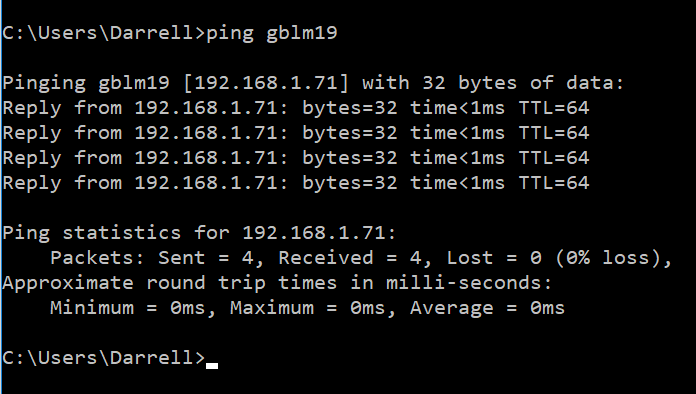
For some reason there were two GBLM19 computers, but this was probably an artifact of the changes I was making while trying to get this to work. After a few minutes it settled down to only one that worked from Windows 10. They both worked from Linux looking in to itself.
Here is the view from the Windows 10 system:


I still cannot ping from the Linux system to the Win 10 machines. Apparently there is a fire wall issue. Well that’s for tomorrow. I can ping the LM system from the Win 10 machines.
 Windy Weather