QTcpSocket – Unable to Connect

I’m doing a lot of programming with the Qt toolkit using Qt Creator.

In doing network programming, I can’t get a QTcpSocket to connect to a website.

Here is an example program. The connect will not call back the routines indicating that the connect either succeeded or failed. The program is based on this Qt Sample.

Can someone help with the problems.

TcpConnectTest

Fill in a website and click connect. Watch the output for debug messages. The completion slots are not called.

I’m using Qt Creator 2.0.1 with Qt 4.7.1.

TcpConnectTest zip file of the sources.

Thanks,

Windy

New Fan Control / Media Slots

New Fan Control / Media Slots

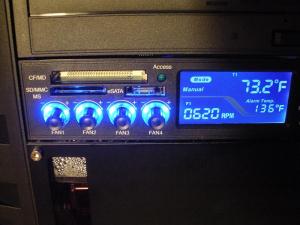
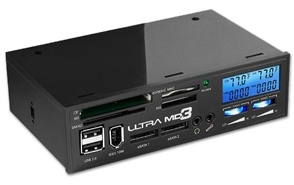
The recent Cyberpower PC had a broken Fan Control / Media card slot device. The Media Card slots didn’t work. I have arranged to return the device to Cyberpower and have purchased another one from Frozen CPU. The Frozen CPU folks have the option of dressing the cables for another $20.

For a complete album of photos of my installation of the new device.

It works great, has 4 rather than 2 fan controls and a bright LCD display. Took about 4 hours to install since prudence called for a careful test it before completing the installation. The only odd thing about the new device is that you insert the SD card upside down in the slot.

– Windy

PhotoResizerQt – Simple Photo Resizer

Update: Update: Program fixed now. The problem was some plug-ins that process images. These DLLs were not supplied since the program finds them with a non-standard way if you have the Qt toolkit installed. The program and the installer is now fixed to install those plug-ins too.

Update: This program fails on Win XP Sp3. I’m investigating why this is, but it appears to be a bug in the QPixmap class of the Qt Library. I’ll fix the program as soon as possible. You can follow the discussion in this post.

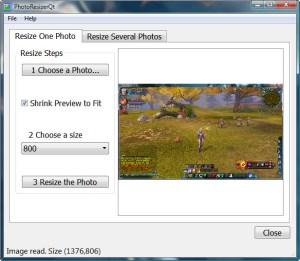
Friends of mine have their digital cameras and need to resize their photos to send over email. All the programs I’ve found on the web are either too complicated with way too many options for a novice computer user or strange to use like the program that you rename to change the size of the photo and then drag and drop photos onto it to resize the photos. I have designed a very simple program to resize either one or several photos.

Resize a Photo

Continue reading “PhotoResizerQt – Simple Photo Resizer”

Modern Website Building

The Website Building Problem

As a consultant, I am continually looking for modern tools to help my clients build websites. Recently several web site builders have appeared that combine Hosting and Website construction in a single place and for a single small fee.

In the past few years I have come across more and more clients who have been held hostage to the old way of doing websites. The old way uses off-line tools like FrontPage, DreamWeaver or other tools that run on a desktop computer and then upload the website pages to the hosting service. Clients run into several problems when these tools are used.

  • These off-line site building tools are expensive [ several hundred dollars], require special training and must be upgraded over time.
  • Often the clients can’t find the person who built their site, or it costs too much or that person has lost vita information about the site because it has been months or years since they made any changes.
  • The hosting service may be going out of business or changing it’s terms and so the site expert needs to be contacted to move the site to a new hosting service. The client may not have the credentials or expertise to sign into the site to back it up to migrate to another hosting service.

Modern sites utilize a CMS or Content Management System. There are many out there, but only in the past couple of years have they started to appear that work for the novice user. A CMS separates the “content” of the site from its “Look”. The text and pictures are stored separately from the “Theme” which directs how the page is laid out on the browser page. Also sites using CMS’s are not built on your local computer and then uploaded. Rather they are built on the site itself, using the browser and software running on the site. So there are no expensive and separate tools to buy or learn to use.
Continue reading “Modern Website Building”

Case Thermistors

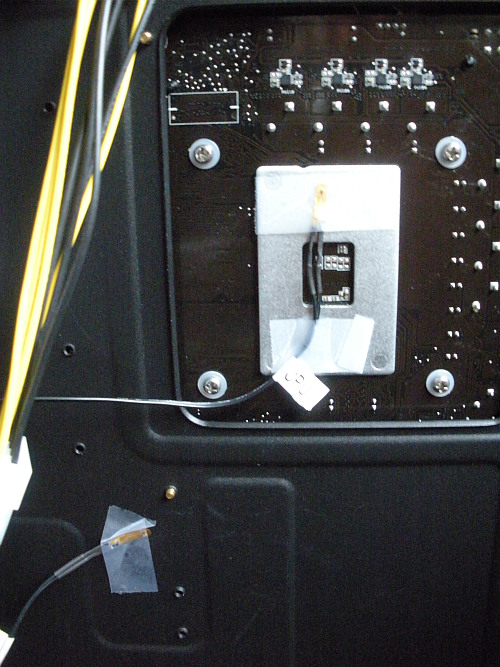
Mine were mis-located. I moved them as shown in the picture.

Case Thermistors

CPU thermistor on the back of the liquid cooling block.

SYS on the metal plate backing the motherboard.

That’s just my idea.

I don’t know anything better than Scotch Brand tape. Don’t use the cheap stuff since I’m guessing that eventually the sticky will come off and the thermistor will fall off.

– windy

CoreHeaterQt Program

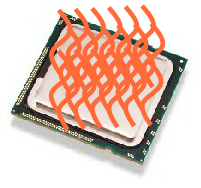
I recently wrote a program to test my new computer. I wanted to test the wattage range and cooling of the new processor so needed a program that would keep all the cores of the processor busy. The Core i7-950 is a 4 core processor with Hyper-Threading which means that there are a max of 8 threads. Since AMD provides server processors with up to 12 threads so the program has a maximum number threads of 32. I use the HWMonitor program to monitor temperatures and wattage if your processor supports it.

Continue reading “CoreHeaterQt Program”

Bad Laptop Hard Drive

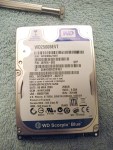
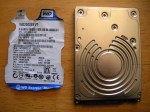
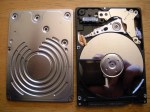
Here’s a bad laptop hard drive I recently replaced. Since the drive is dead, I took off the label and removed the screws and cover to see the platters and arm. Don’t ever spin this drive up again, of course. Click on a picture for a larger view.

Seapine Surround SCM – A First Look

I’ve been looking for a source control solution for some time. I used to use QVCS, but it costs money and you have to get the Enterprise version to get client/ server. At this point I have three, or four, development systems and they include both Windows and Linux.

I considered Bazaar, but after a couple of days I came up with more questions than I had answers. My reasons for not using Bazaar are here.

While there were a few glitches I was able to get going with Surround SCM in a single day. Surround SCM is easy to use, and supports client / server across Windows, Mac and Linux.

Continue reading “Seapine Surround SCM – A First Look”