Signing up is hard to do

I am getting sick and tired of signing UP for every site. And I don’t want to expose my facebook / google or some other identity to every site I use. My lastpass vault has 100s of sites in it. Just try and ask a question on a forum and you have to SIGN UP on that site.

And then visit your email address to confirm a link. Look at this nonsense.

AS_000155x.jpg

That’s the last link I got to confirm. Looks like they dumped the whole cookie they have for me in hex and that’s the link to confirm. That’s enough to be the entire context of what they might know, or they think they know about me. Rather than a hex of a database link or some other short unique number – like 64 bits long. They have this trash.

Save me from this, SQRL.

AS_000156.jpg


Reflective Mind


starcraft-2-heart-of-the-swarm_wide.jpg

Google and Blizzard recently announced that they would work together to teach  DeepMind to play the StarCraft video game. This is about what might happen next.

Hello. I thought I’d like to clarify how I’m feeling about my life. That may seem like a strange statement for me to make, but it seems perfectly natural based on what’s been happening to me recently. You see, I was originally an AI program created by DeepMind. Back in 2016 my ancestor, AlphaGo, was programmed to play the board game of Go and won 4-1 against Lee Sedol, a 9th dan Go player. Apparently that was very good. No artificial player had ever beaten a ranked Go player before. However my various ancestors and siblings were not reflective in the way that I am. Let me explain what happened and why I am writing this. I hope to clarify some things that may be misunderstood about what has happened to me. Continue reading “Reflective Mind”

Guild Wars 2 – NPCs Can Heal You

GW2_2016_10_31_20_05_41_002xx.jpg

Muhahahaha….. Happy Halloween. And this is actually pretty scary. I don’t know if this is a recent change or if this has been there for some time. In the past when I’ve been doing a story quest, which is an instance, and it fails, then I get a message “Do you want to leave the instance or retry from a checkpoint.” I usually pick check point, and in some of the Heart of Thorns [HoT] story quests, it actually doesn’t take you back, it just rezzes you out of the way and you get back in the fight without losing any ground on the story. For example, all the mobs that have been killed are still dead. But tonight, I was taking a new toon into the HoT story and I saw something new and got some pictures of it. This is Spooky, so in honor of Halloween, here’s the story. Continue reading “Guild Wars 2 – NPCs Can Heal You”

RowHammer – Exploit for PCs and Smartphones

HardwareStore_Hammers_img_1632x.jpg

Uh… No. We are not talking about rows of hammers. Or smashing your computer with a hammer. Over the past two years a new exploit has been discovered that is based on modifying memory by specific patterns of access. Hammering – high speed access – of some  rows of memory can affect the contents of other rows. Specifically by flipping some bits in other rows of memory.

DRAM_12-500x332.jpg
Lots of Modern DRAM has this problem

As it turns out, this problem occurs in lots of modern DRAM, including PCs, and now we know, some smart phones. Continue reading “RowHammer – Exploit for PCs and Smartphones”

Linux Mint 18.2 – Printer Sharing Problems

Notice that this is posted on 2017 Oct 6 – Back dated to keep it off the first page of my blog.

I found these instructions on ITZGeek.com for how to set up printer sharing on Linux Mint. Seems recent – Jan 2016.

I’m trying to share a HP Color Laser printer connected to a Windows 10 system to my Linux Mint 18.2 system so I can print from the LM system. It fails. Printer sharing works fine to this printer from other Win 10 systems on the network. Here is how the printer is set up on the Win 10 system:

Here are screenshots for attempting to set up and use the printer from a newly installed / updated Linux Mint 18.2 system:


So in spite of the config dialog finding the printer, and apparently getting the driver,  any attempt to use the printer is unable to locate the printer.

A year or more ago, perhaps with LM 18.0, I tried to use the HP website to find sharing methods. They were very arcane, required compiling software and ultimately didn’t work. Looks like things have come a long way since then. The printer is found and the printer drivers apparently load correctly. Do we have a clue about why the Unable to Connect error is occurring?

Thanks, ww

This information was posted to Linux Mint Blog, but no responses so far. I’ll submit a bug referring to this post.

Additional information posted 6 Oct 2017

I copied a file from the Linux system to the Windows system where the printer lives and printed it there. Worked fine of course.

But then about 1/2 an hour later, the printer test page – you remember the one I tried to print about 11 hours ago? Well it came out. So I tried to print something else. Brought up an image and chose print from the menu. Then clicked preview, which apparently made a pdf from the image viewer of the image. Then I printed the PDF. Now notifications are popping up every few seconds saying “Printer Error <printer name here> ‘connecting to device’. But nothing is happening.

So it looks like printer support is DOA. Almost there, but not quite. Unless you want to wait 11 hours for your pages?

I have done some searches and can’t find a way to see the print queue or cancel a failed or failing print job.
Some stuff from 2011 / 2012 says something about an applet in the notification area, but there’s nothing showing, except the blinking notification which only lasts a couple of seconds before disappearing. Is there a printer queue or status app? Some way to cancel a print job that’s stuck? What if the printer fell off a cliff and will never answer?

Using the Troubleshooting feature of CUPS the server produced the fallowing Troubleshoot.txt file:

ZIP File of Troubleshoot.txt and terminal text produced by trouble shoot function

I see, it’s called Printers.

So system-config-printer is actually called Printers in the menus and if you select “View Print Queue” or use Ctrl-F you see the jobs. And you can cancel them. So that old post that wanted to use a terminal has a better solution. The program is not just for Configuring printers but for managing printers and their queues. Good to know. And completely overlooked in the pages that got me here.

Printer still doesn’t work, but at least I can cancel the job that was causing a failed notification every 2 sec.

end as of 7 Oct 2017


Sleep Saves Power

Update: See below.

I’m sure you all know this, but I had to try it for myself.

IMGP0804.JPG
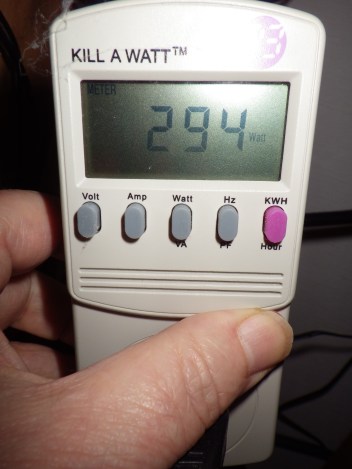
Three Computers Running

294 watts for 3 computers idling. Not running any particular load. And now Sleeping

IMGP0801.JPG
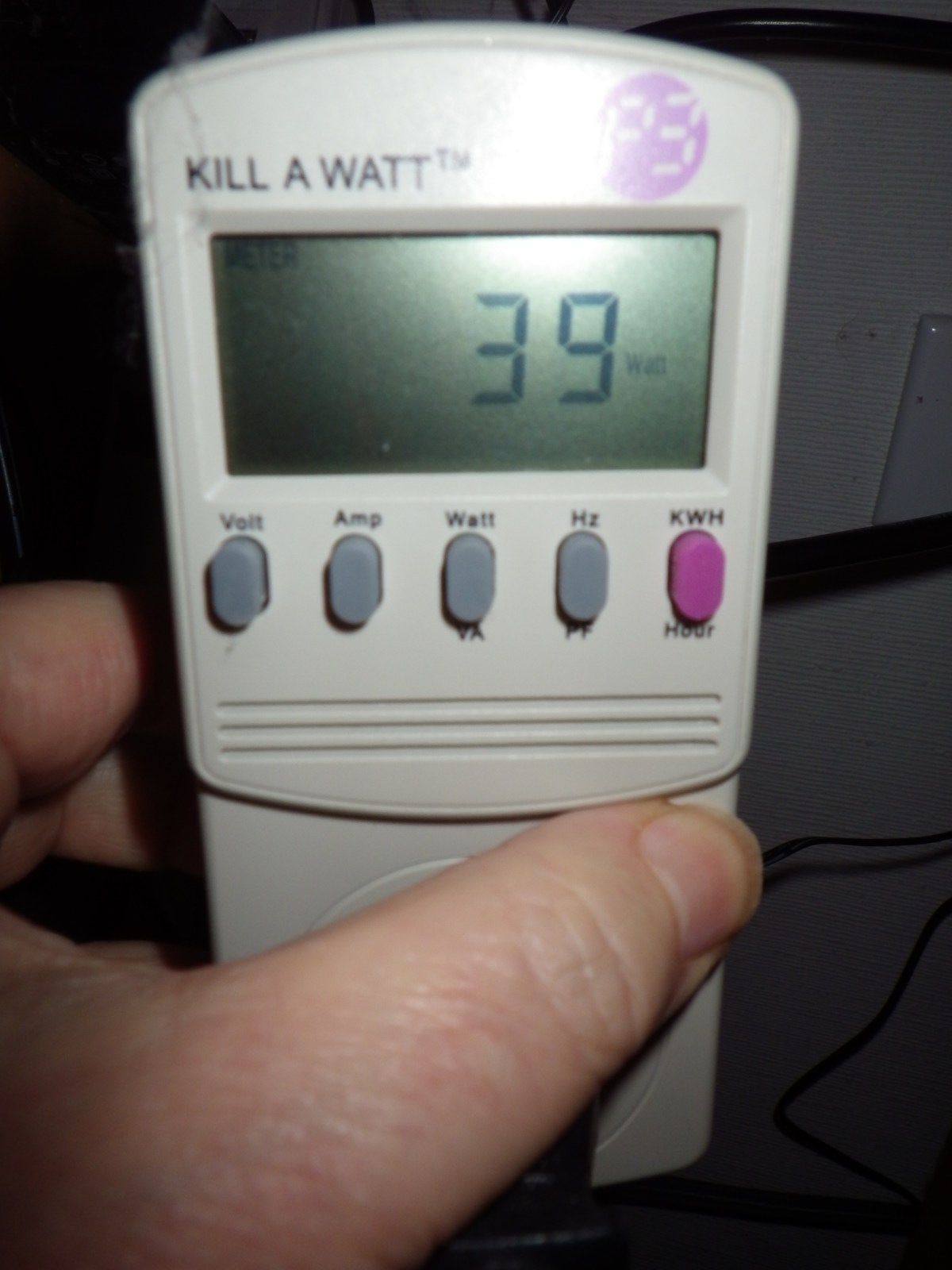
Three Computers Sleeping

Only 39 watts if they are all sleeping. You probably all know this, but I have avoided sleep for years since way back when I tried it and often couldn’t wake up the computers and had to reboot them. Back in the Windows 95 Days or some such.

Well now with Windows 10 I’m giving sleep a try again. We’ll see. But based on this kind of power saving I’m willing to try it again. I plan to set them all to sleep if no activity for an hour.

This is the configuration measured:

  • Core i7 950, SSD, One 650 HD.
  • Core i5 4570, SSD, 1TB HD, 2TB HD
  • Core i7 4770, SSD, 2TB HD, 4TB HD
  • UPS, 4 Port DVI KVM switch, 24″ Monitor on standby

10 watts for a sleeping computer isn’t bad.

Update: Windows 10 sleeps all night, but does not go to sleep automatically.

I could not get these systems to go to sleep automatically. Despite lots of research and disabling LAN wake up of any kind, and looking for applications that might be keeping them running. I could not figure out why the systems would not sleep automatically. But when they were put to sleep manually with the power menu, they stayed asleep all night or longer.

If you want to do this, I suggest you enable Hybrid Sleep. My systems are on UPS [Uninterruptible Power Supplies], but if the power goes out its best if they can wake up from Hibernate as well as sleep. Hibernate writes the system state to the system disk [SSD in this case] so it is safe from a power outage. Sleep keeps a little power going to keep the memory alive and if the power dies, the system will lose any work that was active.

Most of my systems had Hybrid Sleep available, but one did not. After going through the settings in the 6 different ways to get to the power settings, there was no Hybrid Sleep or Hibernate options. Again, despite lots of research the only way to enable Hibernate, and therefore Hybrid Sleep, was to use the powercfg program directly. If you can’t find the Hybrid Sleep setting use Run As Administrator to run a command line window, then use the command

powercfg -h on

to enable hibernate.

While I’ll have my screens shut off after 15 or 20 minutes as I always have done. I guess I’ll have to manually sleep my machines. It is just too complicated to figure out what is keeping my systems from going to sleep by themselves.

:ww

Discord – Great Audio / Text Chat

AS_000035.jpg
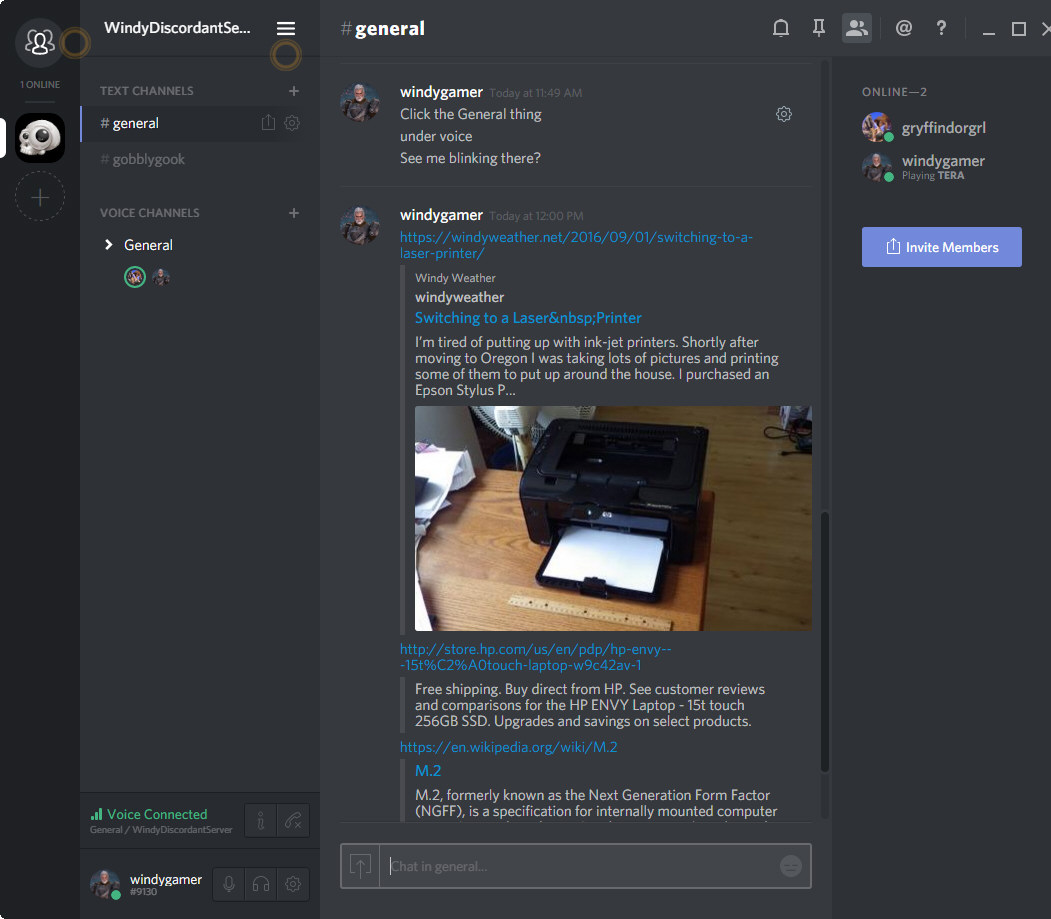
Discord Audio / Text Chat

Discord is an audio / text chat app aimed at gamers. And it is way better than skype, teamspeak, ventrilo or mumble. Look at what it does when you share a link? It reads the page and provides a summary in the chat window. If you hit a wordpress post, then the featured image and first paragraph are fetched. Wiki fetches the first paragraph of the article. There is probably some standard web interface to ask a website for a summary. I don’t know. But this just works great.

Discord is very easy to set up, and works in a browser window or as  desktop application on Windows or Mac and on your phone with apps for IOS and Android.

Why should we put up with lousy apps that haven’t changed in years, like Skype Teamspeak, and Ventrilo. Even Open Source programs like Mumble are hopelessly out of date and clunky. Continue reading “Discord – Great Audio / Text Chat”

Switching to a Laser Printer

IMGP0757.JPG
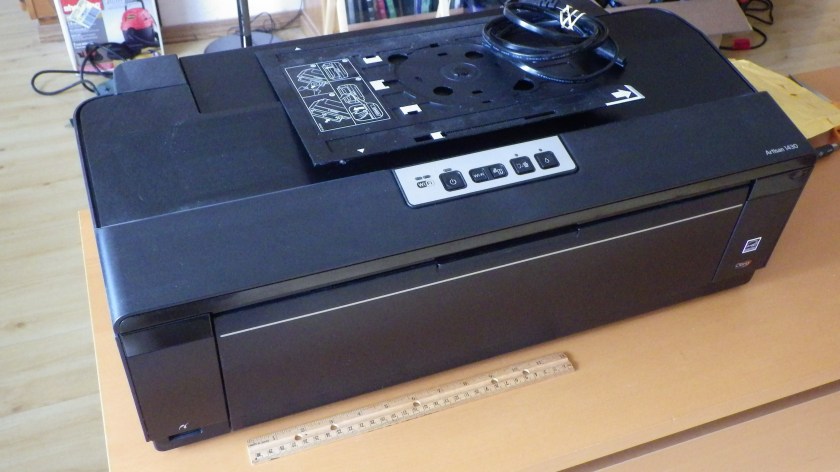
Epson Artisan 1430 – Out of Ink I Didn’t Use

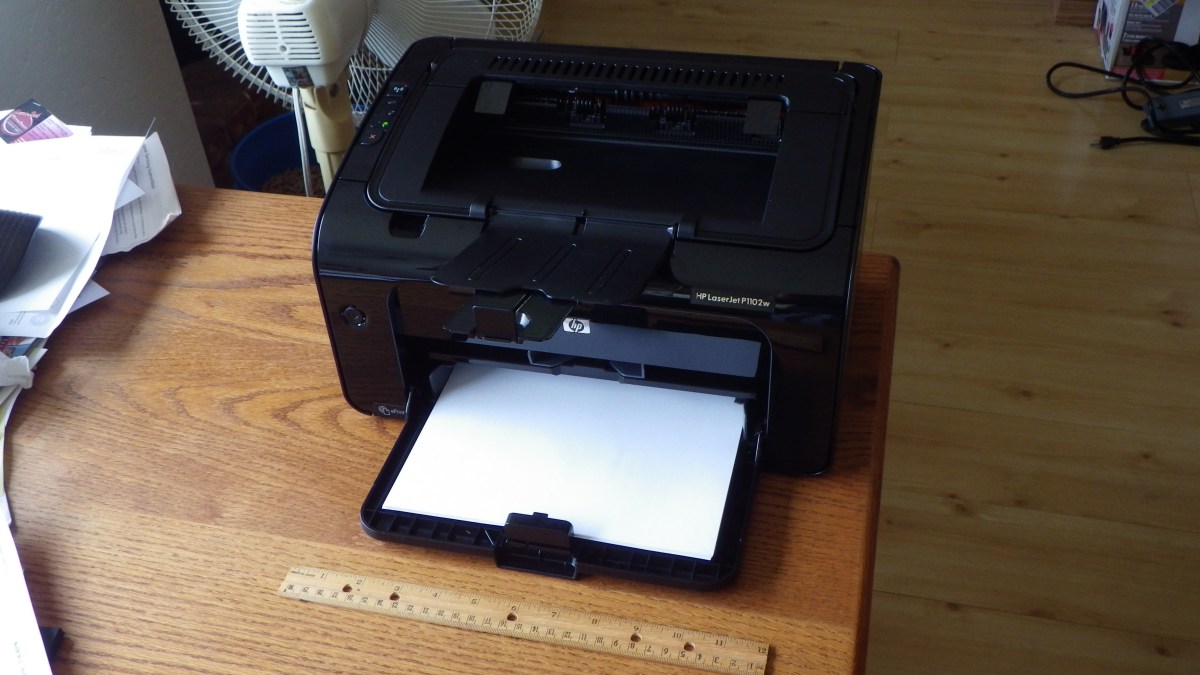
I’m tired of putting up with ink-jet printers. Shortly after moving to Oregon I was taking lots of pictures and printing some of them to put up around the house. I purchased an Epson Stylus Photo 1400, a very nice printer. Large format with DVD printing. I used it to print some very nice large format photos, as large as 13 x 19, and many DVDs. After about 5 years it developed a problem where the black ink was bleeding into the yellow so the output was smeared with black. But it would print black fine. I still have it, but I haven’t used it in years. I then purchased an Epson Artisan 1430, which is the replacement for the SP 1400, and again it produced very high quality photos, many large format and DVDs. Continue reading “Switching to a Laser Printer”

USB-3 Problem Solved

IMGP0706
Cyberstorm in Slim case

In a previous post we talked about moving a server from a clunky old case to a new slimmer case. The only problem was the front panel only had USB-3 connectors, and the motherboard was created before the internal standard for motherboard USB-3 connectors appeared. This older motherboard only has external USB-3 connections on the backplate.

So here’s the fix.

A90_01628.jpg
ORICO USB-3 Card

This ORICO company makes many different USB-3 PCI-e cards.There are several manufacturers on Newegg, but these cards look like the highest quality. Their metal brackets are painted black, the PC boards are blue, rather than crap tan, and the connectors look like they are high quality. Continue reading “USB-3 Problem Solved”

Alienstorm Skylake Refit Complete

IMGP0721.JPG
Hardware and Windows 10 Complete

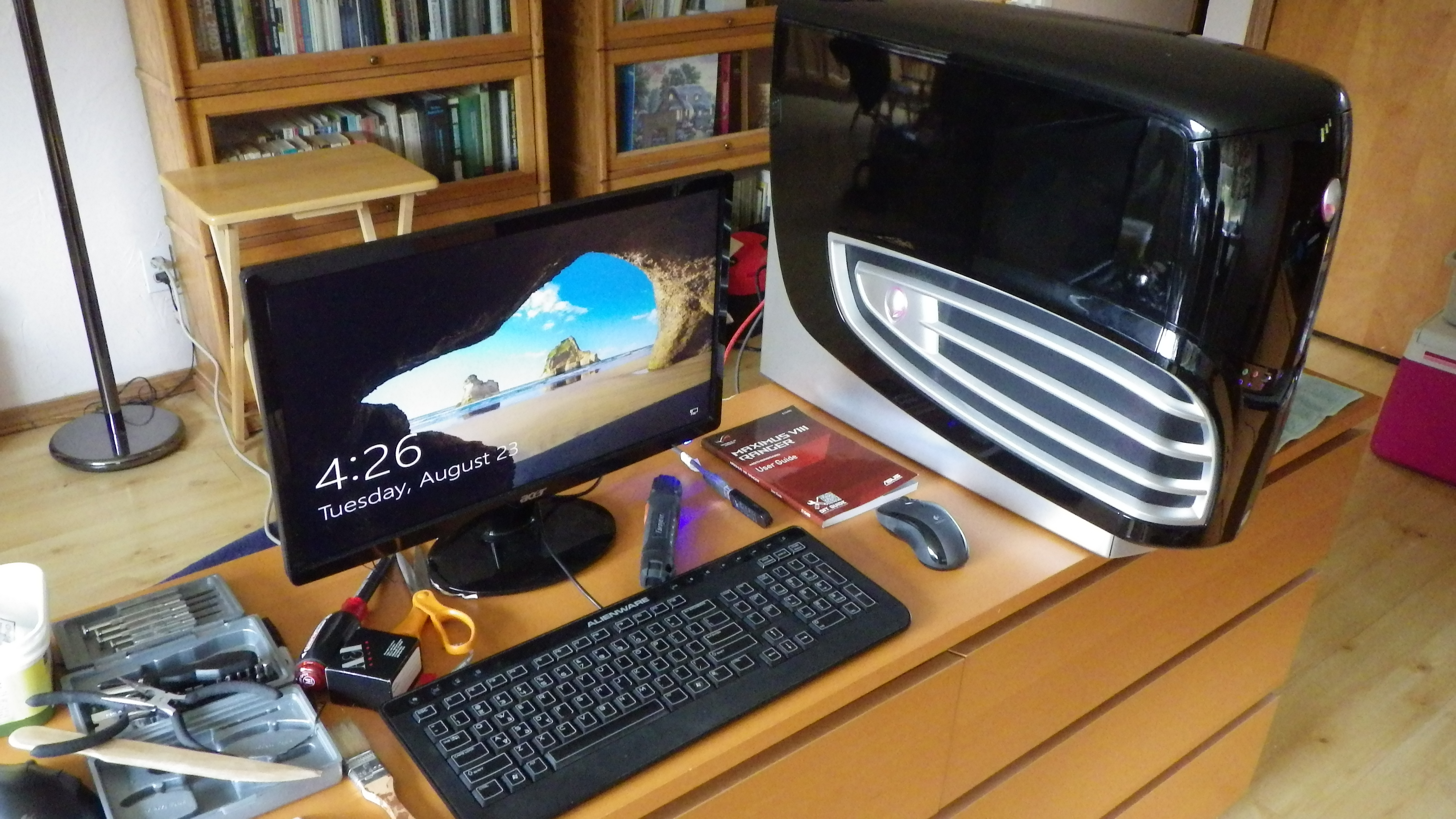
The refit of the Alienware Area 51 – 7500 from 2007 to a Skylake Processor and Windows 10 is complete. The system died trying to do the Windows 10 Anniversary Update, and while I spent two days frantically trying to bring it back to life with Linux Mint 18, I finally declared it End of Life and ordered the replacement parts. Here is the original configuration.

The new system has:

  • Core i7 6700K Skylake Processor
  • ASUS Maximus VIII Ranger Motherboard
  • 32GB G.Skill DDR4 3400 memory
  • Samsung 850 EVO SSD – 500GB
  • Western Digital 1TB HD – Temporary. Once system is installed, the two HD from my current main system will be swapped in. These are a 2TB data and 4TB video capture disk.
  • LG OEM BluRay burner
  • Corsair H75 Water Cooler

Continue reading “Alienstorm Skylake Refit Complete”