
I’ve been using a Media Server for sometime to view photos and play music and podcasts on my PS3, but recently I’ve upgraded my Media Server and found a new server that provides Video On Demand from Netflix and other video sources.
Virus Scans Take Forever on Network Drives
Careful where you download a file with your browser. When the virus scanner kicks in it can take forever on a network drive.
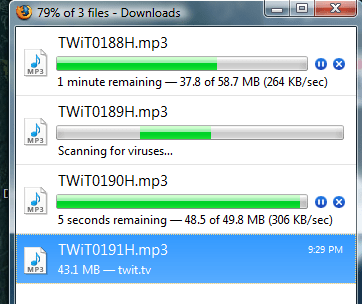
Like many of us, I use Firefox. After a file is downloaded, the virus scanner is called, in this case AVG Free, to scan the download for any nasty free loaders. This only take a couple of seconds on a local hard drive, but if you point your download to a network drive, in this case so that I can play my podcast using a media client – my PS3 actually – the virus scanner will take many times longer, perhaps a couple of minutes rather than a couple of seconds.
Not sure why that should be, but it is. So don’t point your downloads to a network drive.
– windy
Google Spreadsheet Test
Here’s a test of a Google Spreadsheet posted here to this page.
Starting with an Open Office 3.0 spreadsheet Import failed. Then after converting the sheet to XLS it failed. Finally converting to CSV worked.
Notice that the Frozen Row 1 of the above sheet is not frozen.
I’ll try this again for publishing complex data to my websites. Since I can add formulae, it should be interesting.
– windy
Ether Saga – My Pet is Dead

Ether Saga online is a cute cartoony Free to Play MMO that follows the recent model of “Free to Download and Play”, but “Pay” for upgrades and costumes. This game is a full 3D game with modest system requirements. My Alienware m15x was not working as hard with this game on full tilt as it does with 2Moons.

After about 6 hours with the game, there is much to love and a few things that aren’t so nice.
Continue reading “Ether Saga – My Pet is Dead”
Google Maps – Woops and Suggestions

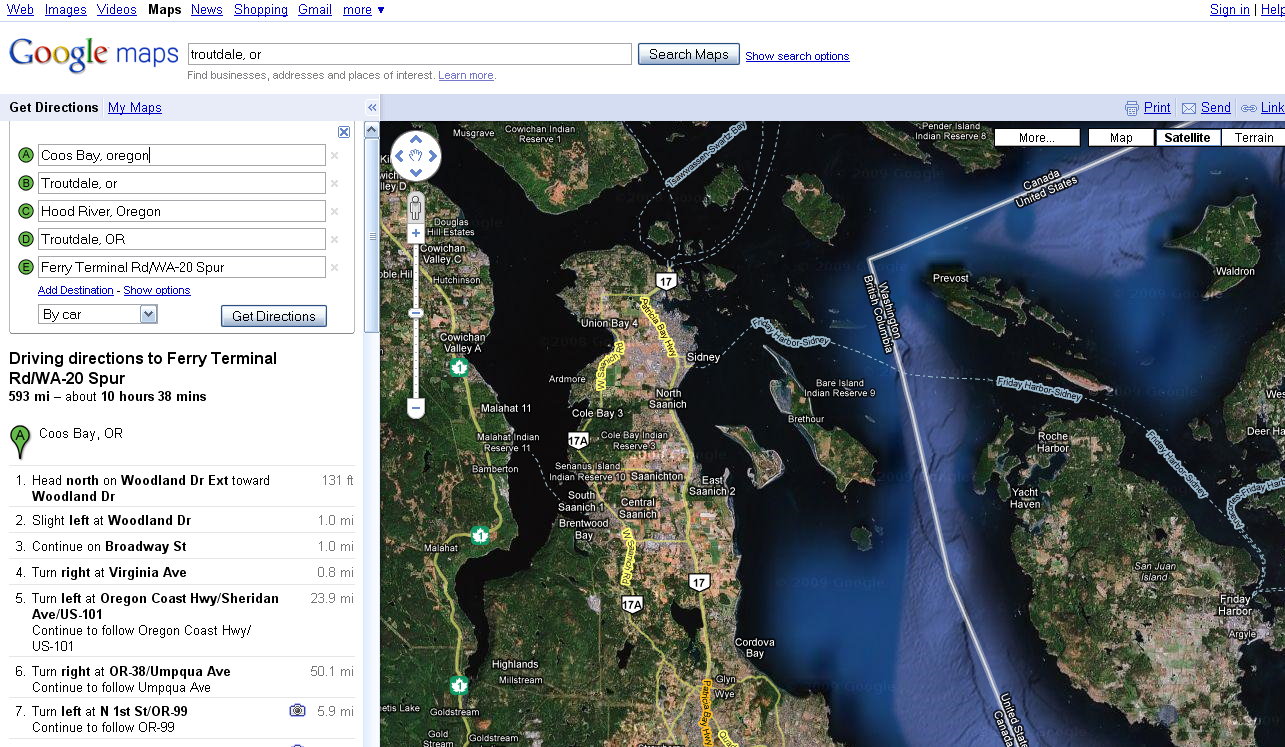
I’m planning a short vacation. So the obvious thing to do is to use Google Maps to plan the trip. After putting in some way points, I got to a ferry, and Google croaked… I’ve got some screen shots that show the problems and I’ve got some suggestions about features that are missing.
Audacity – Copy / Paste Bug
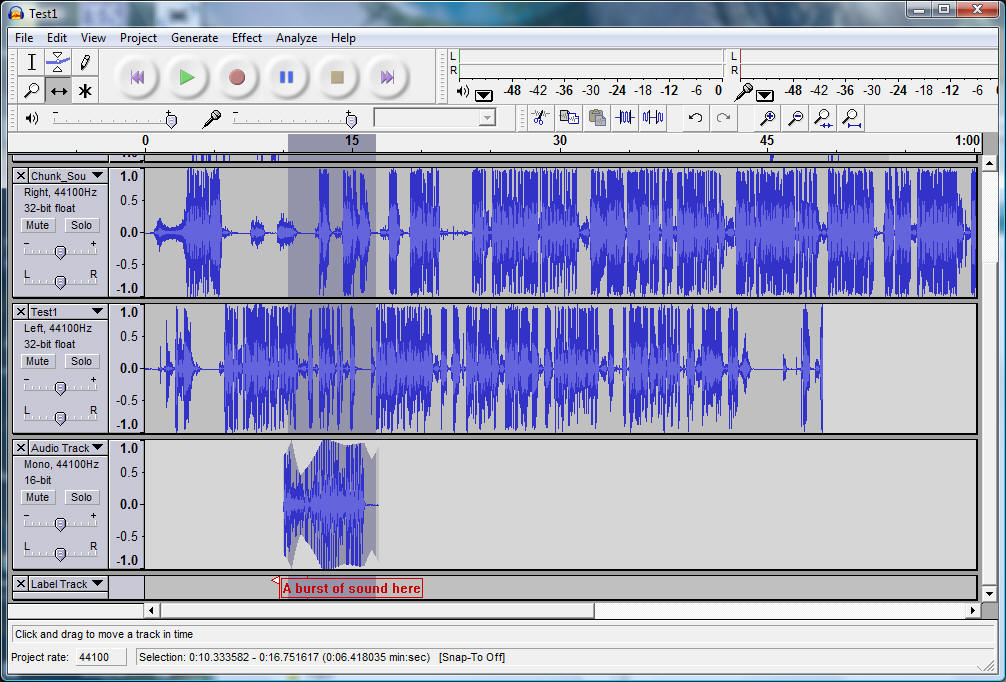
Audacity has a bug when copy/paste is used on a segment of audio in a track.
Audacity 1.2.6
Vista x86 SP1

click for full size image.
To reproduce the problem:
- Record a segment of audio.
- Select a portion of the audio and
- point to a point beyond the audio recording on the same track and
- paste. Observe that the pasted audio is tacked to the end of the recording, not at the paste point.
- Select the Envelope tool.
- Observe that Envelope handles for the pasted audio are displayed beyond the audio data.
I have tried to reproduce this outside of this test project and was not able to reproduce the problem. However, the picture above indicates that this problem does exist for some series of steps.
I suggest that the audio paste should have occurred at the mouse position rather than at the end. This would require adding a segment of silence to the file.
Also, I’m not sure how one can move a segment of audio along a track without moving the entire track. For example, if the alignment of the pasted audio needed to be adjusted, then I’m not sure how this could be done. The Time Shift tool apparently moves the entire track, not just the selection. I’ll check the documentation.
– windy
Audacity – Open Source Audio Editing
I just descovered Audacity, an open source audio editor for Windows, Mac and Linux. I’ve been using Goldwave for a long time, and Adobe Audition V1 a little, but Audacity looks like it has features and a UI paradigm that I like better.
Audacity Crash Opening AVI file
Audacity 1.2.6 crashes when opening the enclosed AVI file. The AVI file was captured by a Nikon S550 camera and then reduced from 640x to 320 x using Nero Vision. The OS is Vista x86 with SP1 on a Alienware M15x.
Here is the crash info:
Problem signature:
Problem Event Name: APPCRASH
Application Name: audacity.exe
Application Version: 0.0.0.0
Application Timestamp: 455814e4
Fault Module Name: ntdll.dll
Fault Module Version: 6.0.6001.18000
Fault Module Timestamp: 4791a7a6
Exception Code: c0000005
Exception Offset: 00068915
OS Version: 6.0.6001.2.1.0.256.1
Locale ID: 1033
Additional Information 1: fca9
Additional Information 2: 0dc2035d9f92c9e2614959a67b8ae723
Additional Information 3: 18f1
Additional Information 4: 3bfce306861458c8ad571409cb716cf8
Here is the AVI file that causes the crash: Audacity_Crash_1
Wakoopa – What software have you been using?

Wakoopa is a free software service that keeps track of what software you have been using. I heard about it on the Windows Weekly podcast from back in January. I’m just now catching up on missed episodes.
To use Wakoopa, just sign up for a free account and install the little program on your system[s]. The little applet [ 3MB ] uploads the info to the website so you can review and share the statistics. Continue reading “Wakoopa – What software have you been using?”
Site Upgraded to Latest WordPress
I’ve just upgraded WordPress on my site to the latest. If you notice any problems, please let me know at djduffy at Windyweather dot net.
There are many advantages, including better management pages and many other enhancements. Also I look forward to “automatic upgrades” which are supported in recent releases. As I installed this upgrade, I automatically upgraded several of the plug-ins whose sites support this automatic upgrade feature.
 Windy Weather