HDR with the Sony Nex6

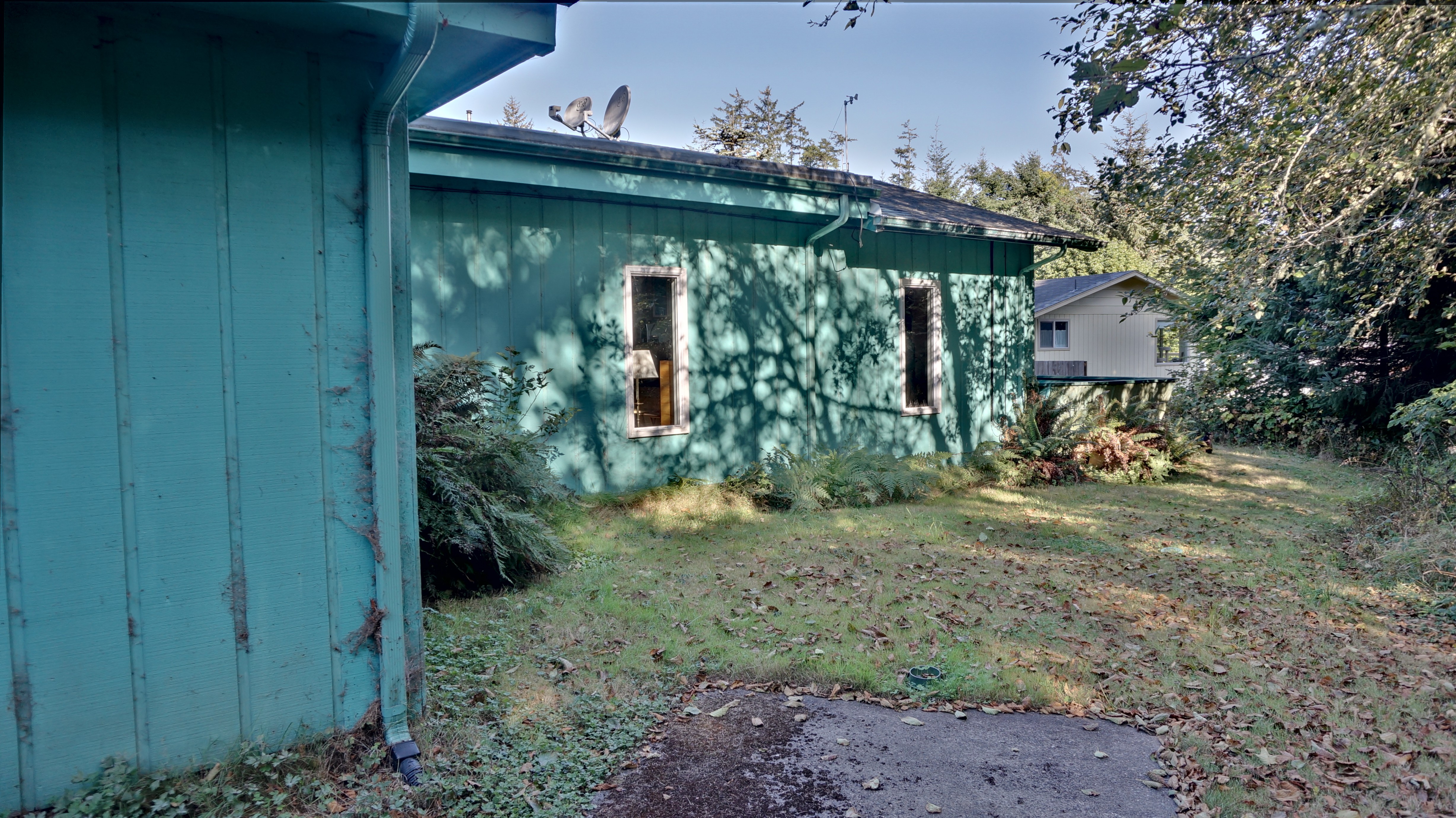
Fusion Sum Result
Fusion Sum Result

The primary requirement I had for the purchase of the Sony Nex6 was that it shoot raw to allow processing of the photos to bring out shadows and compress highlight areas in the same photo. HDR – High Dynamic Range – combines photos taken at different exposures to provide the ability to represent both very light and very dark areas in the same JPG image. Raw saves the wider dynamic range data from the sensor to accomplish the same thing. Which is better?

I shot a series of bracketed images in both JPG and Raw and processed them with HDR software and RawTherapee to find out which is better. Beware of clicking on these images. They are the full size images from the camera and can take a while to download.

The photo above was built from JPG bracketed images using Fusion 1 SUM. It shows a typical flatness and lack of saturation of some HDR photos. I was able to get much better results using PictureNaut.

Continue reading “HDR with the Sony Nex6”

RawTherapee – Suggest Easy Way to Compare Images

A90_00301When you are working on a new set of images you need to figure out which ones to use and which ones to toss. This is based on a few things of course, and many of the reasons are easily seen by looking at the image by itself, or comparing the image with the FilmStrip above. It’s almost never enough to just look at the File Browser thumbnail array to cull images.
If you are like me, you often take a few shots from a single spot of a scene. You vary crop, zoom, and exposure, and maybe other settings or just take a couple because the camera may have moved slightly and blurred the shot. So when you get home and start to process these images there are a few to choose from.

At this point, RawTherapee has no easy way to compare images. The current modes are Single Editor and Multiple Editor. Neither of these accomplishes what I need.

Continue reading “RawTherapee – Suggest Easy Way to Compare Images”

Sony Nex6 – OMG It’s Small

Sony Nex6 vs Nikon D300

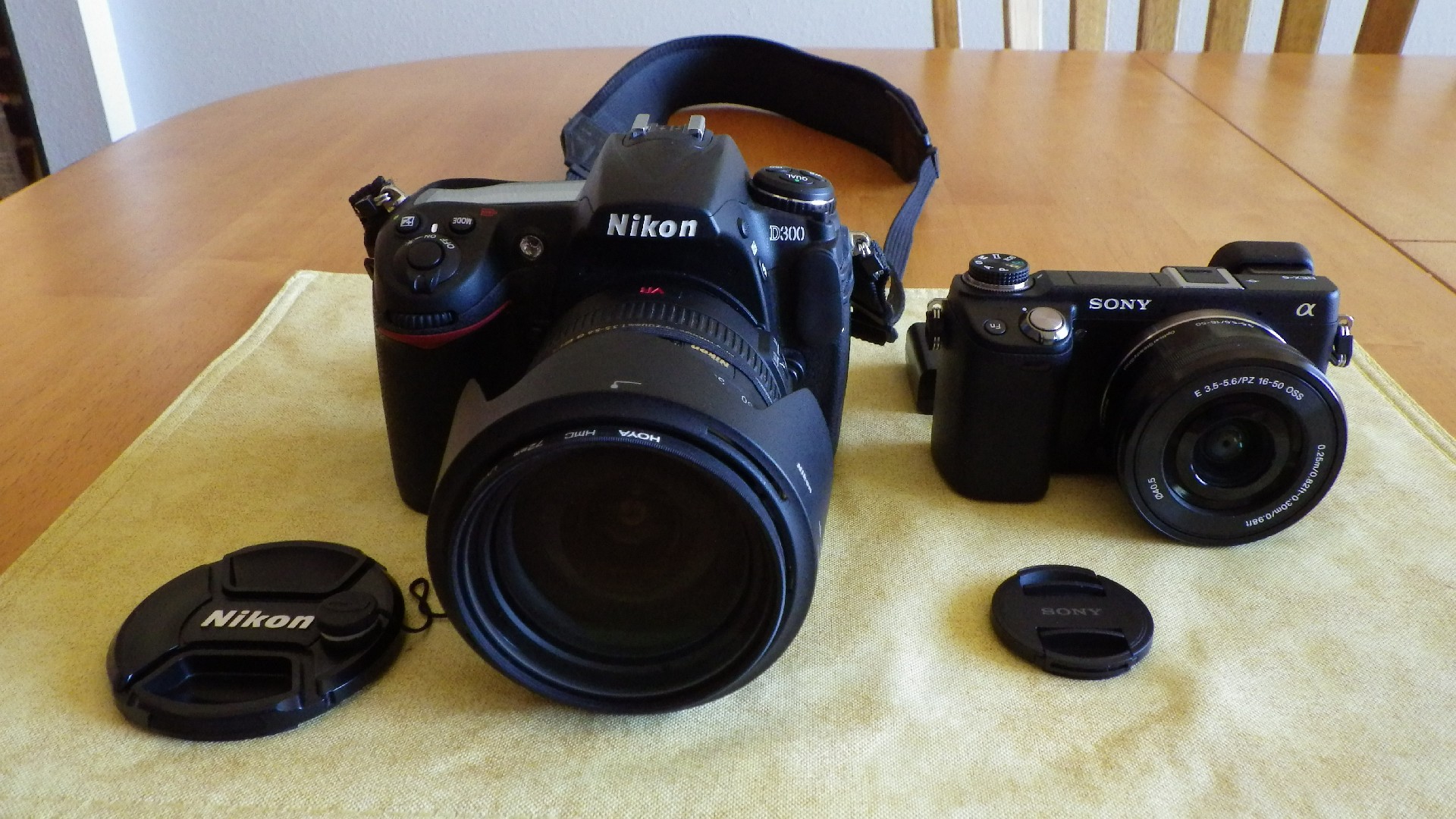
Just got my Sony Nex6. OMG it’s small. I am amazed. This is not a review, those are easy to find out there. This is just my first impressions. I’m coming from a long history of SLRs and DSLRs. Olympus OM-1 in 1977, Nikon 90S 1995, D70 2004, D300 2008 – to preserve my Nikon lens investment. And later a 18-200 VR lens. A couple of years ago I got bored with photography, mostly because the camera was just too heavy to lug around. I’ve been using Nikon Coolpix and more recently a Pentax WG-II which is great on sandy beaches and rain storms. But I missed shooting raw. Recently I went looking for an updated Raw camera. I’d heard that the Sony Alpha series was a break through camera series with no mirror or penta-prism. Smaller, lighter and cheaper.

Well my first impression is that I can get excited about photography again.

Continue reading “Sony Nex6 – OMG It’s Small”

SourceForge broken – only for one browser on one machine

Broken SourceForge
Broken SourceForge

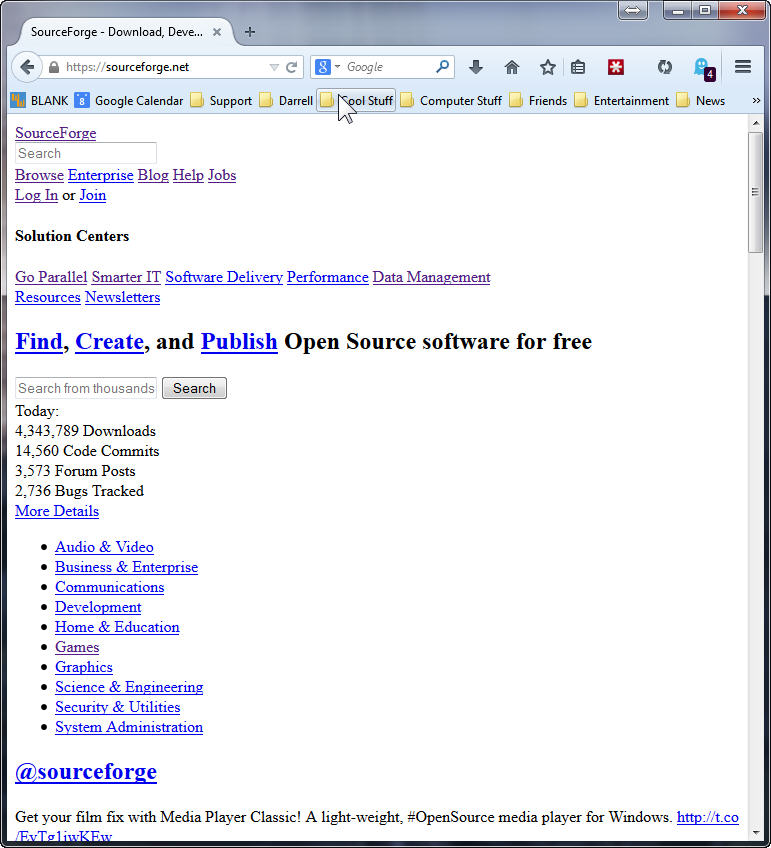
SourceForge is broken and looks like this, but only for FireFox 32 and only on one of my four Win7 x64 machines. Works fine on MSIE 11, and Linux Mint 17, FFox 32 on VirtualBox on the same machine.

Many things do not fix this problem:

  • Clear the entire browser cache, history, and sourceforge only or all cookies.
  • Mess with various settings in Ghostery and block and unblock many of the trackers. With the same tracker block profile on other machines those work fine.
  • Remove any unnecessary plugins and extensions. LastPass, Ghostery and Flash are the only ones left on all the machines. No difference.
  • Uninstall and re-install FireFox.
  • Flush the DNS cache.
  • Reboot the system.

No joy after all of these attempts. Anybody got an idea to fix this?

Update: 11 Sept 2014 All fixed. Who knew. Maybe some mirror had a bad CSS file. Anyway. All better now. No clue why one of my systems was bad, and why clearing the cache and cookies didn’t fix it. Sigh… Summer lightning.
Thanks,
– ww

RawTherapee – First Impressions

A90_00301
RawTherapee is a photo processing and organization program. I have used Adobe Lightroom a few years / versions ago. I used RT a couple of years ago, but not carefully.

I have upgraded my systems to SSD system disks, and if you have SSDs there are somethings that you’ll need to do before you start using RT.

Continue reading “RawTherapee – First Impressions”

Modular Power Supplies – Another Reason to Use Them

Non-Modular Supply
Non-Modular Supply

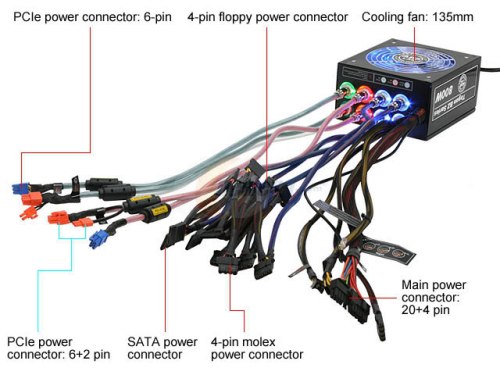
The old style of power supply is now called non-Modular. Notice the mess of cable that are permanently attached to the power supply. Well if you don’t need them all, which is likely, then you have to wrap that mess up and tie it somewhere inside the case.

In contrast, here is a modern Modular power supply:

Fully Modular Supply

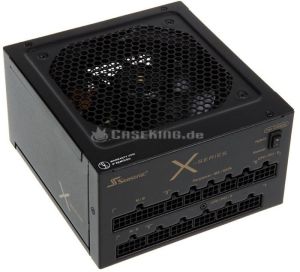
Notice that there are no cables hanging out of this PSU at all. You only use the cables you need to run your system. Modular power supplies are a little more expensive, and they are only provided for larger sizes. 550 Watts is about the smallest Modular PSU that’s available.

Continue reading “Modular Power Supplies – Another Reason to Use Them”

Sideboard Cabinets – Some Assembly Still Required

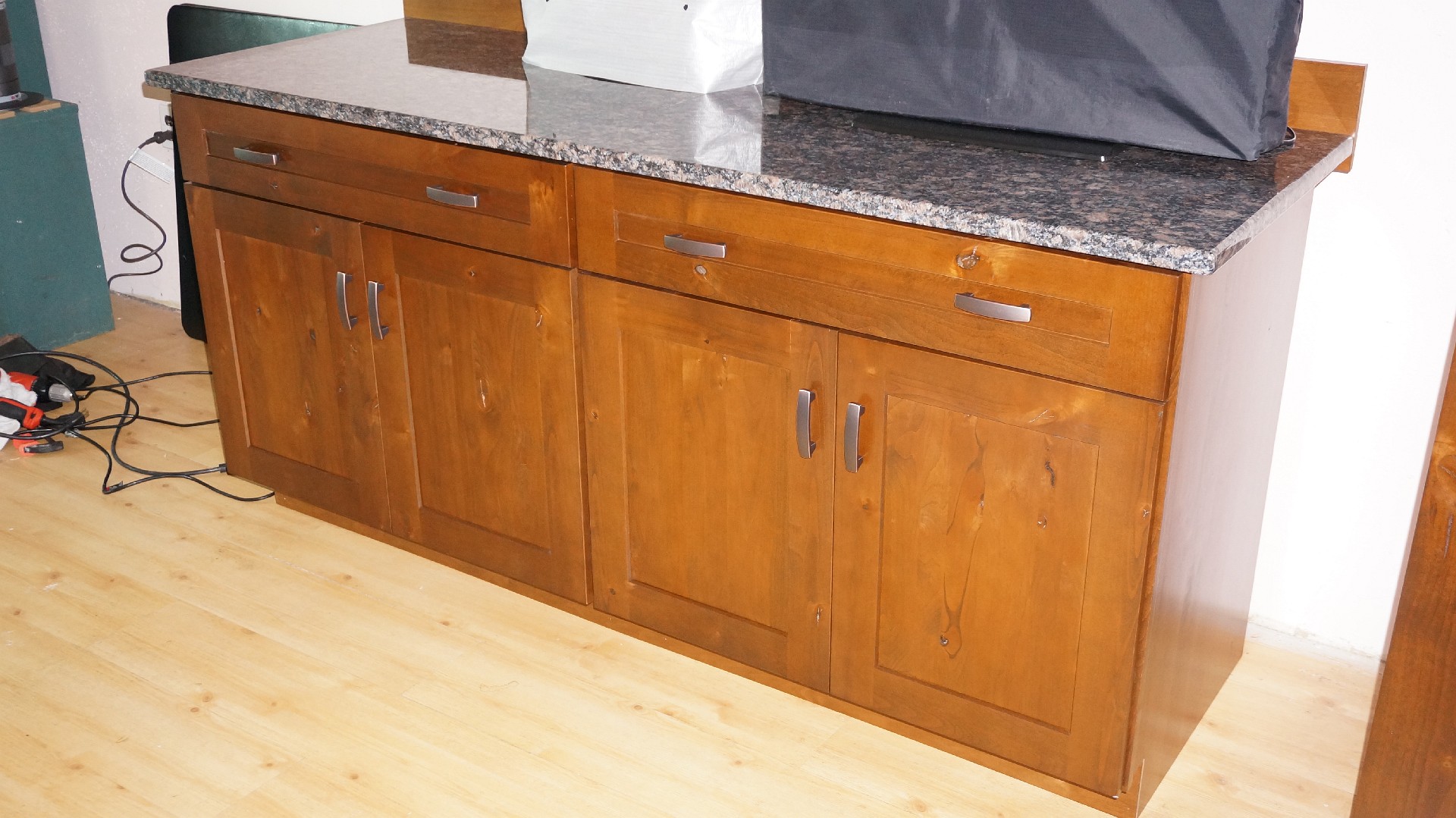
Cabinets in Rustic Alder

The cabinets have arrived for the sideboard. I just need to assemble them. Bolt the cabinets together, install the Alder back splash, toe kick, and put the granite tops on top. Woops. The drawer fronts are wrong. I ordered “Five Panel” drawer fronts. They should look like the doors with stiles around the edges and panels in the center. Oh well, the right ones are on order. Continue reading “Sideboard Cabinets – Some Assembly Still Required”

UHD TVs Are Here – Where’s the Content?

UHD TVs are Affordable

UHD TVs, sometimes called 4K TVs are appearing for very affordable prices. With the demise of 3D – no manufacturers are shipping 3D TVs this year – the TV makers had to come up with something to get us to buy another TV.

I was recently shocked to see a 55″ LG UHD TV for $1798 at Walmart. The TV looks awesome. It’s IPS, which means better off-axis viewing. Right next to the LG model is a Samsung model, but it had no price attached. In contrast to the large LG display touting 4K and UHD, the Samsung display had in small letters – 2160p, 240Hz – which is clearly a UHD spec.

There are two remaining problems with UHD that don’t seem to be slowing down manufacturers at all, but should give you pause before you drop your money on these sets:

  • There is no content. Of course they will upscale your HD content of any kind. But except for a very few Netflix movies that will stream in UHD, provided you have a UHD Netflix receiver box, there is no content. The BluRay standards group is still arguing about a UHD standard. TechRadar has an interesting summary article.  No TV stations have said anything about upgrading. No really affordable UHD camcorders exist, although some video editors like Corel Video Studio Pro – Less than $100 per seat – will edit UHD content.
  • The UHD standard is not finalized. It sure would be nice if the standard would finalize before you bought that new TV. For a complete discussion of the entire problem of the UHD standard, watch this TWIT episode of Home Theater Geeks.

What is Available Now?

Continue reading “UHD TVs Are Here – Where’s the Content?”