More Nonsense – Obsolete Webcams

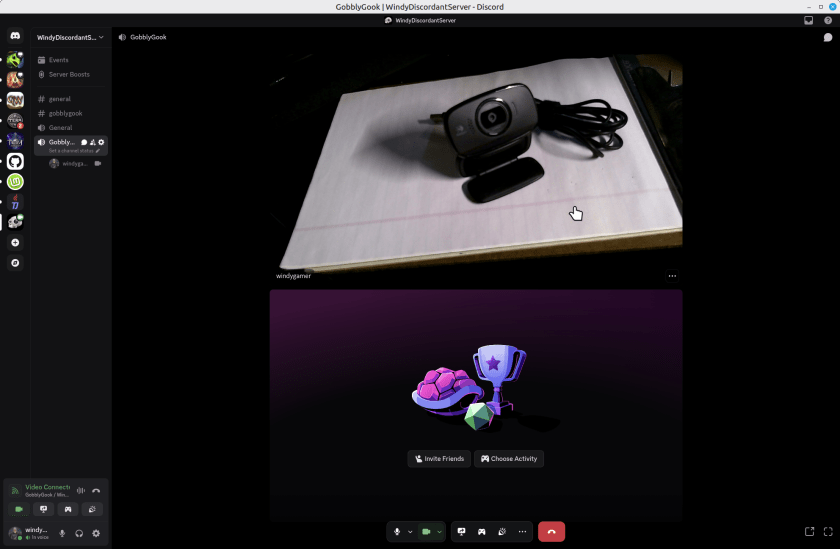
So, from a few years ago I have a couple of Logitech Webcams. I’d report the model number but they leave that off the device. On a little tag on the cord one says M/N V-U0016 and the other one says M/N-U0023. Embossed into the body of the webcams – which look identical – it says they support a microphone, auto focus and 720p. They are missing a shutter to block the camera which all new models have, but a piece of black tape solves that problem if you care. These webcams are perfectly great for Discord or Zoom calls. Here’s one web cam taking a portrait of the other in Discord, running on Linux Mint 22.2.

You might argue that it is not sharp but for a discord or zoom call its just great. I’ll not show my face here, but it was perfectly reasonable for 720p. Sure the new ones are 1080 or 4k, but who cares? If you really need that, then you don’t care about saving this old webcam.

Continue reading “More Nonsense – Obsolete Webcams”

System Upgrade for Windows 11

I am looking forward to the demise of Windows 10. Just kidding. I am doing the last conversion of my systems to prepare for the demise of Windows 10 in October 2025 – No more updates to Windows 10, esp security updates, after that time. And while Microsoft says stuff about being able to install Windows 11 on “any system” recently, they are not walking back this end date for security updates on Windows 10. Yep there are other ways. But they have an end date too, and cost a few bucks a year. Not sure I want to pay for home-grown security updates. So I’m going to move all my systems to Windows 11, or Linux Mint. Linux never said anything about not supporting older processors.

To review:

  • The new machine upgrade I did a while ago, when a power supply died, went straight to Windows 11.
  • Two more recent systems, upgraded in-place, which no glitches, from Windows 10 to Windows 11. No problems.
  • One machine – my “mail machine” – runs Thunderbird to support about a dozen email addresses. I moved that machine to Linux Mint.
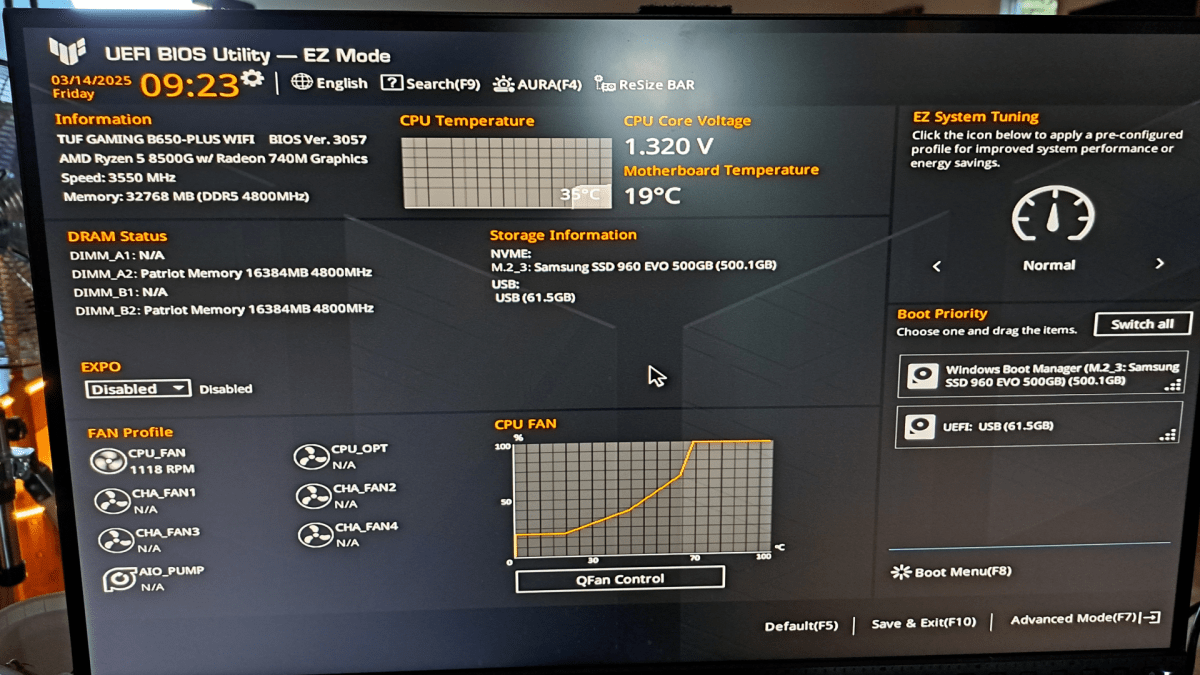
  • This last machine is my Network Backup machine which runs Carbonite. Linux is notoriously finicky about file sharing with Windows. This machine serves as a dumping ground for important things from all the other Windows systems and then backs them up to Carbonite. I decided that I needed to buy a less than bleeding edge system that would run Windows 11.
Continue reading “System Upgrade for Windows 11”

Windows 10 Random Beeps

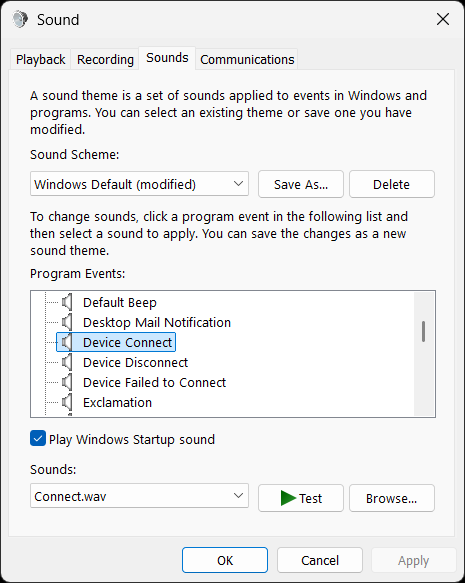
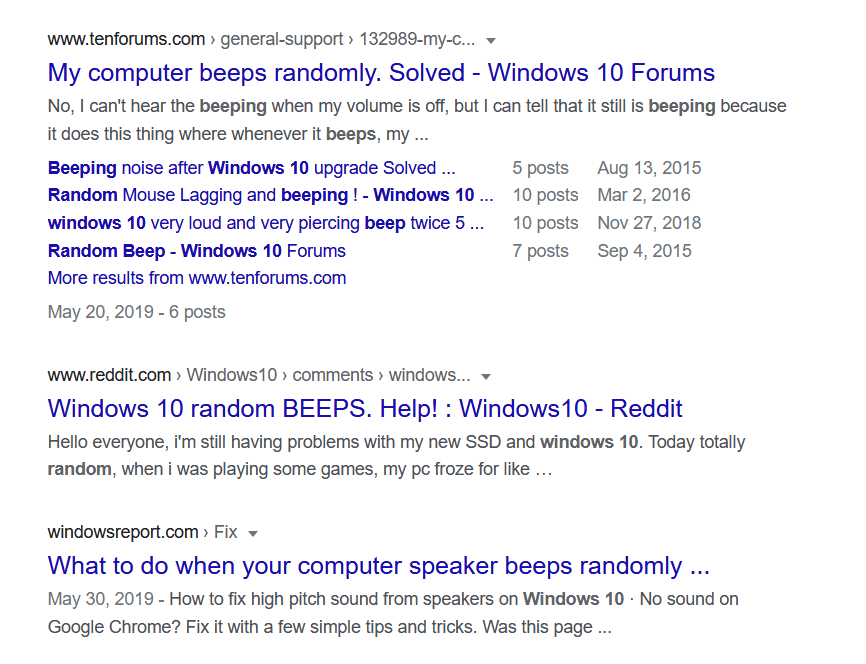
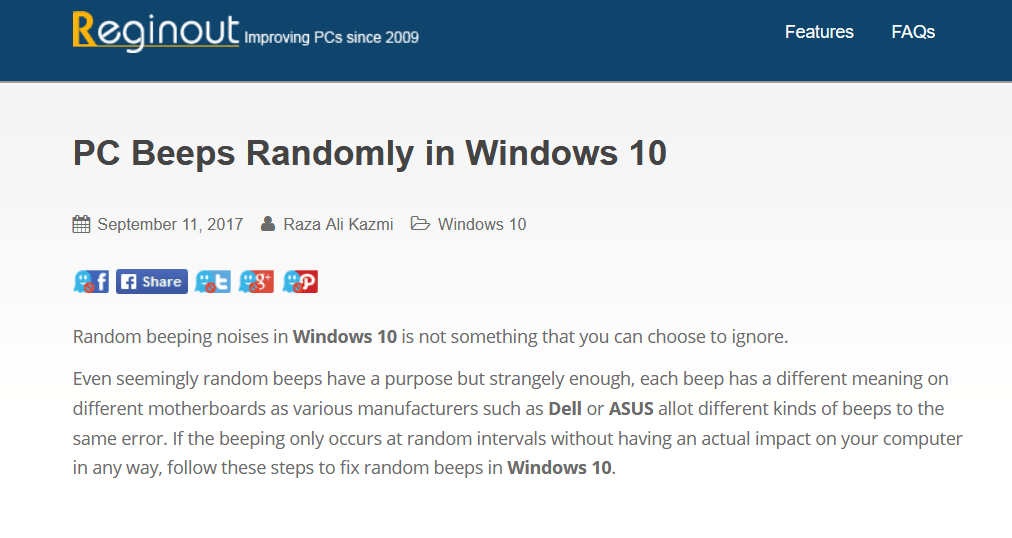
For the past few weeks I’ve noticed Windows 10 beeping at random times. These beeps don’t seem to be correlated with anything I’m doing. I finally did a google search. It turns out that this has been a thing for quite some time.

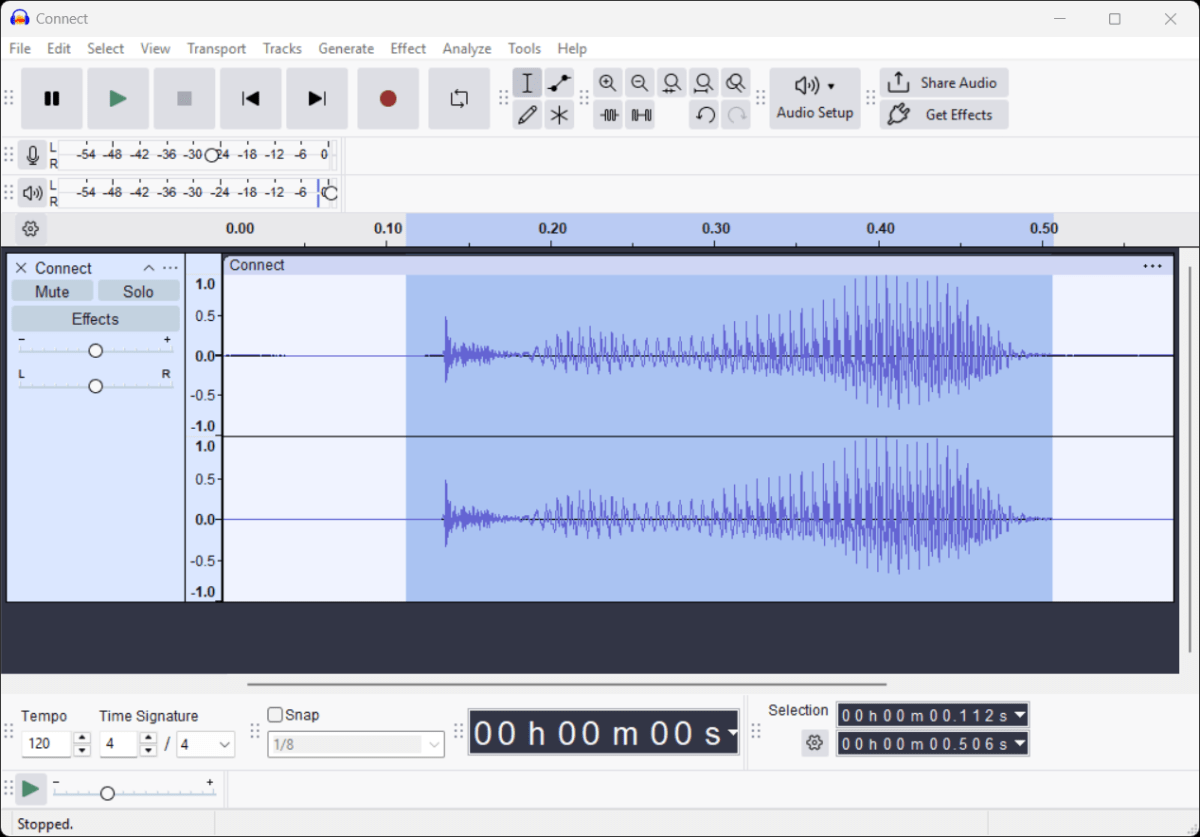
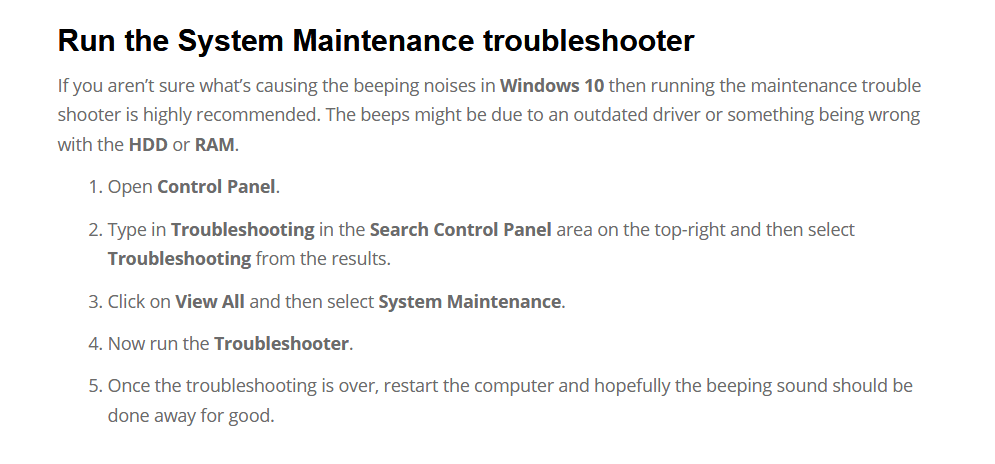
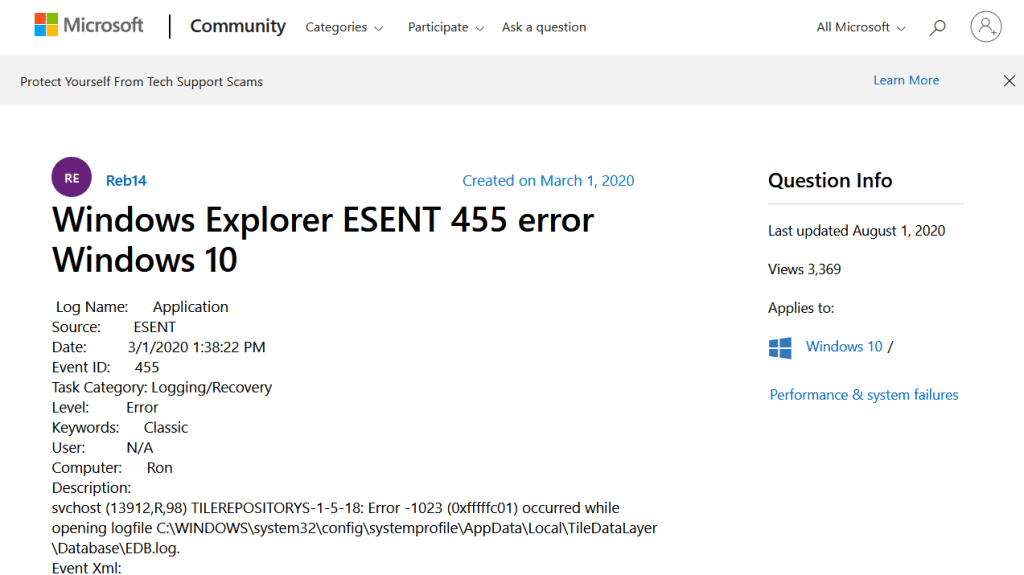
I could not get the troubleshooter to work. But continued searching found that the beeps were an indication that the Event Log was being used. And using the Event Viewer – just type Event Viewer into the white search box at the bottom left of the desktop – showed errors in the Application log. And these errors were ESENT 455 errors. So a google search of that showed that the problem was easily solved.

Continue reading “Windows 10 Random Beeps”

Windows 10 File Sharing Broken Again

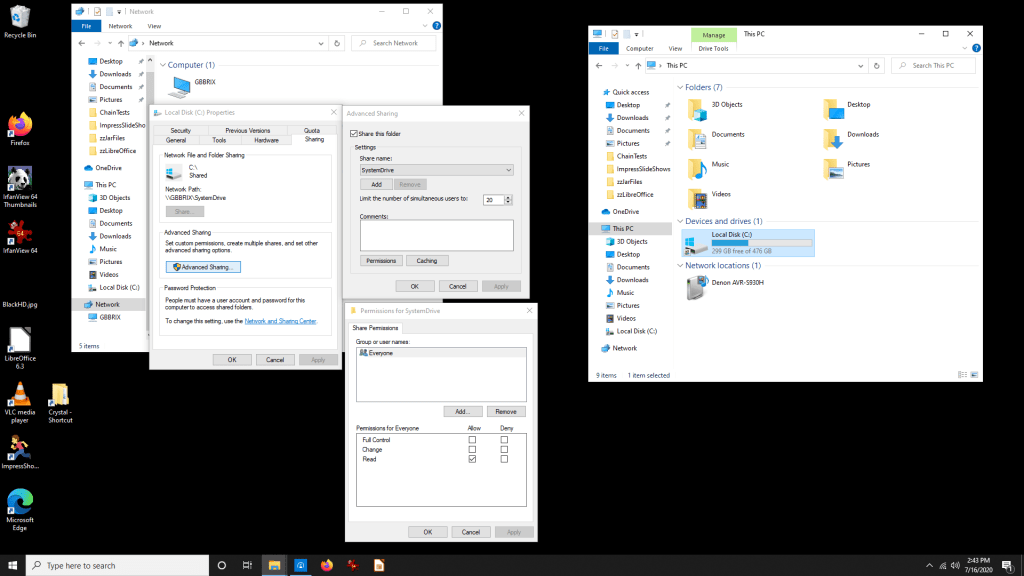
I have a bunch of computers. Not surprising since I’ve been a software engineer for decades. Windows file sharing has always been exasperating. It works, then it fails, then it works again.

So here’s an example.

Intrasitive Networking

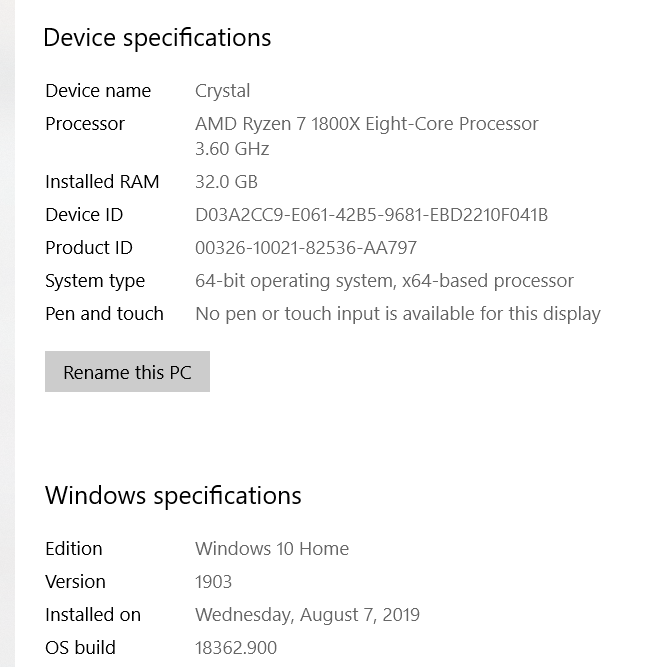
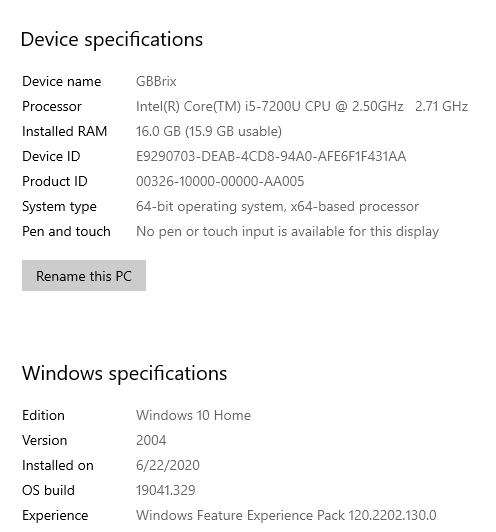
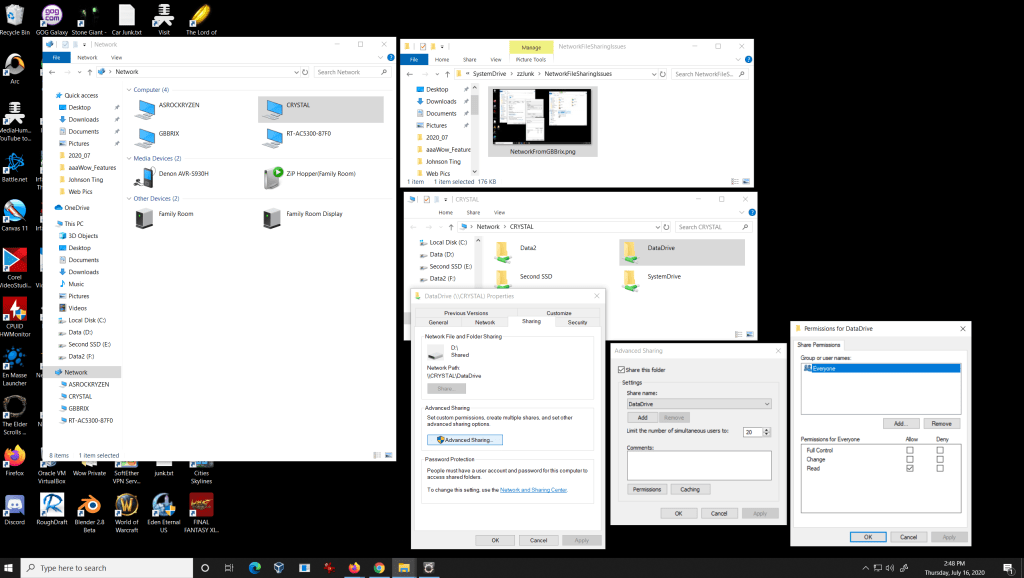
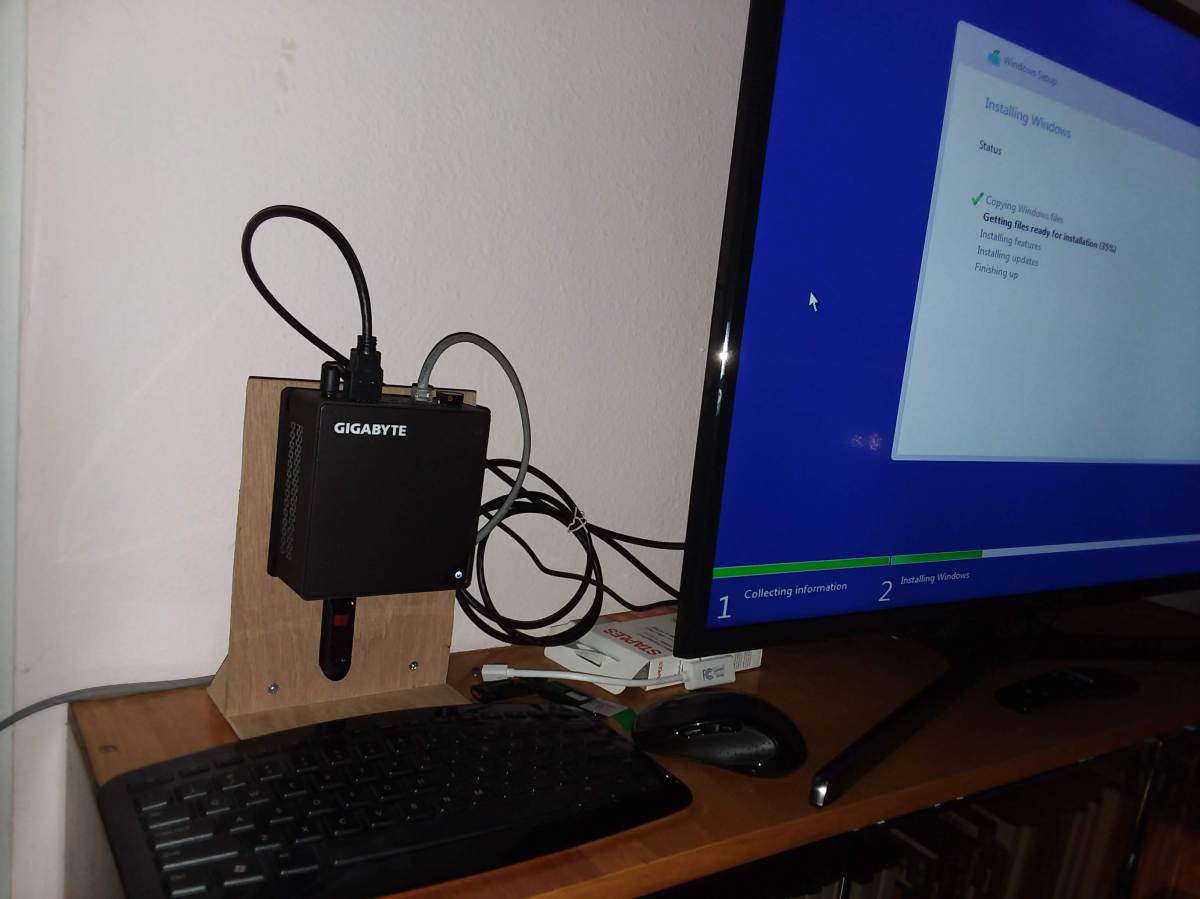
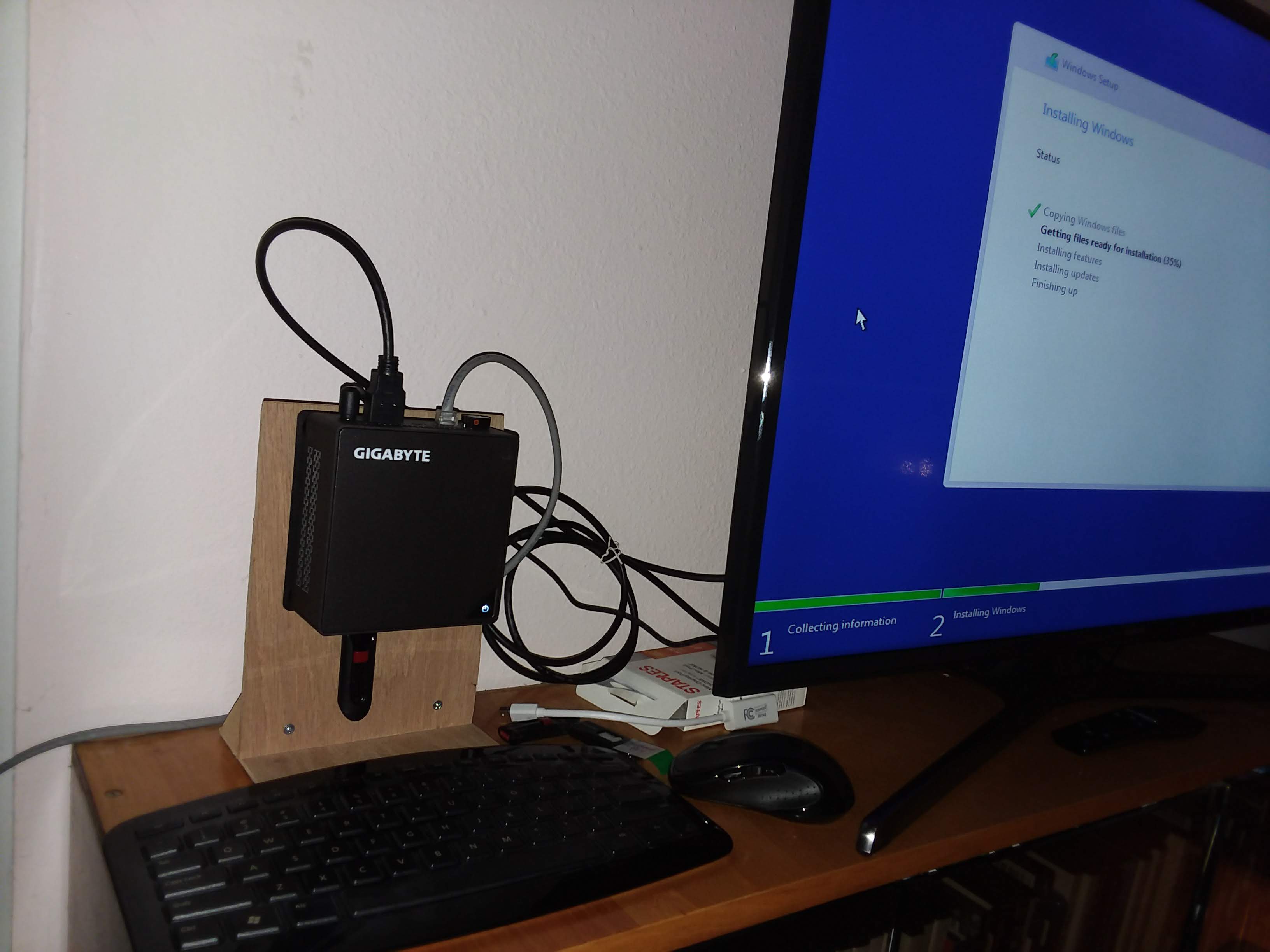
I have had a little Gigabyte Brix computer for a couple of years now. I would like to set it up to play audio books so I moved it and hooked it to another monitor. I thought that a few weeks ago, file sharing was working fine, but now it’s not. I just need to copy the audio books to it so I can play them. So Crystal can see the GBBrix shares and read files from that system. But the GBBrix system cannot see any other systems on the network and so cannot copy files from them. All the shares are set “Everyone can read”.

Foolish me.

By “intransitive” I mean unable to communicate in both directions between two nodes of a network. Google cannot find this definition for me. All it finds for “Transitive” or “Intransitive” relates to Verbs in a language. Oh, here’s the definition. Number 2 – Logic. In either order a >> b and b >> a.

Continue reading “Windows 10 File Sharing Broken Again”

Linux to Windows File Sharing Issue

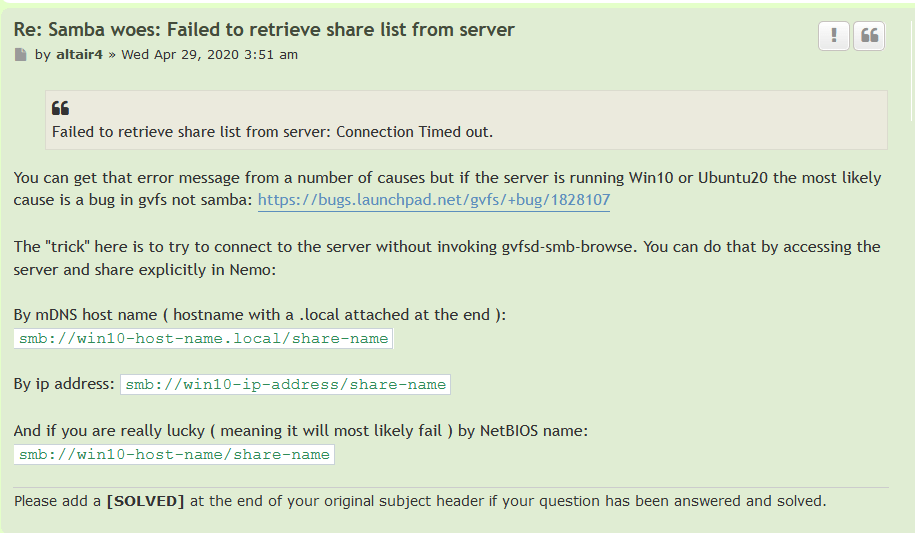
So, reaching a Windows File Share on Windows 10 from Linux Mint 19 has yet another problem. But there is a fix. My Post Here drew the attention of someone who had the answer.

The problem is that trying to reach a Windows 10 shared folder from a Linux Mint 19, or Ubuntu 20.04, system, causes an error:

“Failed to retrieve share list from server”

Here’s the workaround.

Samba woes SOLVED Linux Mint Forums.png
The Workaround

It’s pretty easy. And you can do two things.

  1. When it asks for “credentials” mark them “remember forever” and store them in your keyring, so you never have to worry again.
  2. And use “Bookmark” in the file browser to remember the share so you can easily go back there again the next time you need the Windows Share from Linux.

I was able to use the smb://win10-host-name.local/share-name fix.

The bug has been reported here, so we are probably going to get a fix soon.

Update: 30 April 2020

I tried file sharing to Windows from Fedora 32, the latest, and it failed in the same way, and was fixed in the same way. So all the Linux distros apparently share the same samba gvfs code.

May you walk in the light of the Crystal.
:ww

Printing from LinuxVM

How to Share Printers on a Network.png
From 2017 – A long time ago

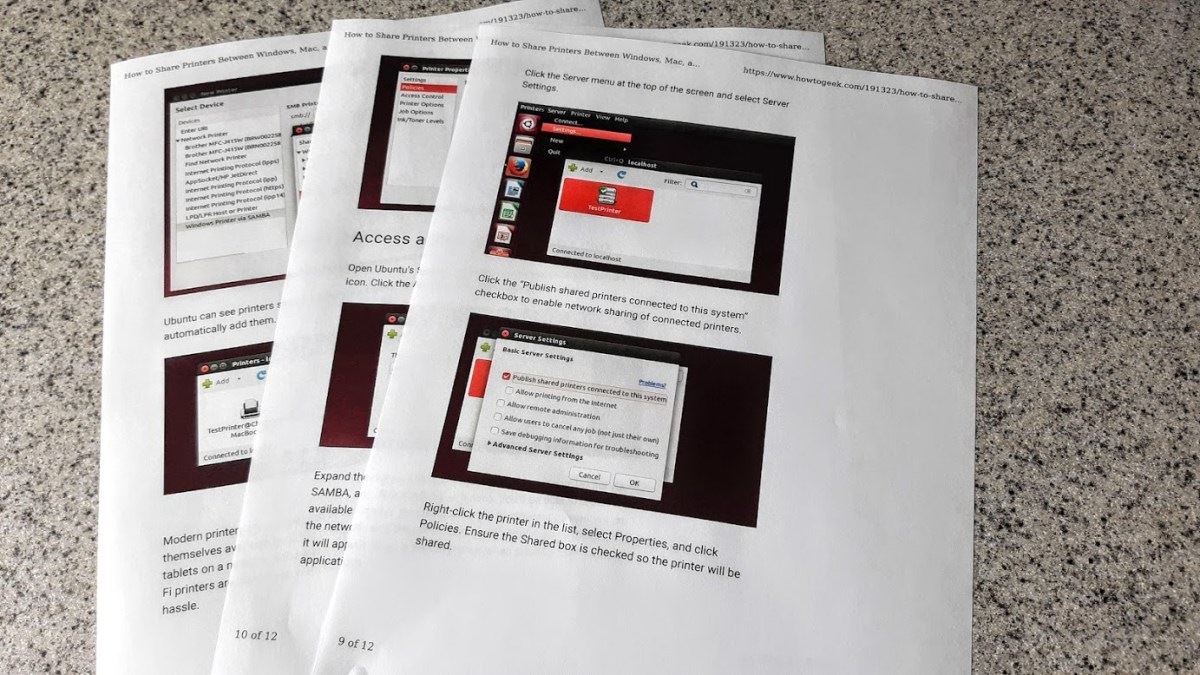
For a while now I’ve been wondering how to print from Linux running in a VirtualBox virtual machine to my local Windows Printer. Well it just works. Sort of.

I did what it says on this page and it did work. I thought I had tried this a while ago and never got it going. But there has been progress with Ubuntu / Linux Mint over the years and it looks like it works now.

Continue reading “Printing from LinuxVM”

ImpressShowRunner Released

ImpressShowRunner is running well on both Windows 10 and Linux Mint 19.

Go here to get the Jar file.

Here is a complete description of the program and how to use it.

The program is distributed as a JAR file and requires Java SE 11 or later to run. OpenJDK 11 is built in to Linux Mint 19 and the normal windows SE release is currently Java 8.  This will not work to run the program since it was developed for the JDK 11 version of Java. Actually. Let me get back to you on that. I have JDK 14 installed on the system I use to test on Windows 10. I need to sort out these Java version numbers and confirm that the program works on Java 8. Are Java JDK versions different from the RunTime environment versions? Let’s see.

Continue reading “ImpressShowRunner Released”

Gigabyte Brix 7200 Displays 4K

I’ve had a Gigabyte Brix GB-BKi5HA-7200 for a while now.

20181217_071122.jpg

This is about the 3rd Mini system that I’ve had. Maybe fourth if you include one that I built from parts. This one has:

Linux Mint Fails in 4K

It was running Linux Mint 18 and recently Linux Mint 19. And this was working fine, except recently I upgraded the monitor to a Samsung 40″ 4K TV – UN40MU6300FXZA. I found the Refurbished TV for about $290 for sale by Walmart a couple of months ago. This is quite a good price for this Samsung 6300 level TV.

Walmart_- Samsung 4K UHD TV_-_2018-08-04_15.37.31xx.png

Since I use this mini system to display photos and game screen shots a large high-rez display is just the thing. However, Linux Mint has never supported the display correctly.

As you can see, when in 4K [3840×2160], the display is sliced up and repeated across the screen. It works fine in 1920×1080 mode on Linux. From all the reading of the processor and TV specs, it looked like it should work fine and when I use a long HDMI cable to plug the TV into a Windows 10 system with a GTX 1060 card, it works fine too in 4K.

I am using a pair of 2K monitors through a IOGear Displayport switch and Linux Mint works just fine with that using a GTX 1050 card, which has DisplayPort output.

After spending a couple of days on various forums trying to understand and fix the problem on the BRIX with no luck, I had the bright idea of just trying Windows 10 directly on the system. So I made a Windows 10 install Thumb drive, removed the M.2 Sata, to avoid messing up the Linux Install with Windows 10, and installed Windows 10 on the 60GB SATA SSD. Worked like a charm and brought the monitor right up in 4K without problems.

Continue reading “Gigabyte Brix 7200 Displays 4K”

Logging Your Public IP Address

I’ve recently had problems with my internet service. My DSL router is apparently re-syncing causing my public IP address to change. Apparently my ISP uses PPOE rather than DHCP, and apparently PPOE does not allow “Reservations”, which allows a client computer to use the same IP address if it reconnects within a given amount of time. Your home router uses DHCP, which does do reservations, so your computers LAN IP address does not change if the computer connects every 24 hours, which I understand is the default “Reservation” time.

Re-synching is not only a problem because the internet is out for a short amount of time, but also because the IP address change causes some games to require that you “Verify” your IP address by reporting a code that is sent to your email account. This is obviously an issue if the Re-Sync happens several times per day.

After quite a bit of research I found a windows service that logs the Public IP address to the Windows Event log every 15 minutes. I run one of my windows systems all the time, since it’s running Carbonite, so this system will run the PublicIpLogger program.

If you want to use the program, it’s on GitHub here. This is the forum post that mentions this program.

From Github, download the setup.exe file and run it. Then you can enter “view event log” into Cortana and you should see a choice to run the windows event viewer. The program logs your public IP address to the event log every 15 minutes.


As shown, under Application and Service Logs, find the PublicIpLogger events and there are a number of events that show the Public IP address, whether they have changed or not.

Enjoy,

:ww


Qt Development for Windows

AS_000340.jpg
I’m a long time user of the Qt Development Framework. But every few years, it seems to change hands and everything about how to install it changes.

I recently installed it on Linux Mint, and while it looks like it is built in, the install was anything but simple.

But now I’d like to add a feature to one of my personal programs for Windows, so here we go again. I started by trying to look up a recent YouTube video on the subject and while it was only a year or so old, and all the domains were active, it failed miserably after the install in the same way that the Linux install failed. It was unable to find a valid “Kit”. A Kit for Qt is a set of definitions so that the IDE – integrated Development Environment – can find the other tools like compilers, framework libraries, debugger and make program. Well the Youtube video I found had the same problem. The install looked like it worked, but it brought along no tools, framework or valid kits.

Well I’ve solved that, so I’m making a post here so that I remember, and maybe it will help you too.

Continue reading “Qt Development for Windows”