RawTherapee is a photo processing and organization program. I have used Adobe Lightroom a few years / versions ago. I used RT a couple of years ago, but not carefully.
I have upgraded my systems to SSD system disks, and if you have SSDs there are somethings that you’ll need to do before you start using RT.
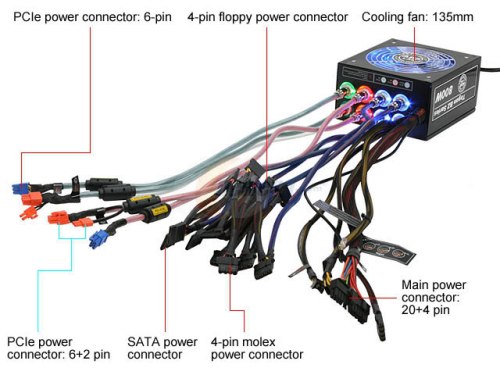
The old style of power supply is now called non-Modular. Notice the mess of cable that are permanently attached to the power supply. Well if you don’t need them all, which is likely, then you have to wrap that mess up and tie it somewhere inside the case.
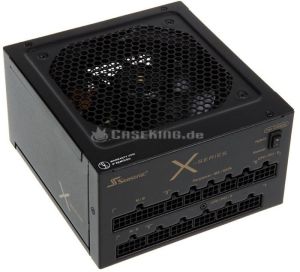
In contrast, here is a modern Modular power supply:
Fully Modular Supply
Notice that there are no cables hanging out of this PSU at all. You only use the cables you need to run your system. Modular power supplies are a little more expensive, and they are only provided for larger sizes. 550 Watts is about the smallest Modular PSU that’s available.
I’ll be adding a set of steps to this post to fix up a Linux Mint installation for use. This is a post in progress that I would normally hide from the home page, but can’t do that here.Continue reading “Linux Mint – Steps to Fix an Installation”
My friend is hard of hearing. He has problems with dialog especially when there is background music in movies. He saw “Her” when it was at the movies and got the gist of the plot, but did not really hear the dialog. I rented the movie and we watched it with subtitles and this time he got it. He was able to “see” it all. Continue reading “Google Class – Movie Subtitles?”
Federation Bills have been a daily login-reward for a few weeks now. But when you check the vendors in cities, nothing seemed very interesting. But then I saw a player with a neat new outfit, and looked it up on the template site. Wow. A level 50 robe being worn by a lower level character! Wonder how that happened? Check out the robe I saw here and look down for set 19.
Well now I know. Use your Fed Bills to purchase templates. And they are reasonably priced too. 35 bills gets you all three pieces. There are two styles – Santia’s and Quandary Bazaar. The templates are marked level 60, but if you go to the re-modeler in The Hunter’s Plaza of Velika, anybody can remodel their equipment to these templates. It cost me about 1 G 50S to remodel my level 33 gear to the new look. And of course, I can remodel new equipment to the old things to keep the look for future items without buying new templates.
You get 510 bills each day you login on each server on your account. Back to 5 per day. These templates are gone with remodeling in 13 May 2014 update.
Every post should start with an interesting picture.
Ok. Now for the article.
I’m using a Linux Mint system hooked to my TV to watch Netcasts from the Twit.tv network and other things. It’s built using an Thermaltake Armor 30 case and a Core i5 Haswell processor, 8GB RAM, GFX 640 graphics, and a 250GB HD.
But the system is slow. So I’ve decided that the best approach would be to get a cheap SSD for it. I found a Refurbished 60GB SSD on Newegg for about $40. That should do the trick. Given there aren’t that many apps installed on the Linux system, it uses far less than 60GB, so the small size is no problem.
Migration to SSD
I don’t want to completely rebuild the system. I’d rather migrate it to the SSD. A forum post led me to using gparted to migrate the partitions from the 250GB hard drive to the SSD. Also, it seems best to test this scheme using a virtual machine before I actually migrate the system. One of the VMs I keep current is a Linux Mint 15 system in a 60GB VM disk on my Windows 7 system. I use Virtual Box.
After I did the experiments with the VM, I successfully migrated a 250GB HD – 9GB used- to a 60GB SSD with no problems using this scheme. Continue reading “Linux Mint – Migrate to SSD”
After upgrading my system with a shiny new SSD, the HD light was blinking like a heart beat every second or so, and that concerned me. SSD’s have a limited lifetime, for writes, so it occurred to me that Windows might be burning up my SSD by continually writing to it.
After checking around a little on the web, I found the SysInternals windows utilities on the Microsoft techweb site. At first I tried DiskMon, which showed disk activity, but didn’t show which files were being accessed. Then I found Process Monitor, which showed which files were being written and by how much. Continue reading “Tracking SSD Activity”























































 Windy Weather