Coppermine RSS feeder

RSS 2.0 feed for Coppermine…

I didn’t write this. Credits are in the file.
I tried to contact the author, but his site is down.

RSS 2.0 feed for Coppermine…

I didn’t write this. Credits are in the file.
I tried to contact the author, but his site is down.
And he is greek.

I have tested this with CM 1.4.3 and it works.
To install, copy it to the coppermine base directory.

You can choose various types of feeds by using the following:

http://www.yoursite.com/coppermine/rss.php?album=xxx

where xxx is:

  • lastcom – last comments
  • lastup – last uploaded
  • topn – most viewed
  • toprated – top rated
  • lasthits – recent hits
  • if http://www.yoursite.com/coppermine/rss.php alone is used, then some random pictures are presented.

Edit the file to change the number of thumbs in the feed.

The script is RSS 2.0 compliant and works with feedreader.

Apologies to the author if he doesn’t like me passing this on.
I found it in his coppermine integration for joomla.

Cheers,
Coppermine RSS feeder

Fix to SMF 1.1 convert.php

I’ve converted the phpBB2 forums on my site to Simple Machines Forums. Along the way I ran into some problems.

The convert.php module for conversion from other boards to SMF has at least two problems:

  • A field in the board table called lastUpdated is referenced. No such field exists in RC2 versions of the table.
  • A last step attempts to set the image width/height of attachment and avatar images. However, this code does not correctly set the full file path and the step fails in an infinite loop at the end of the process if there are missing avatar images.

As far as I know this is a complete fix for the problems. After running this version, the attachments correctly display as images in the posts. Missing images have width/height set to [20,20] to avoid the loop.
Fixed Convert 1.1RC2

Here’s the link back to the SMF boards: 1.1Converters

djd

Fix to phpBB2 to SMF converter

OBSOLETE
See the new version

Here’s a fix that I’ve made to the phpBB2_to_smf.php converter.
I’ve done a conversion from phpBB2 2.0.18 with attachments to SMF 1.1RC2 and it appears to work. I would not say that it was thoroughly tested.
The memberlist failed without the fixes that I’ve included.

  • There were field name changes in the SMF members table. im_xxx changed to pm_xxx and this caused a silent failure in the INSERT’s.
  • Also the version number needed to be changed from 1.0.5 to 1.1.99 [maybe , but this works.].

You can download it here: Fix to phpBB2 to SMF converter

enjoy,
djd

Get your startup list under control

Do you have a bunch of stuff starting up when you boot that you don’t need?
Get it under control.
My daughter and I had a problem and we found this little startup control panel. Just the thing that really ought to be built into windows:

Startup Control Panel

This allows you to check and uncheck the programs that start and all the various types of items are available to set.

Watch4D OpenGL Program

This is a link to the Watch 4D program, which is different than the Watch 3D program. Watch 4D includes source.


Watch4D Program

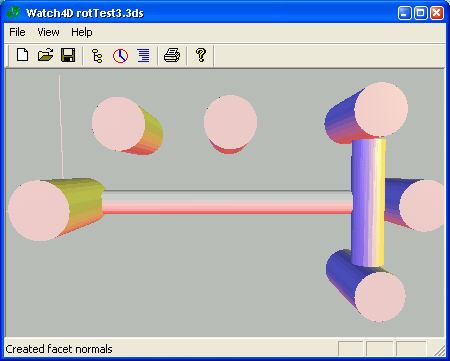
RotTest3_w4d

This is the Watch 4D program, which is different than the Watch 3D program. Watch 4D includes source.

Watch4D Program

Watch4D is a program to investigate the importation of 3DS files supporting several issues that are problematic for almost all other 3DS importers.

  • Pivots that are translated or rotated.
  • Object instances.
  • Object Links.
  • Object Groups.

Watch4D is a modification of a program from elsewhere on this site called Watch3D. That program is unavailable for distribution in source form since it uses the CrossRoads library which is only available with a book.

Watch4D is based on open source code from CrystalSpace, and my own researches, so the source can be shared.

Watch4D Source

Enjoy,
-ww

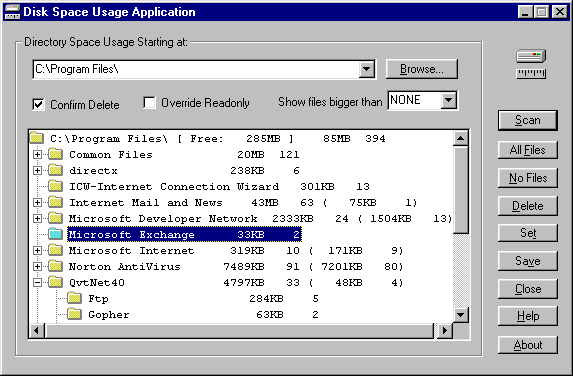
Disk Space Usage Application

Scan a whole disk, or just a directory tree, and find out where the space is being used and by which files. Oddly enough, tthe Windows 95 / NT Explorer has no such feature. The most you can do is watch the status bar for each directory as you navigate.

usage

Scan a whole disk, or just a directory tree, and find out where the space is being used and by which files. Oddly enough, tthe Windows 95 / NT Explorer has no such feature, or WinXP for that matter. The most you can do is watch the status bar for each directory as you navigate.

Here’s a program that will let you manage your hard drive space and efficiently clean up your files.
Continue reading “Disk Space Usage Application”

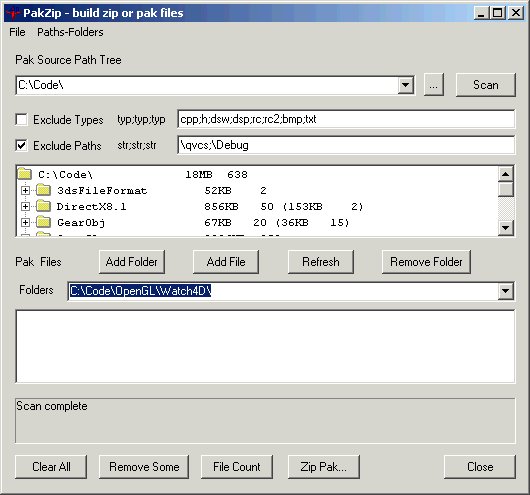
PakZip

The PakZip program solves two problems…

  • Building ZIP files for game programs such as Quake that use ZIP as their archive format.
  • Building distribution archives when an installer is not appropriate.

mainwindow

The PakZip program solves two problems…

  • Building ZIP files for game programs such as Quake that use ZIP as their archive format.
  • Building distribution archives when an installer is not appropriate.

Continue reading “PakZip”

Synchronize Version 3

Synchronize files between two folders, computers or backup files to offline media.

Synchronize files between two folders, drives, computers or backup files to offline media including removable hard drives and CD/DVD RW.

Update: This program has been superseded by SynchQt which is available on SourceForge.

Features New for Synch 3

  • Supports CD/DVD RW drives, including verify.
  • Threads rather than idle-loop operation provides better performance.
  • Substitution allows easy redirection of drives and network paths.
  • Options to remove empty directories after files are deleted.
  • Options to provide handling of files with no extensions.
  • Sizes and positions of windows and column widths of lists are saved and restored.

Continue reading “Synchronize Version 3”

Geodesic program

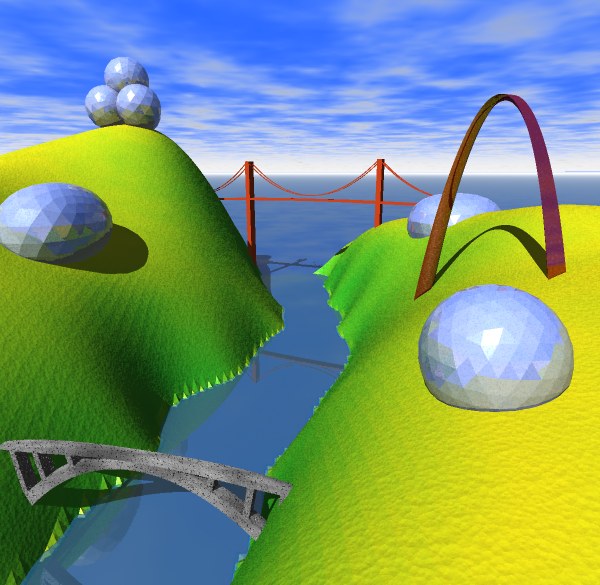
The Geodesic program displays shapes of various styles and allows the objects to be examined in various colors and lighting styles. All the object types can be modified with various parameters.

The Geodesic program displays shapes of various styles and allows the objects to be examined in various colors and lighting styles. All the object types can be modified with various parameters.

The program can export the objects in OBJ [Wave] format for import into your favorite 3D rendering environment.

Download Geodesic.
Continue reading “Geodesic program”

Watch3D OpenGL Program

Here’s a link to the original WW pages describing Watch3D an OpenGL program I developed a while ago to import and convert objects.

Watch3D

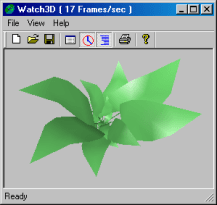
Watch3D is an OpenGL program I developed a while ago to import and convert objects.

Watch3D

Crossroads is a graphics library described in “3D Graphics File Formats” by Keith Rule. Published by Addison-Wesley Developers Press, 1996. There is an enhancement to the library on the web circa 1998.

coversm

Crossroads provides a very complete infrastructure for 3D graphics based on the VRML model of objects. There are input and output routines for about a dozen file formats.

Watch3D User Interface

mainwindow
Main Window

Watch3D provides an OpenGL user interface to display objects as well as modify them. The view object code is distantly based on OpenGL example code by Ron Fosner, 1996.

The toolbar items from left to right are:

  • New file. Clears to the default torus object.
  • Open a file. Calls Crossroads conversion routines. Not completely tested. 3DS, OBJ and DXF files have been used extensively. Materials are not correctly imported with DXF files.
  • Save file. Only Save As is supported. 3DS, OBJ and DXF have been used.
  • Details. Display the details dialog.
  • Animate. Spin the object. Animate need not be used to just move the object. Use SHIFT to move and CTRL to zoom. With Animate selected, release the mouse while the object is moving to give it a spin.
  • Use OpenGL display lists. May significantly speed things up. Create a display list when the object changes and then use this display list instead of creating OpenGL commands for every frame.
  • Printing is not supported.