StackOverflow is Pretty Picky

So, I’m having trouble with a JavaFx program and decided to ask a question on StackOverflow. And it looks like a moderator, or other user, edited my question to change the wording. I have no problem with the edits, except that they seem awfully picky. What do you think?
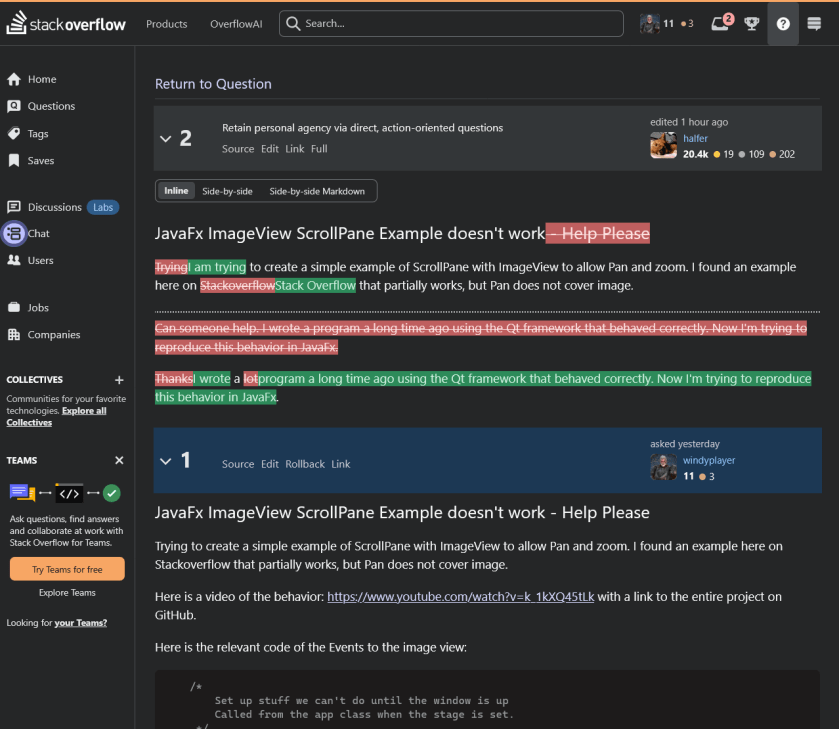
So I am attempting to “Retain Agency” by posting this here for us to have a look.

In the future, I will always attempt to retain my agency.

I had assumed that StackOverflow was a forum, but it seems it is subtly different from a forum. Here are a couple of examples of the etiquette of StackOverflow showing through:


:ww

Java Programming for Desktop Apps

The last time I wrote Java code was about five years ago in 2000. At that time I needed a program to display a series of LibreOffice Impress slide shows to build an artwork display using a Linux System with a large monitor.

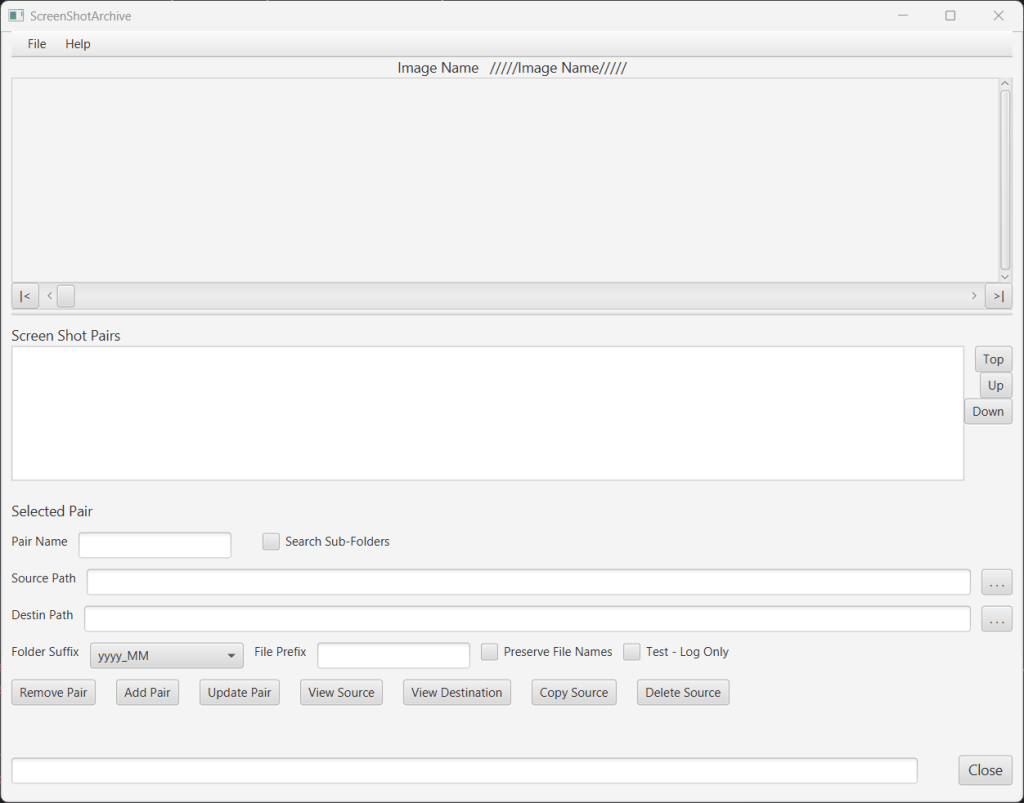
Recently I’ve gotten bored with Gaming and have decided to go back to programming and have decided to rewrite QtScreenShotArchive in Java. QtSSA is a program that I wrote back in 2013 to back up and organize screen shots for games I play. The program works great, but it is complex enough to provide a challenge for some Java coding. If you are interested in the current C++ QtFramework based, QtSSArchive program, it’s available from the page above.

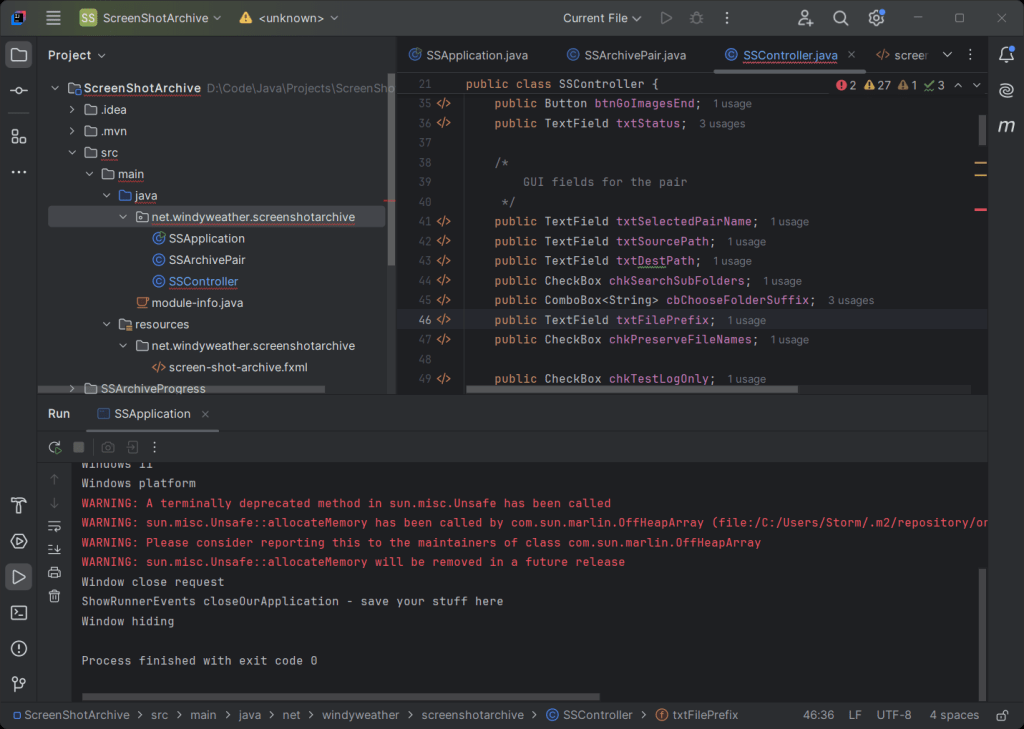
Things have changed quite a bit since I last programmed Java. As I recall I was using the Eclipse IDE. Eclipse is still around, but the flashiest guy on the block is now Itellij. If you go there to download, be sure you scroll down to the bottom of the page to get the free community version rather than the free trial of the paid version. Unless you wanna pay. LOL

Here’s what IntelliJ looks like:

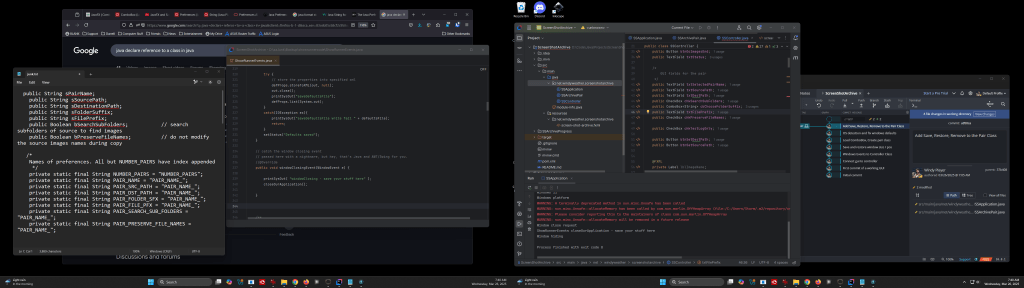
I suggest you use two monitors for development. I use IntelliJ on one and web pages for research and sample code on the other. And GitKraken is waiting in the background to check stuff in. There is an example of the GUI for the SSArchive program as well.

Continue reading “Java Programming for Desktop Apps”

Java – We have the Technology

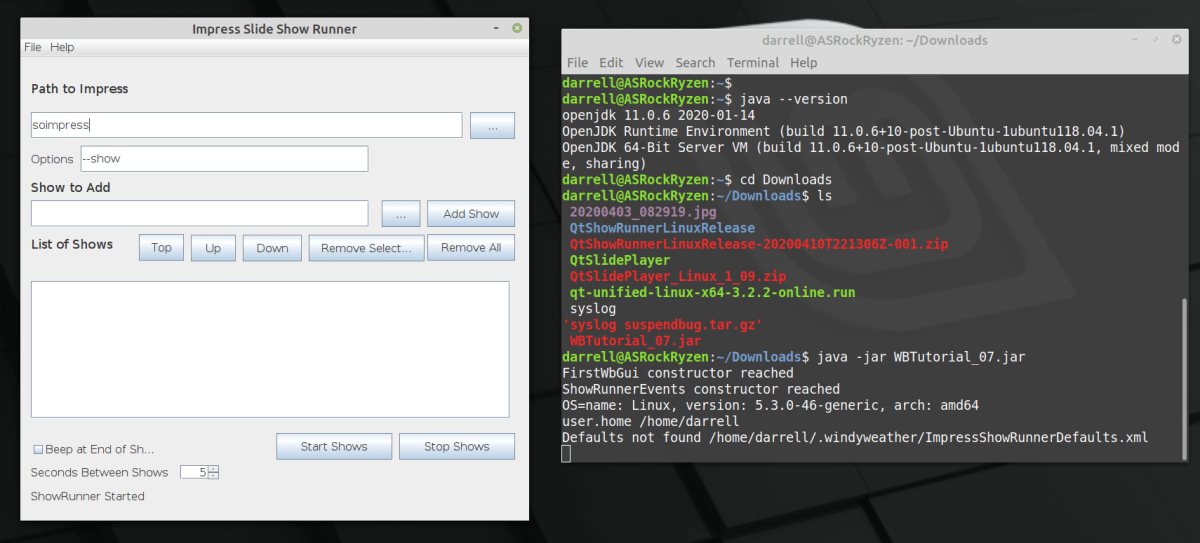
ShowRunnerOnLinux_2020-04-20 13-36-24
Java App running on Linux

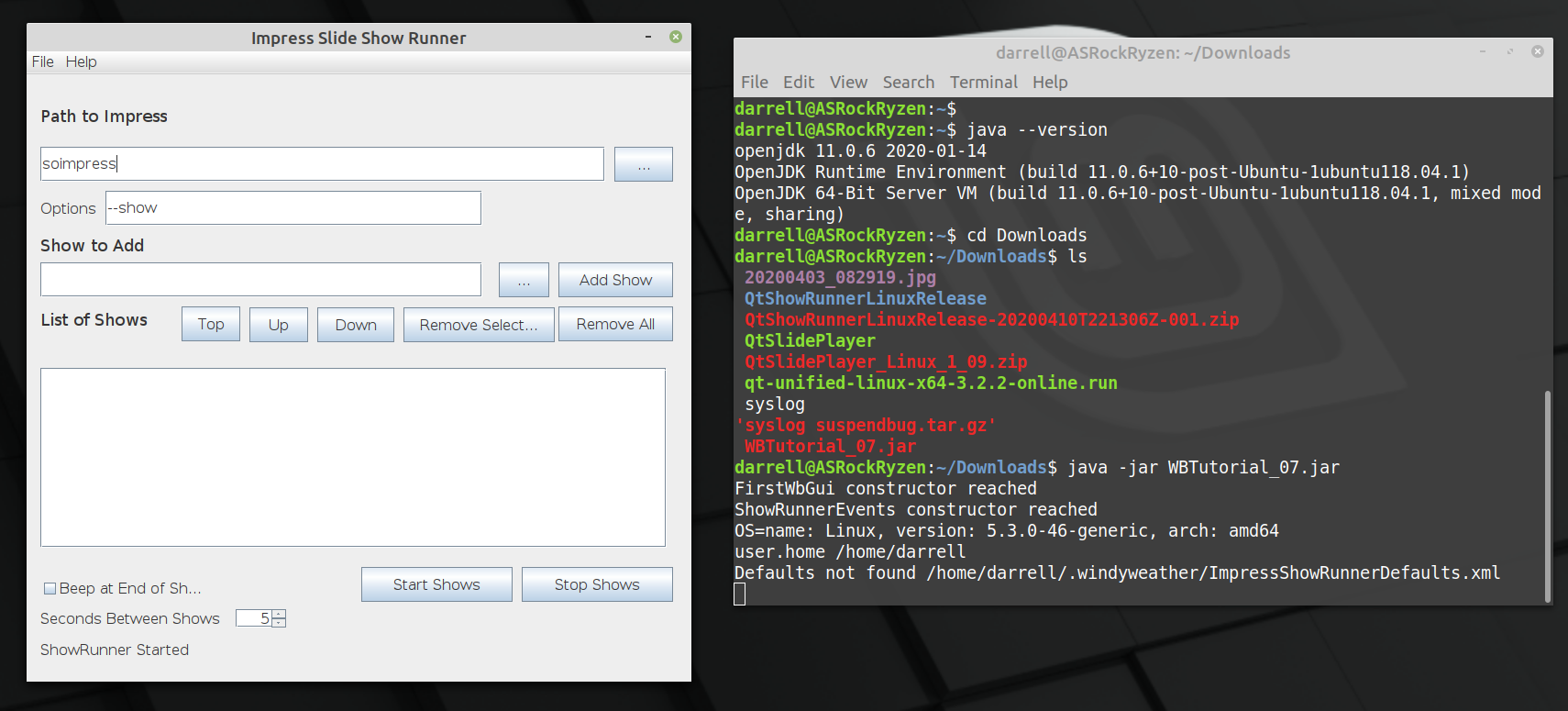
We recently proved that Java desktop programs can be easily deployed to Windows and Linux. Now we have proved that other complex parts of the program to run a series of Impress Shows in a loop.

  1. Running the command line to launch the Impress program to show the slide show.
  2. Finding out when the show is complete.
  3. Clicking the mouse repeatedly so that the show ends when it finally reaches the black screen.

1 and 2 are pretty easy. In Qt there is a class that executes a command in another process. And you can wait on it or check to see if it is complete. We can’t wait of course since Impress just waits forever for a click on a black screen at the end. Soooo.

3 is not so easy on Qt. The solution differs by OS. On windows you need to call the Kernel to send events to be dispatched through the event handler. UINPUT calls. On Linux, the easiest solution I found was to launch the “xtodo click 1” command to perform a mouse click. The xtodo command is easily installed on Linux, but this is another step to make the program work. But the Java solution is much easier.

Continue reading “Java – We have the Technology”

Java Deployment Is Easy

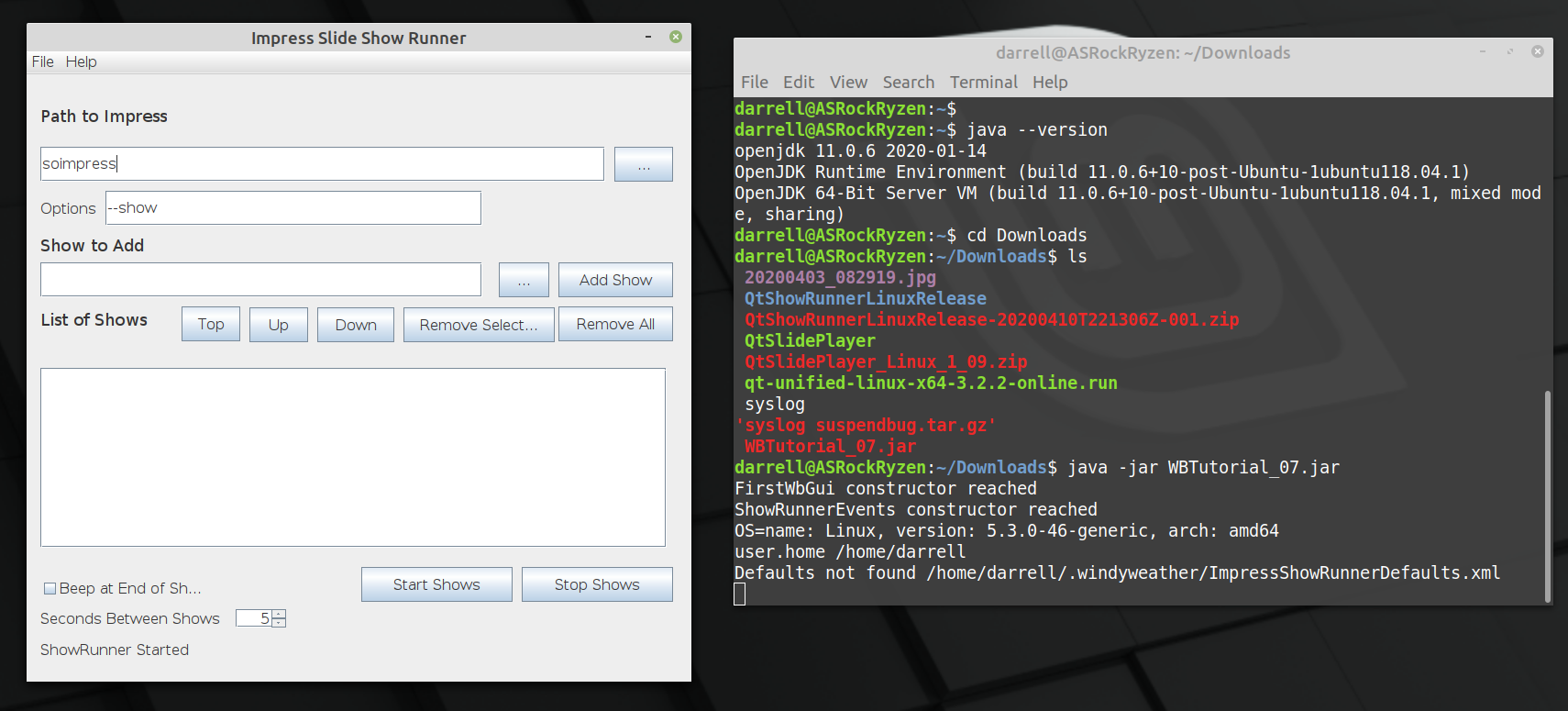
ShowRunnerOnLinux_2020-04-20 13-36-24.png
Show Runner on Linux

I’ve been using QtCreator and the QtFramework for many years to build apps for Windows / Linux. Deployment is always a struggle with the Qt Framework. Deployment is hard work. Lots of hand work and testing to make sure the installers are correct.

I’m now forever done with Qt for that. Java is sooooooo much easier to deploy.

The above shot is of the prototype Java Impress Show Runner app running on Linux from a JAR file built on Windows 10. It runs on Windows 10 and it runs on Linux, with no changes and instantly. No fiddling required.

Here’s what it takes to build apps this way. Just an overview, not the entire story, but it has only been Five days since I started with Eclipse and Java. So it’s not that big an effort.

Continue reading “Java Deployment Is Easy”

Qt Development for Windows

AS_000340.jpg
I’m a long time user of the Qt Development Framework. But every few years, it seems to change hands and everything about how to install it changes.

I recently installed it on Linux Mint, and while it looks like it is built in, the install was anything but simple.

But now I’d like to add a feature to one of my personal programs for Windows, so here we go again. I started by trying to look up a recent YouTube video on the subject and while it was only a year or so old, and all the domains were active, it failed miserably after the install in the same way that the Linux install failed. It was unable to find a valid “Kit”. A Kit for Qt is a set of definitions so that the IDE – integrated Development Environment – can find the other tools like compilers, framework libraries, debugger and make program. Well the Youtube video I found had the same problem. The install looked like it worked, but it brought along no tools, framework or valid kits.

Well I’ve solved that, so I’m making a post here so that I remember, and maybe it will help you too.

Continue reading “Qt Development for Windows”

Qt Framework and Creator – Installing on Linux Mint, Windows 7

QtLogo_300x300_trans

I use the Qt Framework to develop portable software for Windows and Linux. You can find my software on sourceforge. This post is going to record the installation instructions for Linux and Windows.

Linux Mint 17

I use Linux Mint 17 at this point and the installation differs slightly from the installation that I found on the net. See below.

Windows 7

Primary development of my software is done on Windows 7 and then the sources are moved to Linux to be compiled there.

Check the rest of this post for installation instructions:

Continue reading “Qt Framework and Creator – Installing on Linux Mint, Windows 7”

VirtualBox – Ubuntu in Windows

VirtualBox

Virtual Machine systems have been popular for servers for a few years now. They save big time $$ when setting up server rooms since most of the server systems in an IT shop aren’t that busy. But recently VM has become popular for desktop users. Many of the reasons we used to use “Dual-Boot” systems are much better served using VM. There are several reasons why you might want to run VM on your system:

  • You have a windows system and want to run Ubuntu.
  • You have a Mac and want to run Windows occasionally.
  • You have Windows, or a Mac, and want to have a system where you can surf safely, for example to do your online banking.
  • You are doing development and want to have a “clean” system for testing.

One of the most functional, and easiest to deploy, VM systems is VirtualBox. Now inside Oracle, this system was originally developed at Sun and is Open Source, and free. Microsoft has Windows Virtual PC,  and you can run Windows XP or Ubuntu on your Vista or Windows 7 system. But of course, it has no support for Ubuntu or OS/X as a host, so why learn more than one system? I’m going to use Windows and Ubuntu systems as hosts, so I’ve chosen VirtualBox.

Continue reading “VirtualBox – Ubuntu in Windows”

Qt 4.7 on Ubuntu Lucid not loading JPG Image Plugin

I’ve written a photo resizer program, which can be found here on Source Forge.

I’m now porting the program to Linux, which is no issue except when it comes to getting it to run on a system where the development environment is not installed. I’ve installed the following packages: libqtcore4, libqtgui4. The program runs fine, except that JPG support does not work. PNG works fine.

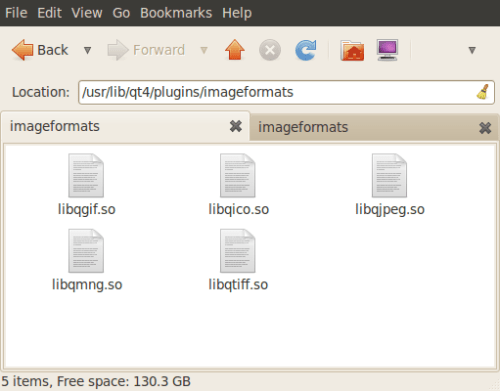
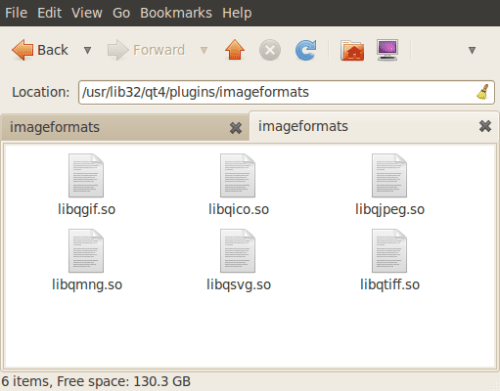
The image plugins are there in both usr/lib/qt/plugins and usr/lib32/qt/plugins. Although the list is not the same which is strange.

usr_lib_qt4_plugins_imageformats

usr_lib32_qt4_plugins_imageformats

Report Lib Paths And Image Formats

So why won’t JPG images load into my program?

– Windy

PhotoResizerQt – Simple Photo Resizer

Update: Update: Program fixed now. The problem was some plug-ins that process images. These DLLs were not supplied since the program finds them with a non-standard way if you have the Qt toolkit installed. The program and the installer is now fixed to install those plug-ins too.

Update: This program fails on Win XP Sp3. I’m investigating why this is, but it appears to be a bug in the QPixmap class of the Qt Library. I’ll fix the program as soon as possible. You can follow the discussion in this post.

Friends of mine have their digital cameras and need to resize their photos to send over email. All the programs I’ve found on the web are either too complicated with way too many options for a novice computer user or strange to use like the program that you rename to change the size of the photo and then drag and drop photos onto it to resize the photos. I have designed a very simple program to resize either one or several photos.

Resize a Photo

Continue reading “PhotoResizerQt – Simple Photo Resizer”