Linux Mint 17 – Auto Mount Solved

SOLVED – see below

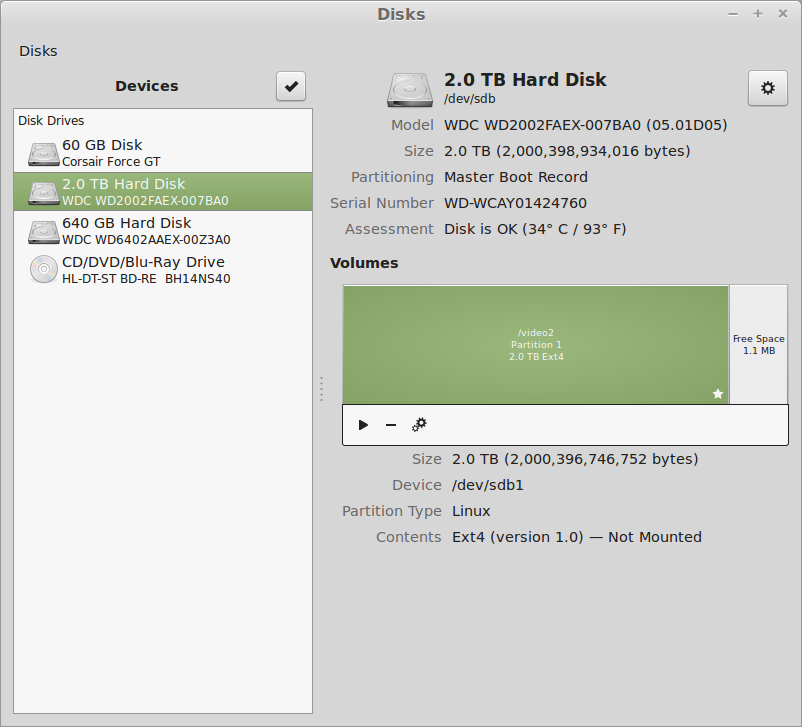
The Disks
The Disks

I have a couple of hard drives. But I can’t get them to AutoMount. Used the post here to try to get it to work, but this does not work. The boot stops with a message to “Type S to skip mounting or M to Manually whatever”.

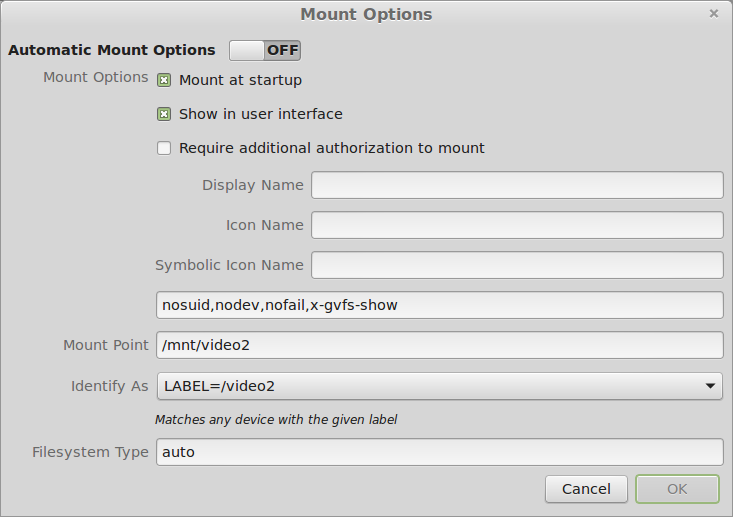
Mount Options
Mount Options

I set the options to LABEL= to match the old mount point, I hoped.

I can mount the drives manually using the little Arrow in the Disks program next to the partition.

PROBLEM SOLVED

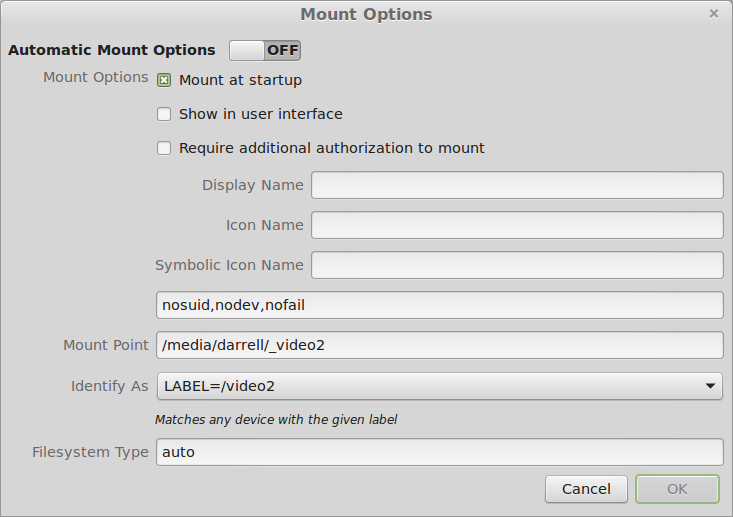
According to this post under Ubuntu: You must uncheck the “Show In User Interface” option:

Correct Options
Correct Options

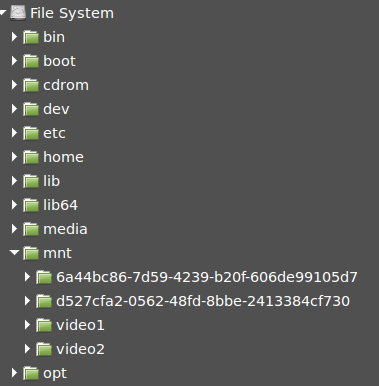
The drive[s] then show up as /mnt/YOURLABELHERE and rebooting remounts the drives properly.

Mounted drives
Mounted drives

But these are not the original mount points that were present when the disks were first added to the system. So I changed them and they still mount properly.

Corrected Mount Points
Back to the Original Places

And they appear in the user interface, as you can see. Voila! Why is this so complicated?

ww

BTW, this was published for 2014 so that it does not appear on my first page of the blog. There is no other way I know to get things off the first page.

Linux DVD writing screenshots

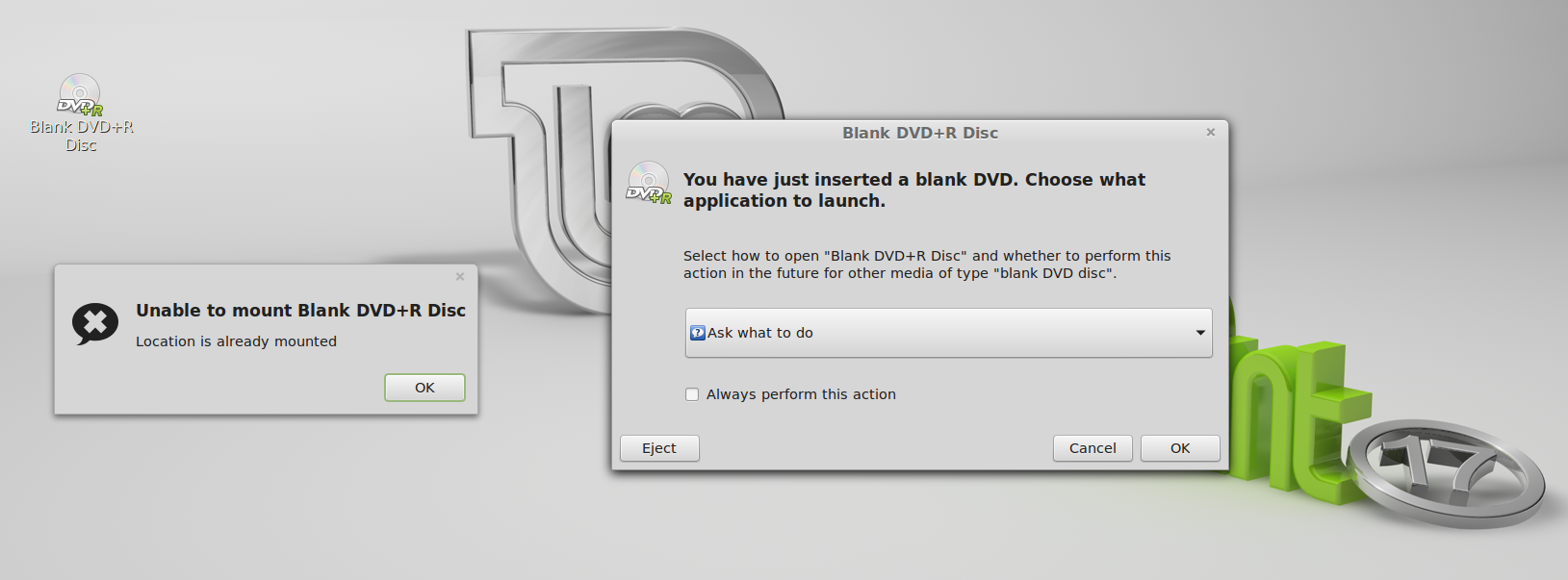
When DVD+R is Inserted
R-Click choices on ISO

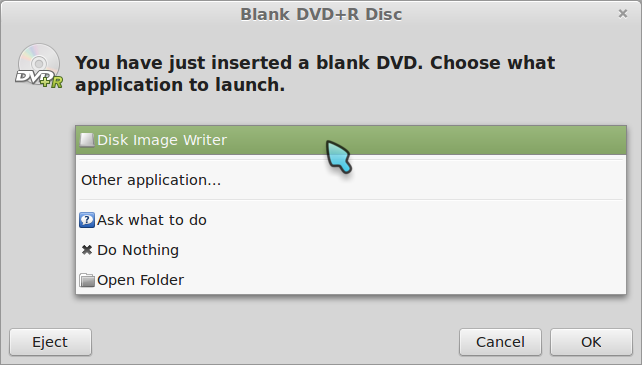
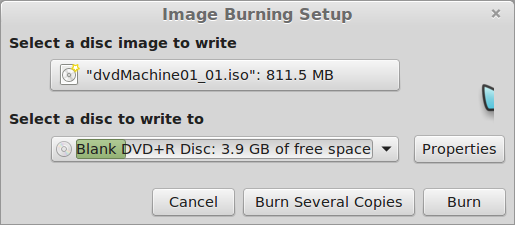
When I choose Disk Image Writer, on LM17, I get a window for which I have no understandable choices. So the question is how am I supposed to use this interface to write an ISO the DVD+R that I have just inserted.

Oh. I see:

Disk Image Writer is a backup program. Brasero is the ISO media writer program, among other things.

Thanks a heap,
-ww

@N200 ~ $ inxi -S
System:    Host: N200 Kernel: 3.13.0-24-generic x86_64 (64 bit) Desktop: Gnome Distro: Linux Mint 17 Qiana

BTW: Publishing this exactly one year ago is a hack to keep bug posts off the front page, for which there is no feature in WordPress.

SourceForge broken – only for one browser on one machine

Broken SourceForge
Broken SourceForge

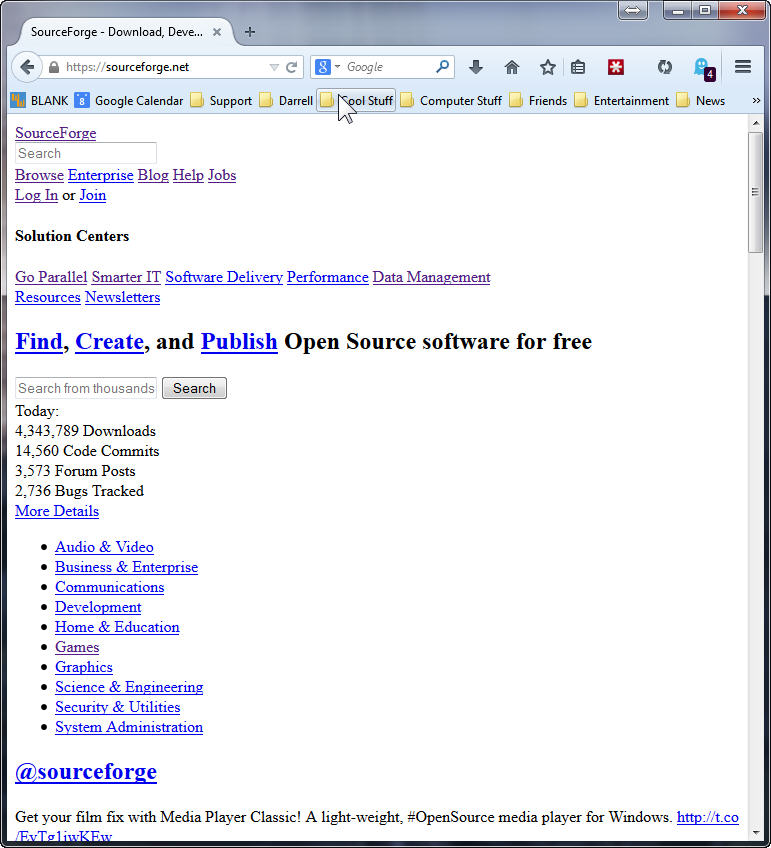
SourceForge is broken and looks like this, but only for FireFox 32 and only on one of my four Win7 x64 machines. Works fine on MSIE 11, and Linux Mint 17, FFox 32 on VirtualBox on the same machine.

Many things do not fix this problem:

  • Clear the entire browser cache, history, and sourceforge only or all cookies.
  • Mess with various settings in Ghostery and block and unblock many of the trackers. With the same tracker block profile on other machines those work fine.
  • Remove any unnecessary plugins and extensions. LastPass, Ghostery and Flash are the only ones left on all the machines. No difference.
  • Uninstall and re-install FireFox.
  • Flush the DNS cache.
  • Reboot the system.

No joy after all of these attempts. Anybody got an idea to fix this?

Update: 11 Sept 2014 All fixed. Who knew. Maybe some mirror had a bad CSS file. Anyway. All better now. No clue why one of my systems was bad, and why clearing the cache and cookies didn’t fix it. Sigh… Summer lightning.
Thanks,
– ww

Linux Mint 15 RC problems

Installed Linux Mint 15 RC on Virtual Box 4.2.12 on Windows Host.

Problems include:

  1. Mint system hung after install / reboot when update was running. Recovery required CTRL/ALT/DEL to get back to windows. Cursor still moved, but system did not respond. Reset required to bring back Virtual Machine.
  2. Comix cursors did not show correct transparency. Dark gray box was around cursor at all times.

Log files from Virtual Box are here:

LinuxMint15RC_Bugs

Facebook News Feed Filtering Bug

What were you doing when the problem occured[sic]?:

I’m trying to filter out game or other updates from my friends in my news feed. I clicked on the drop down menu to the right of a story and chose unsubscribe, from whatever it was – game update or photo update. And observed that the post changed to a confirmation that I wouldn’t see those anymore. Then when I return to that page, or refresh the page, all the stories that were filtered out reappeared. Looks like it’s totally broken, dude. Hey dude, make this work, please. [just trying to use age appropriate language, dude or dudesse.]

What did you expect to happen?:

I expected them to stay filtered out.

 What actually happened?:

If I come back to the news feed, or refreshed the page, the filtered stories reappeared as if I had done nothing. BTW, takes too long to upload a picture for this post. That seems to be stuck too. And if I’m going to tell you about a bug, then you need to allow more than one pic, like before and after or before during and after.

Enjoy.

ww