VirtualBox – Ubuntu Host / Guest

VirtualBox

Installed VirtualBox on Ubuntu x64. At first there was a problem: starting Guest hung system. But this problem was eventually found as a BIOS setting. Avoid enabling Limit CPUID MaxVal in BIOS when using VMM. Now system is working fine. At first, VBox installed from Ubuntu PPA, but then removed that and installed as per this page. Either would probably work fine since problem was BIOS setting.

Now have Ubuntu x86 and x86 guests running on x64 system.

Clean systems are now available for testing programs in both x86 and x64.

– ww

VirtualBox OSE on Ubuntu 11.04 – Won’t Start

Update: Problem found. In BIOS DISABLE Limit CPUID MaxVal – Set Limit CPUID MaxVal to 3. Should be Disabled for Win XP. I had enabled this when I enabled VT-X support. VirtualBox works fine now. I have updated to Vbox 4.0.8 by installing from their PPA, but VirtualBox 4.0.4 OSE from Ubuntu PPA probably works just fine too. Both Ubuntu x86 and x64 guests work fine on Ubuntu x64 host.

Host: Ubuntu 11.04 x64 – VirtualBox-OSE 4.04 r70112 installed via package manager.

Guest: Ubuntu 11.04- but I never get that far.

Processor: Intel Core 2 Quad Q8400. with VT-X extensions. Enabled in BIOS.

  • How can the problem be found?
  • What can be tried to get this going?

Thanks,

ww

Guest is as follows: Guest_Ubuntu_32bit_Config


FireFox Menu Problem

I recently upgraded to Firefox 4 on ubuntu 10.04. I did this by setting the ppa as described in many places: For example:

   sudo add-apt-repository ppa:mozillateam/firefox-stable
   sudo apt-get update
   sudo apt-get upgrade

After doing this, firefox has been working for many days just fine. On several of my systems [ 3 of my systems ]. Now I come back to one of my 10.04 systems and find that the menus of firefox are unresponsive. They do not work at all. The book marks do not work. Processor is not busy. Plenty of memory. Network is working fine. If I type into the google search bar and type enter I get a page and I can navigate from there, but the menus and bookmarks are totally unresponsive.

What gives? I have rebooted the system and nothing changes. Menus work fine in other apps, for example System Monitor. and the Window Manager menus are fine. Menus work fine in the web pages. Bookmark menus highlight, they do not pull down. Menus on the menu bar do not pull down. Toolbar buttons work fine.

Reply

I fixed the problem by starting firefox in a terminal. Works when you start it that way, and works fine afterward. This problem was reported by me ages ago ( i forgot actually). http://ubuntuforums.org/showthread.php?p=10081127#post10081127

Back in Nov 2010. Strange. but the bug is still with us after all this time.

– windy

see attached troubleshooting info:

FireFox_MenuProblem_Info


VirtualBox – Ubuntu in Windows

VirtualBox

Virtual Machine systems have been popular for servers for a few years now. They save big time $$ when setting up server rooms since most of the server systems in an IT shop aren’t that busy. But recently VM has become popular for desktop users. Many of the reasons we used to use “Dual-Boot” systems are much better served using VM. There are several reasons why you might want to run VM on your system:

  • You have a windows system and want to run Ubuntu.
  • You have a Mac and want to run Windows occasionally.
  • You have Windows, or a Mac, and want to have a system where you can surf safely, for example to do your online banking.
  • You are doing development and want to have a “clean” system for testing.

One of the most functional, and easiest to deploy, VM systems is VirtualBox. Now inside Oracle, this system was originally developed at Sun and is Open Source, and free. Microsoft has Windows Virtual PC,  and you can run Windows XP or Ubuntu on your Vista or Windows 7 system. But of course, it has no support for Ubuntu or OS/X as a host, so why learn more than one system? I’m going to use Windows and Ubuntu systems as hosts, so I’ve chosen VirtualBox.

Continue reading “VirtualBox – Ubuntu in Windows”

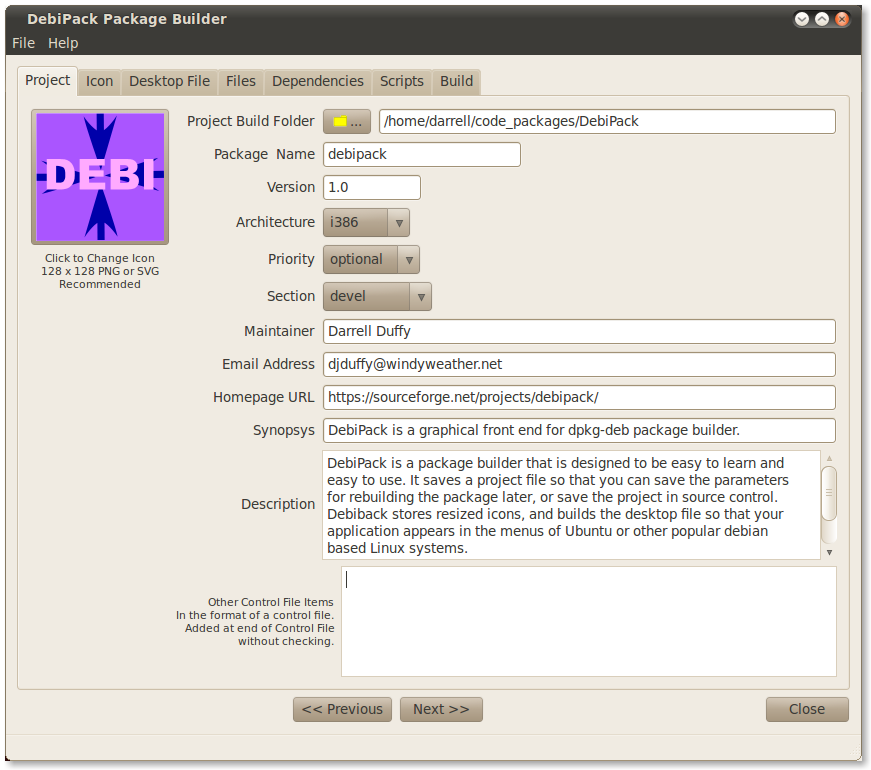
Debreate – How to use it?

I’m trying to use Debreate 0.6.5-1 on Ubuntu 10.04 to build a package. I’m new to package building. Can you help with where I’m going wrong?

I have some comments on Debreate:

  1. I can’t find a tutorial. Looks like a great program. But it’s not obvious how to use it.
  2. I’d like an option that takes a whole tree – like Packin does – and builds the package from that. The features that are present look interesting, but are not clear and may not match my requirements, whereas, the Packin method would seem to work for all requirements.
  3. Does Debreate build a .desktop file, or require that you have one? If it builds one that’s great. But I couldn’t get that far since the build failed. Not clear how to do a build, or what those paths are. Error is obviously not very helpful.
  4. It’s complex to fill out all the tabs in Debreate, and I’m likely to want to build a package many times to test it. How about the ability to save ALL the information in the tabs to a file. I thought that’s what the control file was until I looked at it. Maybe the control file could contain “Comments” that contained the rest of the information if the control file is for something else. Maybe the control file is used by the package installer, but that was never clear, since the use of Debreate appears to assume that I know all about packages before I start.

Thanks,

ww


AION Private Server

AION Logo

I have been watching the AION game for some time, and since it was released in this country by NCSoft, I had hoped that they would use the same model as they do with Guild Wars, which is purchase followed by FTP [no subscription]. Well they apparently are greedy, and have gone with the WoW model, which is Pay for the game and then pay $15 / month. Sorry, but I’m not interested in this model.

However, I have found a FTP Private server. Oddly enough. GameZ AION is a private server with enhanced EXP, Currency and Drop rates.

Continue reading “AION Private Server”

Private Gaming Servers

Elite Dekaron

I’ve recently discovered the culture of Private Game Servers for popular MMO and other games where the rules are broken to make the game experience different. Usually the EXP, loot and currency drop rates are multiplied by 200 – 1000x to make the game less of a “Grind”. Many Asian MMOs are one awful grind, meaning it takes hours or days to level up or collect the loot or currency you need by killing monsters. A couple of years ago I played 2Moons [Dekaron] for almost a year and never got above level 85.

On a private server for Dekaron I now have 7 characters above level 170.

Continue reading “Private Gaming Servers”

2Moons Accounts Resurrected at GameHi

Dekaron at GameHi

Remember when 2Moons shutdown with no notice?

Well, it turns out that the accounts were saved. You can transfer the characters to new accounts at GameHi. So they apparently saved the database, and now Dekaron [and the other game] at GameHi, are Free to Play. Surprise Surprise. At the time that 2Moons was released, I understood that Dekaron – which was popular in Korea – was a subscription game, which is why Acclaim’s FTP version was IP checked for US only IP addresses.

Continue reading “2Moons Accounts Resurrected at GameHi”