
Payments – Secure and Traceable

Current Payment Methods

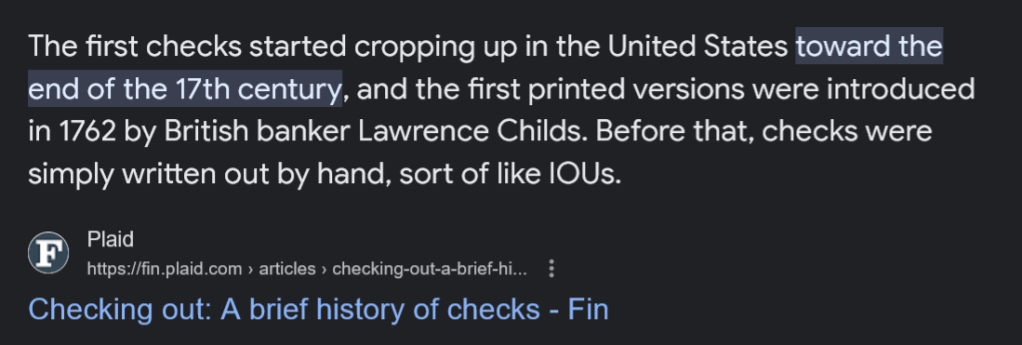
Wouldn’t it be nice if we had a common payment infrastructure. What we have now with Check and even On-Line banking services is outdated and not secure. Checks were first used in the 17th century here in the US. Here are a list of problems that I’ve seen over the past few years with payment systems. I’m sure this is not a complete list:

  • Handwritten checks can be cashed by anyone who can convince a bank to do that.
  • Handwritten checks can be lost in the mail, so you need to pay postage and extra fees to have tracking numbers to assure they are delivered to the correct person / entity.
  • Online Banking services are not much better than handwritten checks. There are three means of delivery of payments by the services that I’ve seen. At least two banks in my area use the same online-banking service, so there aren’t choices that I can easily find. 1 – They take your money from your account, then they write a check on their account and mail that check, apparently with no tracking and there is no transparency so if the check is lost, you need to deal with it in a cumbersome way by visiting your bank, and contacting the payee. 2 – They take your money, then do a money transfer directly to the payee. You have no visibility that this has been done or that it worked. 3 For some payees, your money is taken from your account, then it’s bundled up with many other payments and a bulk money transfer is done. Again no transparancy or accountability is available on the online banking website to assure this worked and when.
  • Credit cards and debit cards sometimes work, depending on the Payee. But there is no security if the card number is passed to a website since if the website is hacked your card may be stolen.
  • Privacy.com is a website that creates virtual cards funded by a Debit card from your bank and provides additional security and accountability. Privacy cards can be created at will, with a limit, and are locked to the merchant the first time they are used. If the merchant is hacked, only that card need be replaced since all other merchants have a different card number. The payments are easily tracked on the Privacy website. But there are transactions that will not work with Privacy. Payments are limited to small amounts – a few hundred dollars – unless you pay for a paid plan. So Privacy can help with small and continuing payments made online, but only if the payee takes credit cards and only if the amounts are relatively small.

Let’s examine this problem in more detail and propose at least part of a modern solution to solve it:

Continue reading “Payments – Secure and Traceable”
Privacy Online – DNS over TLS

Cloudflare_DNS_book.png

Your Internet Service Provider [ISP] is watching everywhere you go on the internet. They are harvesting that information and selling it to the highest bidder. The easiest way for them to do this is to watch the DNS – Domain Name Service – requests coming from your network. DNS is the Internet Phone Book and every time you visit a website, or play a video or anything – from your phone over WiFi or from your computer, your computer or phone looks up the IP address – a number – based on the Domain Name – a text string. And DNS is the protocol that does this. Normal DNS is completely in the clear. That is, it is not “Encrypted” in any way. Once you reach a website, to purchase something or look at your Facebook page or whatever, almost all sites are “Encrypted” so that nobody can eavesdrop on what you are doing. This all happened a few years ago after folks were sniffing everyone’s Facebook pages in coffee shops and libraries. But I digress.

DNS has only just recently been fixed. And up until now, and until you fix your network, as I outline below, your ISP is sniffing all your DNS requests, because they can. This means they know everyplace you go on the network.

Continue reading “Privacy Online – DNS over TLS”

Logging Your Public IP Address

I’ve recently had problems with my internet service. My DSL router is apparently re-syncing causing my public IP address to change. Apparently my ISP uses PPOE rather than DHCP, and apparently PPOE does not allow “Reservations”, which allows a client computer to use the same IP address if it reconnects within a given amount of time. Your home router uses DHCP, which does do reservations, so your computers LAN IP address does not change if the computer connects every 24 hours, which I understand is the default “Reservation” time.

Re-synching is not only a problem because the internet is out for a short amount of time, but also because the IP address change causes some games to require that you “Verify” your IP address by reporting a code that is sent to your email account. This is obviously an issue if the Re-Sync happens several times per day.

After quite a bit of research I found a windows service that logs the Public IP address to the Windows Event log every 15 minutes. I run one of my windows systems all the time, since it’s running Carbonite, so this system will run the PublicIpLogger program.

If you want to use the program, it’s on GitHub here. This is the forum post that mentions this program.

From Github, download the setup.exe file and run it. Then you can enter “view event log” into Cortana and you should see a choice to run the windows event viewer. The program logs your public IP address to the event log every 15 minutes.


As shown, under Application and Service Logs, find the PublicIpLogger events and there are a number of events that show the Public IP address, whether they have changed or not.

Enjoy,

:ww


Why Use a Password Manager?

Why should you use a password manager? Well, here’s a reason.

So your password can’t be cracked.

and

So you can easily use a different password for every site.

If one site is hacked, then the bad guys will try your email and password at lots of other sites just to see if they get a hit. Same password on different sites? Bad idea.

Let’s look at the math of password cracking.

There are about 3000 common words in English, and most other languages.

Crys_00195.png

So if you pick, for example, an easily remembered password containing two words, with initial capital letters, and then follow those two words by three numbers, you get:

3000*3000*1000 possible passwords or:

Crys_00196.png

Sounds like a big number, right? Not really.  Not only can modern graphics cards whiz through these in a few hours, but if the website where passwords were stolen did not use a different “Salt” for every password hash, then they can “pre-make” a list of the hashes and then look for matches in much less time. Instantly.  It’s just a look in a table rather than a search with billions of calculations. Does the site where you last typed in your credit card “salt” their hashes? Salting is adding some gobbly gook to your password before they hash it. And the gobbly gook is different for every customer. Yep. Keeping track of passwords is that complicated. I’m not going to cover it all here. Just saying, it’s a complicated business and many companies short cut the process, or don’t use modern security methods to keep track of passwords.

Secure Passwords and Password Managers

Continue reading “Why Use a Password Manager?”

BlockChain – Not the New DRM Solution

block-chain
Block Chains?

The latest hot startup fashion is Block Chain. Of course this is based on the popularity, and understanding of the advantages of BitCoin.

There are musicians running around thinking that Block Chains are going to save the day in protection of Music. I haven’t heard of Disney or others running around with their hair on fire about protecting movies with Block Chains, yet. Perhaps Block Chains will at last save Mickey Mouse from rampant copyright? Somehow I don’t think so.

Let’s quickly examine what block chain is good for, and what it won’t do.

Continue reading “BlockChain – Not the New DRM Solution”

CyberWar – The War is On

Cyber War

As I write this we are seeing daily reports of hacking and break-ins to commercial and defense enterprises world wide:

But it seems we are not doing a set of straight forward things that we can do to prepare for and mitigate the impact that cyber war is having on this country. We can start with some simple and comparatively inexpensive steps.

Continue reading “CyberWar – The War is On”

Vista x64 Hall of Shame

Here is a list of products that do not support Vista x64. This is shameful for several reasons:

  1. Vista is the currently shipping OS and x64 is the “Ultimate” expression of that OS.
  2. Vista x64 is the second generation of x64 OSs, so it is hardly brand-new and the requirements for supporting the system are well known
  3. Most medium to high end systems are x64 capable.
  4. Most high end system support as much as 4GB of memory.
  5. One can only make use of 4GB of memory with an x64 edition OS. With an x86 edition one only can address 2.7 or 3.5GB of memory depending on the hardware available. See this Alienware Support post.

Continue reading “Vista x64 Hall of Shame”