There is an issue with display of tomtom way points in the compass circle map. As you get closer they move on the compass map.
Here’s an example:
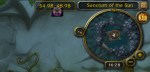
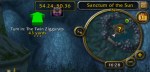
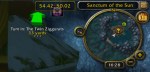
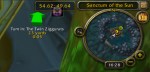
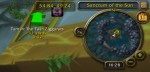

There is an issue with display of tomtom way points in the compass circle map. As you get closer they move on the compass map.
Here’s an example:

When used for gaming, laptops tend to over heat, and eventually they destroy their video cards. My Alienware m15x laptop, while it seems to have good cooling, has had 4 new video cards in the last 3 years. I have wanted to use a desktop for gaming, but prefer to do most of my playing from the comfort of my recliner. Here is the start of an idea to accomplish that. Missing from the renderings are the arm that holds the monitor from the case to the right of the recliner to the monitor in front of me. As you can see the computer case is very large. I’ve provided for a UPS in the cabinet since in my area all my computers require a UPS due to frequent power glitches that would cause an unprotected computer to reboot. Click on pictures for larger views. Continue reading “Battle Chair Design – Revision 1”
World of Warcraft has a free to play starter edition with restrictions. Some are:
But you can have up to 10 characters per account so you can explore a lot of the world and figure out how things work.
Add Ons EcoSystem
World of Warcraft has a huge ecosystem of AddOns that add and change functions of the program. I needed a way to see my coordinates on the map to match up with quest descriptions. There are a ton of map addons so I chose a simple one. You can find TomTom here and comment on it here.

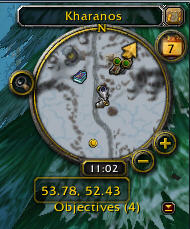
Here’s the compass of Wow without TomTom – Where Am I? With TomTom no problem I get the coords at the bottom. Continue reading “TomTom – Wow Addon for Mapping”

As I write this we are seeing daily reports of hacking and break-ins to commercial and defense enterprises world wide:
But it seems we are not doing a set of straight forward things that we can do to prepare for and mitigate the impact that cyber war is having on this country. We can start with some simple and comparatively inexpensive steps.

What’s the big deal with apps over webpages?
Short History Lesson
In the day of the web, starting 20 years ago, say 1990, web pages were all the rage. By 2000 we had the (dot)com boom. Nobody was talking Apps then. We weren’t writing hundreds of thousands of apps for our PCs then. The concept of having a single program on the PC that could display hundreds of thousands of websites was the way things went. We could have had a PC app boom then. Continue reading “Whither Apps?”

Installed VirtualBox on Ubuntu x64. At first there was a problem: starting Guest hung system. But this problem was eventually found as a BIOS setting. Avoid enabling Limit CPUID MaxVal in BIOS when using VMM. Now system is working fine. At first, VBox installed from Ubuntu PPA, but then removed that and installed as per this page. Either would probably work fine since problem was BIOS setting.
Now have Ubuntu x86 and x86 guests running on x64 system.
Clean systems are now available for testing programs in both x86 and x64.
– ww
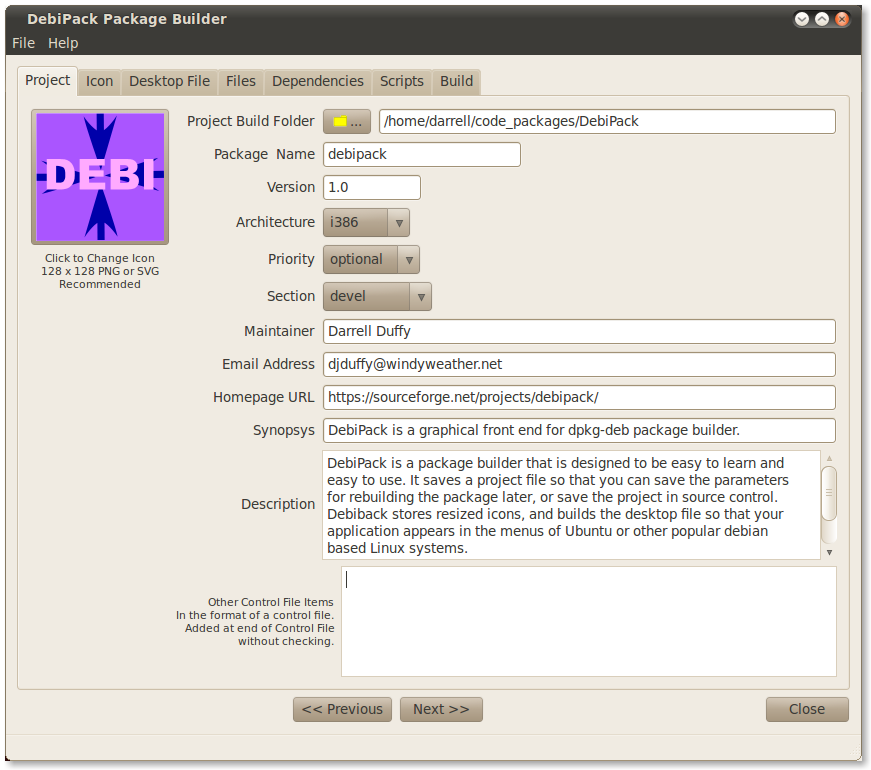
This is a placeholder for the screenshot, and thumbnail for the application. No content here.
Find the application at: https://sourceforge.net/projects/debipack/
I recently upgraded to Firefox 4 on ubuntu 10.04. I did this by setting the ppa as described in many places: For example:
   sudo add-apt-repository ppa:mozillateam/firefox-stable
   sudo apt-get update
   sudo apt-get upgrade
After doing this, firefox has been working for many days just fine. On several of my systems [ 3 of my systems ]. Now I come back to one of my 10.04 systems and find that the menus of firefox are unresponsive. They do not work at all. The book marks do not work. Processor is not busy. Plenty of memory. Network is working fine. If I type into the google search bar and type enter I get a page and I can navigate from there, but the menus and bookmarks are totally unresponsive.
What gives? I have rebooted the system and nothing changes. Menus work fine in other apps, for example System Monitor. and the Window Manager menus are fine. Menus work fine in the web pages. Bookmark menus highlight, they do not pull down. Menus on the menu bar do not pull down. Toolbar buttons work fine.
Reply
I fixed the problem by starting firefox in a terminal. Works when you start it that way, and works fine afterward. This problem was reported by me ages ago ( i forgot actually). http://ubuntuforums.org/showthread.php?p=10081127#post10081127
Back in Nov 2010. Strange. but the bug is still with us after all this time.
– windy
see attached troubleshooting info:
Virtual Machine systems have been popular for servers for a few years now. They save big time $$ when setting up server rooms since most of the server systems in an IT shop aren’t that busy. But recently VM has become popular for desktop users. Many of the reasons we used to use “Dual-Boot” systems are much better served using VM. There are several reasons why you might want to run VM on your system:
One of the most functional, and easiest to deploy, VM systems is VirtualBox. Now inside Oracle, this system was originally developed at Sun and is Open Source, and free. Microsoft has Windows Virtual PC, and you can run Windows XP or Ubuntu on your Vista or Windows 7 system. But of course, it has no support for Ubuntu or OS/X as a host, so why learn more than one system? I’m going to use Windows and Ubuntu systems as hosts, so I’ve chosen VirtualBox.
I’m trying to use Debreate 0.6.5-1 on Ubuntu 10.04 to build a package. I’m new to package building. Can you help with where I’m going wrong?
I have some comments on Debreate:
Thanks,
ww
 Windy Weather