Qt Framework and Creator – Installing on Linux Mint, Windows 7

QtLogo_300x300_trans

I use the Qt Framework to develop portable software for Windows and Linux. You can find my software on sourceforge. This post is going to record the installation instructions for Linux and Windows.

Linux Mint 17

I use Linux Mint 17 at this point and the installation differs slightly from the installation that I found on the net. See below.

Windows 7

Primary development of my software is done on Windows 7 and then the sources are moved to Linux to be compiled there.

Check the rest of this post for installation instructions:

Continue reading “Qt Framework and Creator – Installing on Linux Mint, Windows 7”

The Fallacy of Controlling Encryption

David Cameron has announced that he intends to try to prevent encryption in the interests of protecting Britons from terrorism. It seems to me that he has not thought this through. In less than 10 minutes I came up with at least one plausible method to not only provide encryption, but to provide it in such a way that David’s spooks can’t detect that you are using it. At least they can’t be sure that you are using it from watching  your traffic.

Continue reading “The Fallacy of Controlling Encryption”

Linux Mint 17 – Auto Mount Solved

SOLVED – see below

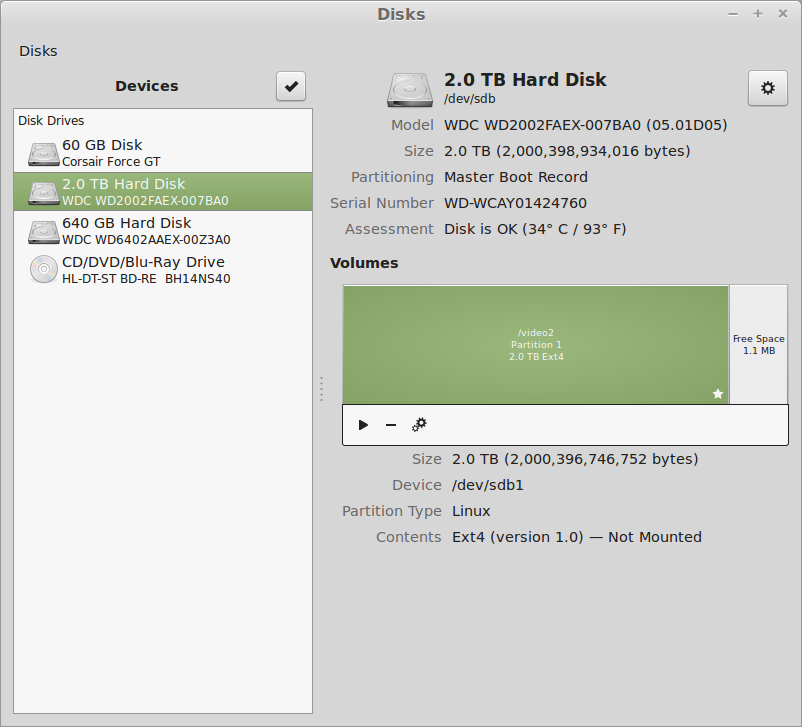
The Disks
The Disks

I have a couple of hard drives. But I can’t get them to AutoMount. Used the post here to try to get it to work, but this does not work. The boot stops with a message to “Type S to skip mounting or M to Manually whatever”.

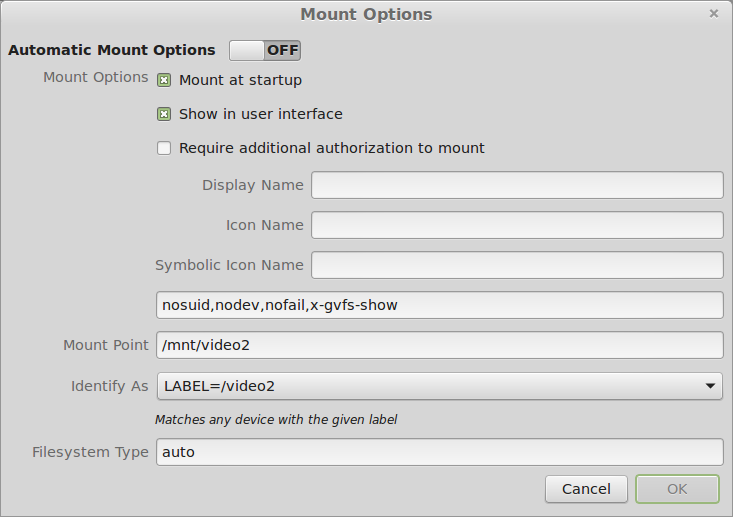
Mount Options
Mount Options

I set the options to LABEL= to match the old mount point, I hoped.

I can mount the drives manually using the little Arrow in the Disks program next to the partition.

PROBLEM SOLVED

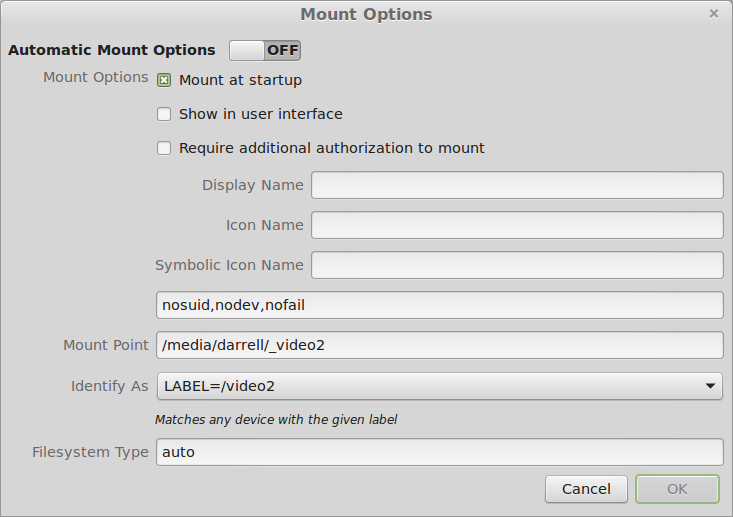
According to this post under Ubuntu: You must uncheck the “Show In User Interface” option:

Correct Options
Correct Options

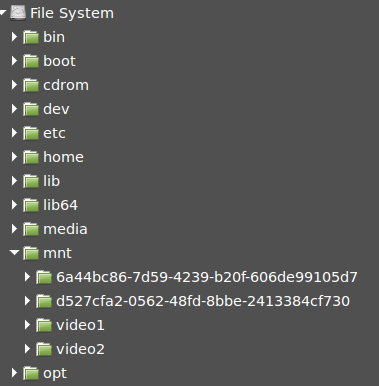
The drive[s] then show up as /mnt/YOURLABELHERE and rebooting remounts the drives properly.

Mounted drives
Mounted drives

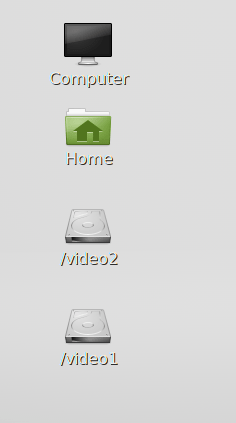
But these are not the original mount points that were present when the disks were first added to the system. So I changed them and they still mount properly.

Corrected Mount Points
Back to the Original Places

And they appear in the user interface, as you can see. Voila! Why is this so complicated?

ww

BTW, this was published for 2014 so that it does not appear on my first page of the blog. There is no other way I know to get things off the first page.

Linux DVD writing screenshots

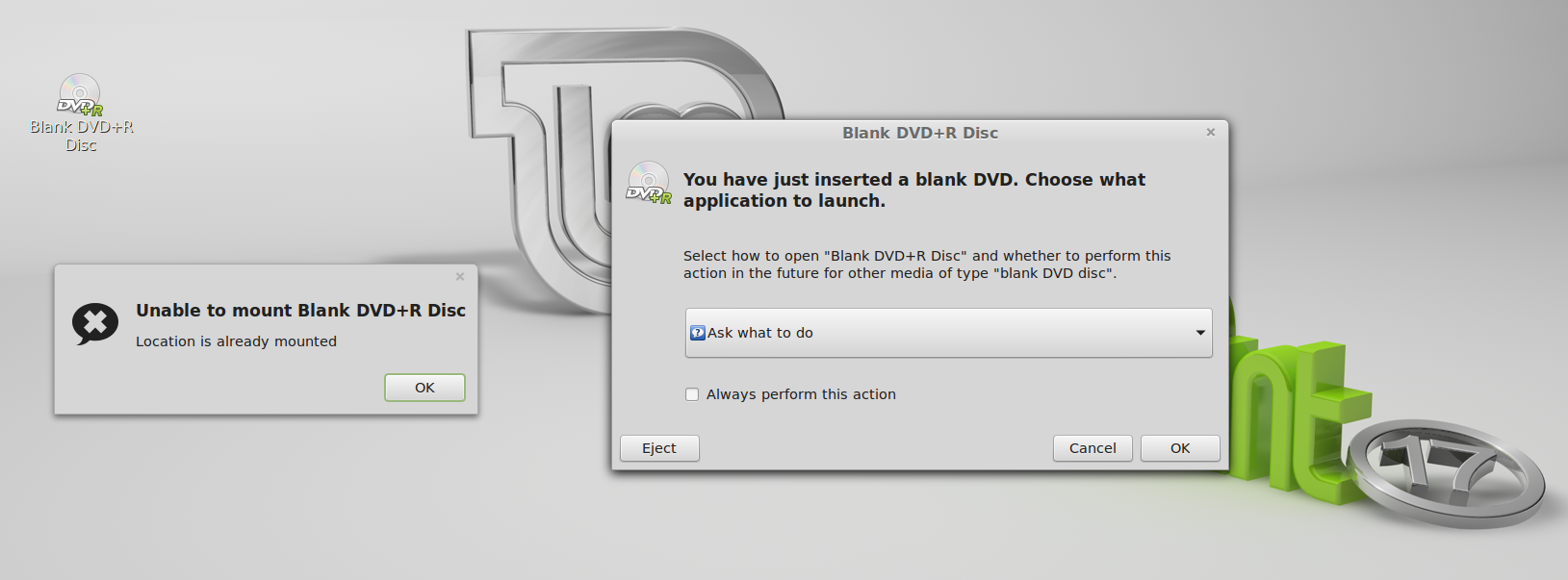
When DVD+R is Inserted
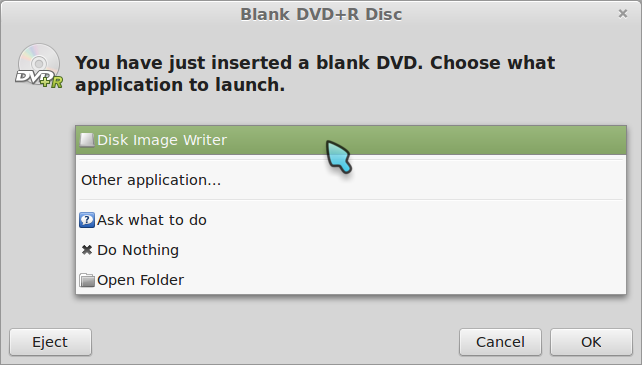
R-Click choices on ISO

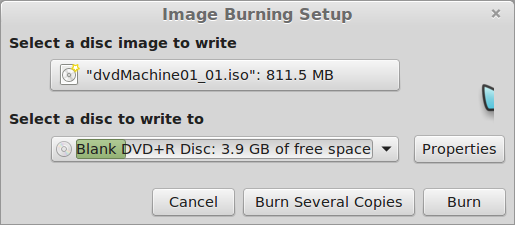
When I choose Disk Image Writer, on LM17, I get a window for which I have no understandable choices. So the question is how am I supposed to use this interface to write an ISO the DVD+R that I have just inserted.

Oh. I see:

Disk Image Writer is a backup program. Brasero is the ISO media writer program, among other things.

Thanks a heap,
-ww

@N200 ~ $ inxi -S
System:    Host: N200 Kernel: 3.13.0-24-generic x86_64 (64 bit) Desktop: Gnome Distro: Linux Mint 17 Qiana

BTW: Publishing this exactly one year ago is a hack to keep bug posts off the front page, for which there is no feature in WordPress.

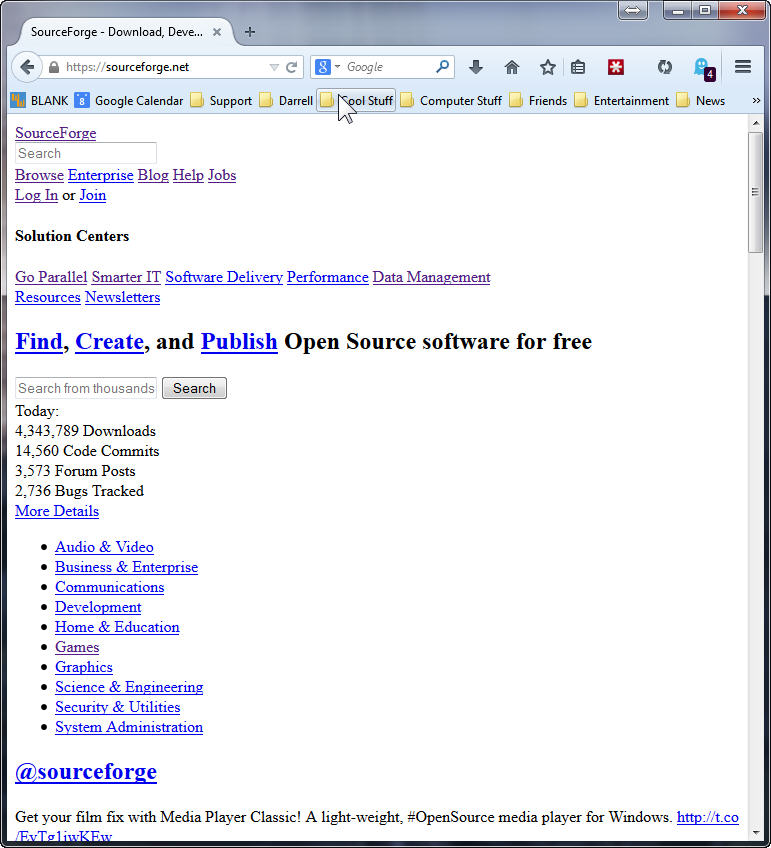
SourceForge broken – only for one browser on one machine

Broken SourceForge
Broken SourceForge

SourceForge is broken and looks like this, but only for FireFox 32 and only on one of my four Win7 x64 machines. Works fine on MSIE 11, and Linux Mint 17, FFox 32 on VirtualBox on the same machine.

Many things do not fix this problem:

  • Clear the entire browser cache, history, and sourceforge only or all cookies.
  • Mess with various settings in Ghostery and block and unblock many of the trackers. With the same tracker block profile on other machines those work fine.
  • Remove any unnecessary plugins and extensions. LastPass, Ghostery and Flash are the only ones left on all the machines. No difference.
  • Uninstall and re-install FireFox.
  • Flush the DNS cache.
  • Reboot the system.

No joy after all of these attempts. Anybody got an idea to fix this?

Update: 11 Sept 2014 All fixed. Who knew. Maybe some mirror had a bad CSS file. Anyway. All better now. No clue why one of my systems was bad, and why clearing the cache and cookies didn’t fix it. Sigh… Summer lightning.
Thanks,
– ww

Modular Power Supplies – Another Reason to Use Them

Non-Modular Supply
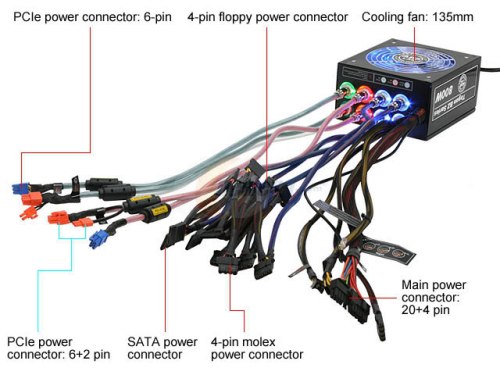
Non-Modular Supply

The old style of power supply is now called non-Modular. Notice the mess of cable that are permanently attached to the power supply. Well if you don’t need them all, which is likely, then you have to wrap that mess up and tie it somewhere inside the case.

In contrast, here is a modern Modular power supply:

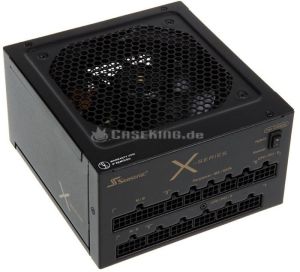
Fully Modular Supply

Notice that there are no cables hanging out of this PSU at all. You only use the cables you need to run your system. Modular power supplies are a little more expensive, and they are only provided for larger sizes. 550 Watts is about the smallest Modular PSU that’s available.

Continue reading “Modular Power Supplies – Another Reason to Use Them”

QtSlidePlayer – Display Slides without Movies

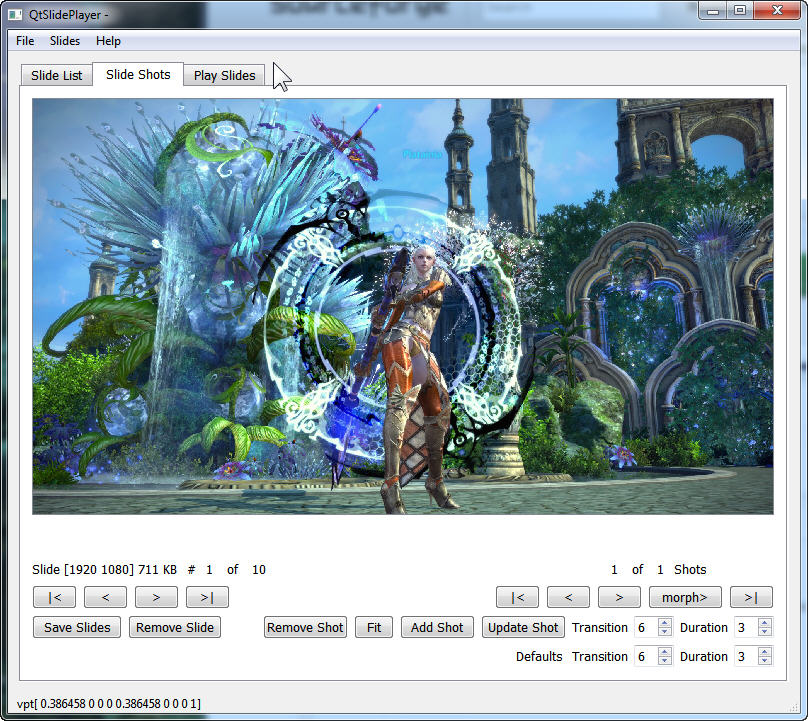
QtSlidePlayer Shot Editor

I wanted to display images each with one or more pan / zoom shots. Both on Windows and Linux. I have a Zbox running Linux Mint that I use as a photo frame. As I looked around for programs, all of them created movies. I did a test with one of these programs and 5 slides took 2 minutes to render the 100MB video. This means that a slide show of 300 slides would take 5 hours to render a movie of 8GB. The images for this slide show are only about 200MB.

QtSlidePlayer allows building slide shows in a portable way and the program runs on either Windows or Linux. You can find the program at SourceForge.

Continue reading “QtSlidePlayer – Display Slides without Movies”