
I’ve watched the Gemini button at the end of the Google search box for a few weeks ? Months?, but I’ve never tried it until today. Today I had a problem installing Java on Linux and I let Gemini help.
Background
A while ago I wrote a Java program to display artwork in the form of LibreOffice Impress files. The Showrunner program takes a list of Impress files and displays them one after the other and starts the first one after the last one. It is written in Java so that it’s easy to use on Windows or Linux.
I just got a new Mini system [5″ x 5″ x 3″] system. Basically a folded up laptop with 16GB RAM, 500GB SSD and it came with Windows 11 Pro – Yuck. So my first task was to install Linux Mint 22.3.
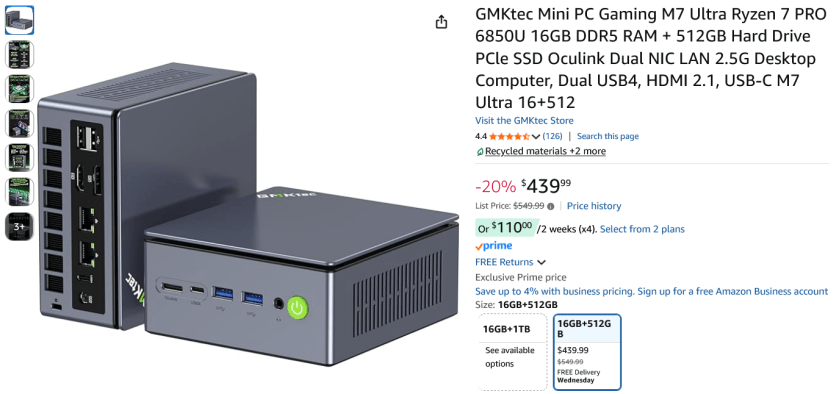
Installing Linux Mint 22.3 went without a hitch. But to use ShowRunner I needed to install Java. I tried to just install it. And that looked like it worked, but didn’t when I tried to run the program.
Java Headless is Not the One
So here’s what I did:
xxxx@GMKLinux:~$ java -versionCommand 'java' not found, but can be installed with:sudo apt install openjdk-17-jre-headless # version 17.0.18+8-1~24.04.1, orsudo apt install openjdk-21-jre-headless # version 21.0.10+7-1~24.04sudo apt install default-jre # version 2:1.17-75sudo apt install openjdk-19-jre-headless # version 19.0.2+7-4sudo apt install openjdk-20-jre-headless # version 20.0.2+9-1sudo apt install openjdk-22-jre-headless # version 22~22ea-1sudo apt install openjdk-11-jre-headless # version 11.0.30+7-1ubuntu1~24.04sudo apt install openjdk-25-jre-headless # version 25.0.2+10-1~24.04sudo apt install openjdk-8-jre-headless # version 8u482-ga~us1-0ubuntu1~24.04xxxx@GMKLinux:~$ sudo apt install openjdk-25-jre-headless # version 25.0.2+10-1~24.04[sudo] password for darrell: Reading package lists... DoneBuilding dependency tree... DoneReading state information... DoneThe following additional packages will be installed: ca-certificates-java java-commonSuggested packages: default-jre fonts-dejavu-extra fonts-ipafont-gothic fonts-ipafont-mincho fonts-wqy-microhei | fonts-wqy-zenhei fonts-indicThe following NEW packages will be installed: ca-certificates-java java-common openjdk-25-jre-headless0 upgraded, 3 newly installed, 0 to remove and 0 not upgraded.Need to get 58.9 MB of archives.After this operation, 244 MB of additional disk space will be used.Do you want to continue? [Y/n] yGet:1 http://archive.ubuntu.com/ubuntu noble/main amd64 ca-certificates-java all 20240118 [11.6 kB]Get:2 http://archive.ubuntu.com/ubuntu noble/main amd64 java-common all 0.75+exp1 [6,798 B]Get:3 http://archive.ubuntu.com/ubuntu noble-updates/universe amd64 openjdk-25-jre-headless amd64 25.0.2+10-1~24.04 [58.9 MB][... lots of stuff omitted for brevity...]I tried to run ShowRunner, and it failed with some error about needing the “Headful” library. Which apparently means that I installed “headless” meaning, no GUI libraries were included. Obviously the ShowRunner program needs a GUI library.
Starting with Gemini
Here’s how I started with Gemini.
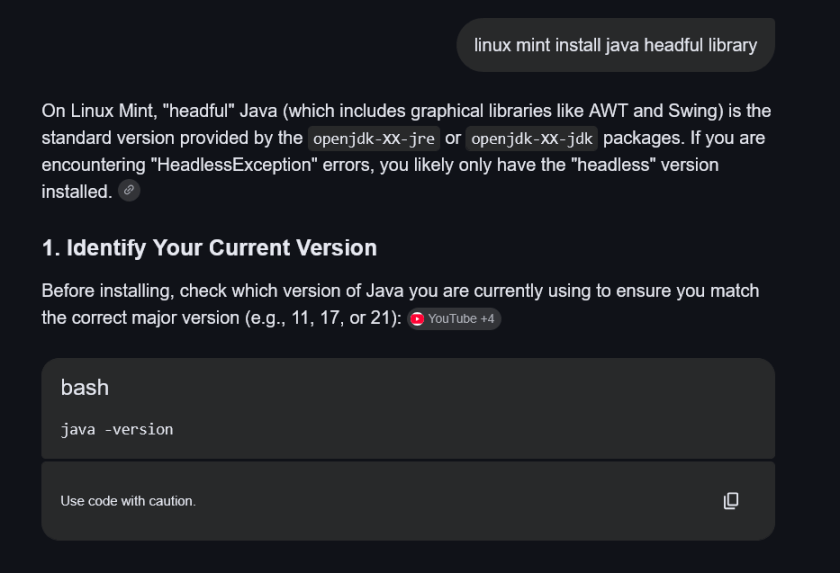
Yes I know. My first prompt is kind of dumb. But I’m just getting started and not yet feeling chatty. But I cut and pasted Gemini’s suggestions into my terminal windows starting with “java -version”, and went on from there.
After a few minutes I was getting suggestions like this:
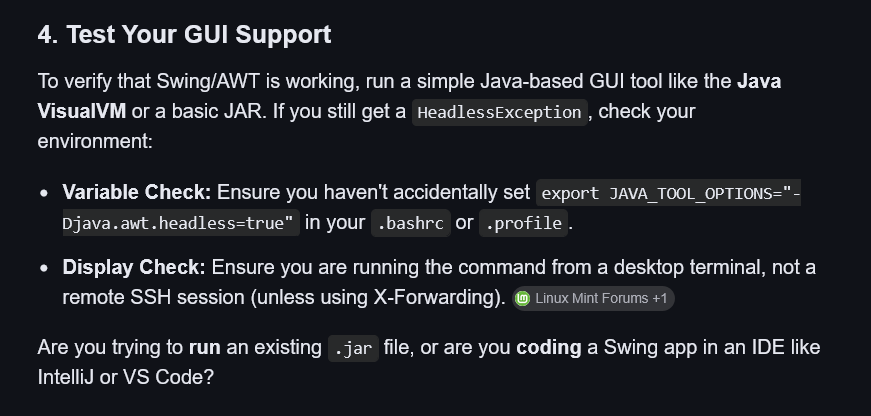
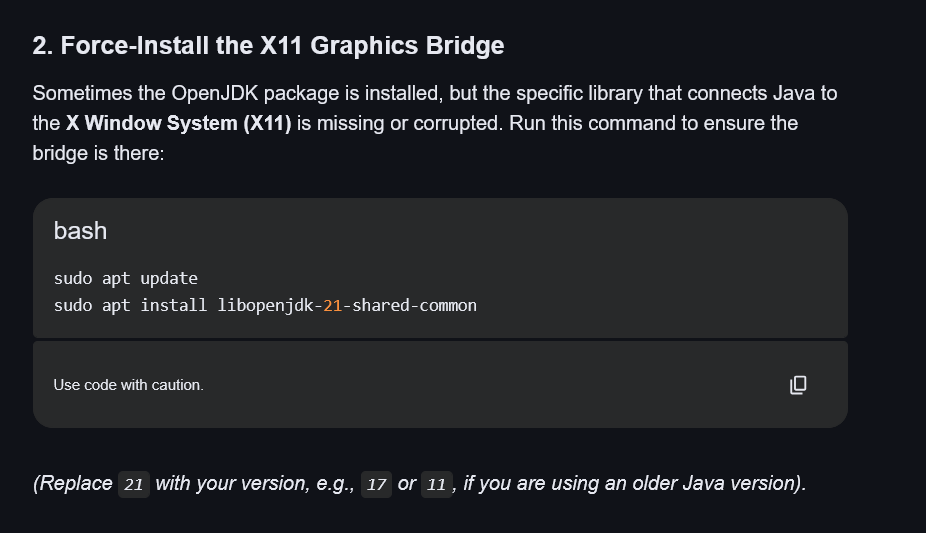
I continued trying Gemini’s suggestions in the terminal and copy / paste the results back into Gemini’s prompts. After a while one of the GUI tests that Gemini suggested worked.
I’m not sure which was the final solution to the problem. It may have been one of these. I saved page as HTML at the end of the problem, but it’s not easy to tell what I was doing in the terminal Window.
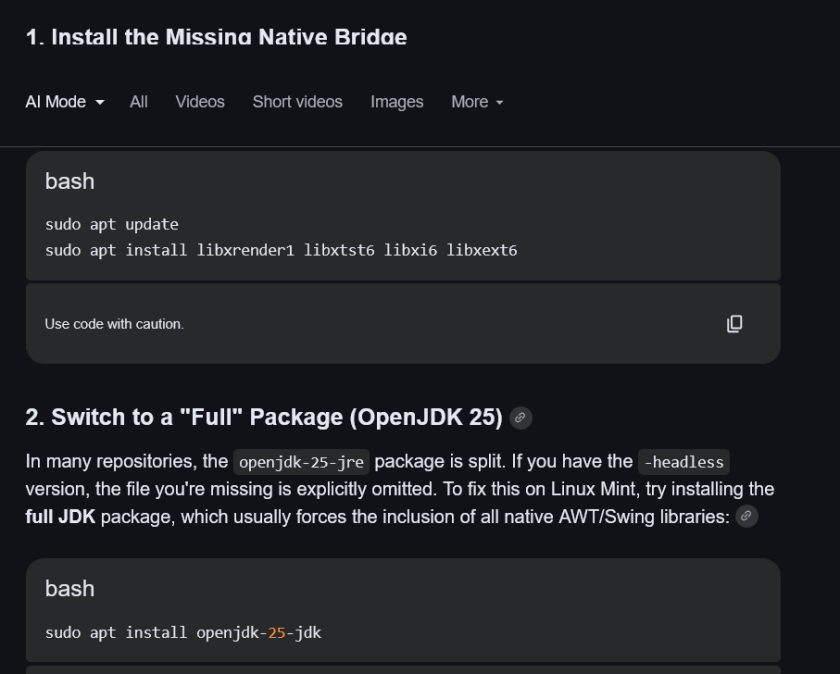
Anyway, all is well. I usually use Forums, Reddit or more recently Discord channels to answer questions. But these all require waiting on folks to answer. Gemini looks way more useful and is available “Right Now” unlike these other solutions. It did take a while probably 30-45 minutes. But talking with Gemini was a conversation and cutting and pasting the result from the terminal window back into Gemini could easily form the next “prompt” to continue the process. I typed what I had done and then pasted the result from the terminal window. If I needed a blank line or to go to the next line SHIFT / ENTER did that for me without terminating the prompt.
Along the way Gemini gave me a test to see if headful had been installed, and it failed. But I told it that the test failed and pasted the error message and it gave me another test that did work. Popped up a little box with “Hello” and an OK button. Success. After that, my program worked just fine.
This is the first time, but it won’t be the last time.
Maybe Gemini will work for you too whatever your problem.
:ww
 Windy Weather